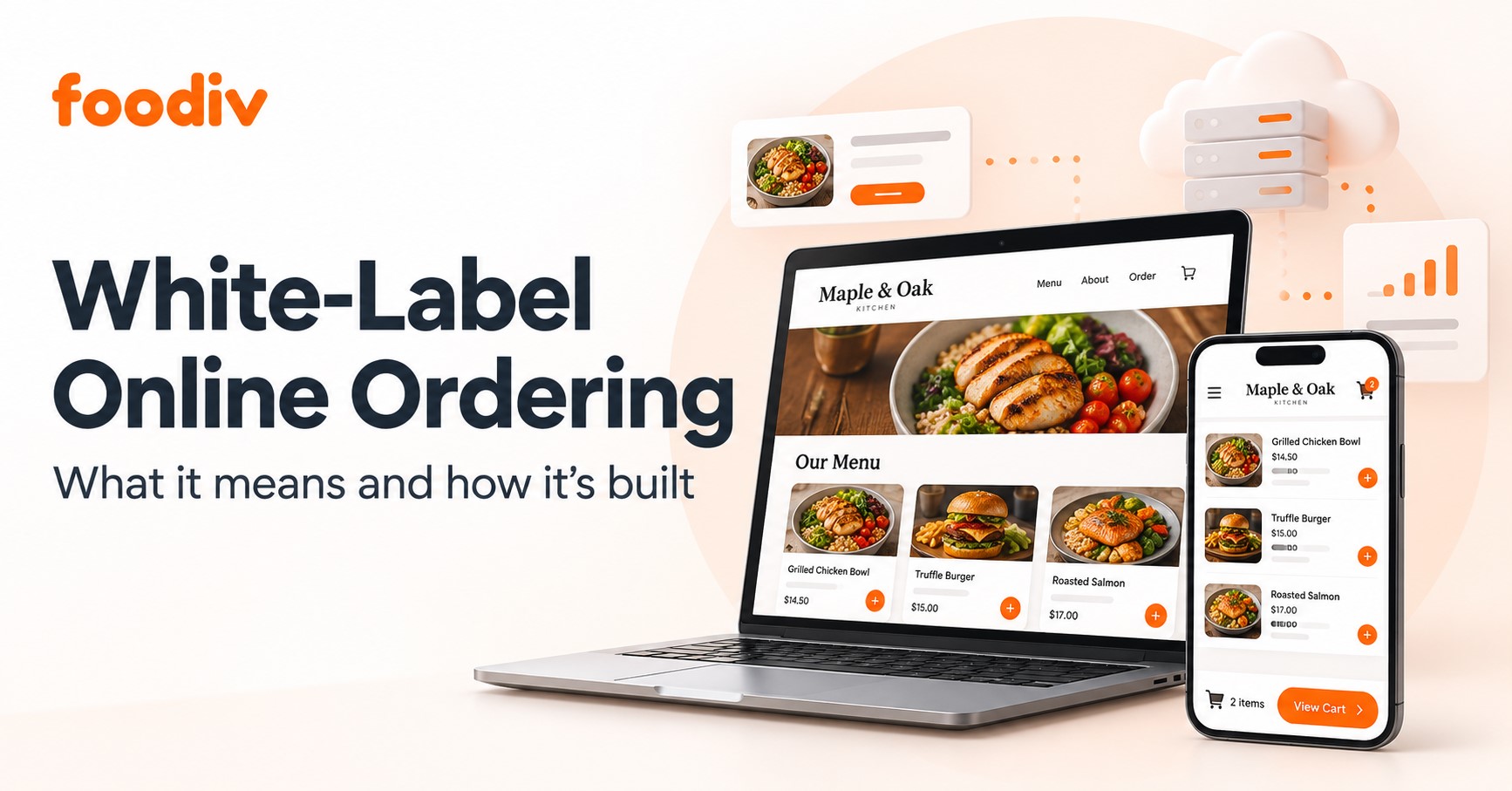
A customer visits your restaurant’s website, chooses a meal, and places an order. They see your name, menu, and branding, while another company supplies the ordering technology. That’s white-label online ordering: you offer an ordering service under your own brand using a provider’s software.
Foodiv’s restaurant online ordering system is one example, helping restaurants accept direct orders through branded websites and apps. The restaurant manages its menu and fulfils orders, while Foodiv supplies the ordering platform.
Branding and software ownership are separate. Your logo and domain do not automatically give you ownership of the source code that developers use to build the system. Your agreement determines whether you can access, change, or own that code.
Agencies can also resell white-label ordering software under their own business name. In that arrangement, the agency may brand the software service while each restaurant keeps its own customer-facing identity.
This guide explains what you can brand, how orders reach the kitchen, how providers build the software, and what to check about costs and ownership before choosing a system.
What Parts of an Online Ordering System Can Be White-Labelled?
White-labelling can cover the website, menu, checkout, customer messages, mobile app, and management dashboard. The provider and your plan determine how much you can change. Check the branding across the full ordering process, including what customers see after they pay and what staff see when they sign in.
| Element |
Branding options and details to check |
| Website and domain |
A branded restaurant ordering website can carry your restaurant’s name and use a custom domain. Foodiv’s restaurant website builder supports website customization and using your own domain. |
| Menu and ordering interface |
You may be able to change the logo, colours, food images, menu layout, and cart appearance. Check how the interface displays item modifiers, add-ons, and required choices, along with which design changes you can make yourself. |
| Checkout |
A branded checkout can match your website’s appearance. For online payments, a payment provider handles the transaction, and its branding may appear on payment or verification screens. |
| Customer communications |
Confirmations, receipts, and order-status messages may carry your restaurant’s identity. Ask whether you can customize the message templates, sender details, and any provider branding. |
| Mobile app |
An optional white-label restaurant app may use your name, icon, and colours. Confirm whether it costs extra, whose app-store account publishes it, and who handles updates. |
| Management dashboard |
Some providers also offer branding for staff dashboards, login pages, and agency reseller portals. Check these separately because customer-facing branding does not automatically include the tools your team uses. |
How Does White-Label Online Ordering Work?
A direct restaurant ordering system checks a customer’s choices, records their payment method, and sends the order to your team. Your settings control the available pickup and delivery options and how staff receive orders. Here’s how a typical pickup order works, using a large pizza with extra olives.
- The customer opens your ordering website.
They browse the menu on their phone or computer and choose a restaurant location if your business has several outlets.
- They choose their food and collection option.
The customer selects a large pizza, adds extra olives, and chooses pickup. If the restaurant offers delivery, they can select that option and enter their address.
- The system checks the order.
It checks the selections against your configured menu availability, prices, opening hours, and pickup settings. It calculates the total, including applicable taxes and charges. Delivery orders must also meet any delivery-zone and minimum-order rules.
- The customer selects a payment method.
For online payments, the system records the payment provider’s response and updates the payment status. If the customer chooses to pay on pickup, the amount remains due until collection.
- The restaurant receives and accepts the order.
The order appears in an order management dashboard or compatible connected POS. Staff accept it manually, or the system follows the restaurant’s automatic-acceptance settings. Payment confirmation and restaurant acceptance remain separate events.
- The kitchen prepares the food and completes the handover.
The kitchen receives the pizza size, toppings, and instructions. Staff prepare the order, mark it ready, and send a customer notification where enabled. The order is fulfilled when the customer collects it. For delivery, fulfilment finishes when the customer receives the food.
A paid order may still await restaurant acceptance. An accepted order may still need preparation. Keeping these statuses separate helps staff and customers understand exactly where the order stands.
Explore This- Best White-Label Alternatives to GloriaFood for Agencies and Resellers
How Is a White-Label Online Ordering System Built?
Providers typically build a white-label online ordering system from five connected parts: the customer interface, an ordering backend, payments, restaurant integrations, and hosting. They then configure branding, menus, and operating rules for each restaurant. This describes a typical implementation. The exact technology and connections vary by provider.
Branded Website and Optional Mobile App
The frontend is the storefront customers use to browse the menu, build their cart, and check out. A responsive website adjusts that interface to fit phones, tablets, and computers.
Providers can start with templates and configurable branding, embed an ordering widget inside an existing website, or build a custom interface. A restaurant ordering API lets that interface exchange menu and order information with the underlying software. An optional mobile app can connect to the same ordering engine. Olo and Flipdish document examples of custom interfaces and embedded ordering.
Menu, Cart, and Order Management Backend
The backend runs the rules behind the storefront. It manages menu items, modifiers, availability, prices, discounts, taxes, and order records.
Cart validation checks the customer’s selections against those rules before the system finalizes the order. For example, the ordering engine needs to charge for extra pizza toppings and include those toppings in the kitchen instructions.
The backend also keeps a record of what the customer purchased and the prices used for that transaction. Square’s order documentation shows how an order record brings together items, price adjustments, payment references, and fulfilment details.
Payment Processing and Reliable Confirmation
A payment gateway connects checkout to the payment service. The ordering system needs a reliable way to learn whether the payment succeeded, failed, or still needs confirmation.
Consider a customer who pays successfully, then closes the browser before returning to your website. The system still needs to record that payment. Stripe explains why an implementation cannot rely solely on the customer reaching a confirmation page. A webhook, a notification sent directly between servers, lets the payment provider report the result independently of the browser.
Developers must verify those notifications and track which events they have already processed. This supports duplicate-order prevention when the provider sends the same notification again. Stripe documents both notification verification and duplicate-event handling.
The system also needs clear paths for unsuccessful payments, retries, and refunds, with each outcome reflected in the payment status.
POS, Kitchen, and Delivery Connections
Compatible connections pass order details to restaurant staff without requiring them to retype every item. A restaurant POS system can help staff manage those orders and connect them with kitchen-ticket workflows.
In the kitchen, printed tickets or a kitchen display system show the items, modifiers, and preparation instructions. Foodiv’s published product pages describe kitchen-ticket and digital kitchen-display features.
An optional courier connection can exchange pickup details, delivery addresses, and status updates. Supported POS systems, printers, couriers, and synchronization features depend on the provider and the specific integration.
Restaurant Configuration, Hosting, and Maintenance
Each restaurant needs its own branding, menus, locations, opening hours, payment settings, and staff permissions.
Some platforms serve several restaurant businesses through shared infrastructure. In that setup, tenant isolation controls which business’s records and resources each account can access. AWS explains that logging in successfully does not, by itself, establish this separation.
Hosting keeps the storefront, backend, and databases running. Monitoring helps the provider spot failed connections and processing errors. Backups support recovery, while ongoing updates address software issues and changes in connected payment, POS, and delivery services.
White-Label Ordering vs Marketplaces vs Custom Development
A white-label platform gives your restaurant a branded ordering channel using a provider’s software. A marketplace lets customers discover and order from restaurants inside its app. Custom development gives you more control over the system’s design, along with responsibility for building and maintaining it. The trade-offs involve costs, flexibility, customer access, and marketing work.
| Factor |
White-label platform |
Third-party marketplace |
Custom-built system |
| Customer-facing branding |
Your restaurant’s identity leads the ordering experience, within the provider’s branding options. |
Your restaurant appears as a listing within the marketplace’s app and design. |
You design the interface around your brand, although connected services may retain their own branding. |
| Customer discovery and marketing |
Your restaurant attracts customers to its ordering channel. The provider may offer marketing tools or services. |
Gives you access to an existing audience. Visibility still depends on competition, platform placement, and potentially paid promotions. |
Your restaurant or marketing partner builds demand and brings customers to the website or app. |
| Setup and maintenance |
You configure an existing platform. The provider generally maintains the core software, while your team manages menus and operating settings. |
The marketplace maintains its platform. Your team manages the listing, menu, order handling, and supported connections. |
Your development team or contractor builds, tests, hosts, and maintains the system. |
| Customization |
Changes depend on available settings, integrations, APIs, and development services. |
You work within the marketplace’s menu, promotion, and ordering tools. |
You can create specific designs and workflows, subject to budget, development time, and connected-service limits. |
| Pricing models |
May include subscriptions, setup charges, per-location fees, or per-order charges. |
Usually includes order-based commissions or service fees. Advertising and promotions may add costs. |
Includes development costs plus ongoing hosting, maintenance, and integration expenses. |
| Customer-data access and portability |
Access to customer records and export tools depends on the provider and agreement. Confirm what you can retrieve when leaving. |
Provides order information and reporting, but customer-contact access, permitted use, and exports may be restricted. |
You can design data access and export tools. Actual control depends on the implementation and agreements with developers and service providers. |
| Delivery arrangements |
Can support your own delivery staff or compatible courier services. Availability and charges vary. |
May offer platform couriers, pickup, or self-delivery, depending on the market and plan. |
Your team builds or connects the delivery workflow and arranges the delivery service. |
How Can Restaurants Launch Branded Online Ordering With Foodiv?
To launch a branded restaurant ordering system with Foodiv, set up your restaurant details, menu, payments, and order-handling workflow, then test the full process before publishing. Confirm that your selected plan covers the features you need, including any mobile app, delivery controls, and kitchen tools.
- Configure your restaurant profile and branding.
Enter your restaurant’s name, address, contact details, and opening hours. Add your logo and customize the website’s appearance so customers recognize your business.
- Build and check your menu.
Add categories, items, descriptions, photos, and prices. Configure sizes, required choices, paid add-ons, and availability. Check that each selection changes the total correctly.
- Set up your domain, payments, and fulfilment rules.
Connect your domain and a supported payment gateway. Configure pickup and delivery options, taxes, minimum order values, delivery areas, and charges using the settings available in your plan.
- Configure the POS and kitchen workflow.
Set up the POS, kitchen tickets, or kitchen display included in your chosen setup. Confirm that staff receive item modifiers and special instructions. If you want to retain an existing POS or printer, check its compatibility first.
- Test successful, unsuccessful, and cancelled orders.
Complete a successful order, check a failed-payment scenario, and cancel a test order. Verify totals, payment status, staff alerts, customer notifications, and kitchen output. Confirm the refund process where payment has already succeeded.
- Publish the ordering link and train staff.
Add the tested link to your website and social profiles. Show staff how to accept orders, update preparation status, mark orders ready, and handle cancellations. Make sure someone monitors incoming orders during service.
For more detail on the individual settings, follow Foodiv’s guide on how to set up online ordering.
Agencies serving restaurant clients can use the Foodiv white-label partner programme to offer the platform under their own brand and set their own client prices. Confirm partner fees, branding coverage, onboarding responsibilities, and support arrangements before creating your service packages.
Is White-Label Online Ordering Right for Your Restaurant?
White-label online ordering can suit restaurants that want a branded direct ordering channel while a provider manages the technology. Your restaurant still needs to attract customers, keep the menu accurate, and handle orders reliably.
The decision comes down to how well the platform fits your operation. Check compatibility with your payment, point of sale, and kitchen systems. Compare the total cost, including subscriptions, setup, payment processing, optional features, and delivery charges. Confirm which customer records you can access and export, and what support you can expect during service hours.
Before committing, test a complete order from checkout and payment confirmation through restaurant acceptance, kitchen preparation, and pickup or delivery.