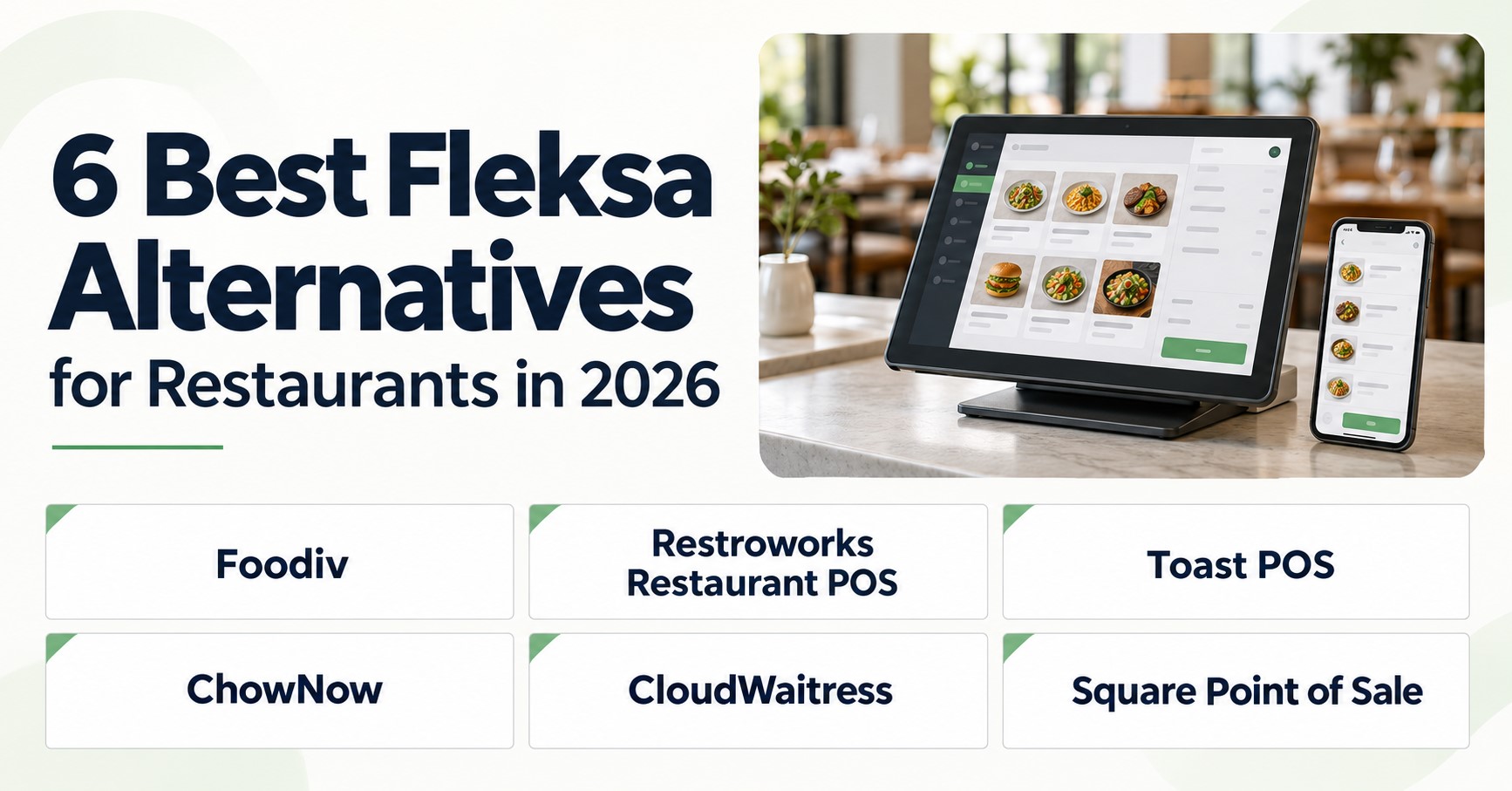
Foodiv, Restroworks Restaurant POS, Toast POS, ChowNow, CloudWaitress, and Square Point of Sale are six Fleksa alternatives worth comparing. They take different approaches to online ordering, payments, kitchen workflows, reservations, and restaurant management. The best Fleksa alternative for your restaurant depends on what you need to replace, which systems you want to keep, and what works in your country and budget.
Start with the functions you use every day. You might want to keep your existing POS and change how customers order online. Or you may need connected tools for table service, kitchen orders, and several locations. That choice will shape your shortlist.
This guide compares the six platforms across features, pricing, integrations, and switching requirements. You’ll see where each fits, which functions need additional services, and what to check before moving from Fleksa.
Best Alternatives to Fleksa: Side-by-Side Comparison
Six Fleksa competitors compared by fit, replacement scope, features and pricing basis
| Platform |
Best fit |
Replacement scope |
Key capabilities |
Pricing basis |
Main limitation |
| Foodiv |
Restaurants that want direct ordering, a website and selected restaurant tools together. |
Ordering, website, QR ordering, online POS and kitchen tickets; wider tools on higher plans. |
Native: ordering, website builder, QR ordering, online POS and kitchen tickets.
Native, plan-dependent: reservations, inventory and loyalty on Plus or above; customer app on Premium.
Integration-dependent: payment gateways and delivery partners.
|
Subscription per outlet. Standard requires annual billing; higher tiers unlock more functions. |
Standard does not include reservations, inventory or loyalty. |
| Restroworks Restaurant POS |
Restaurant groups that need shared menus, inventory and reporting across locations. |
POS and wider operations, plus digital ordering through selected modules. |
Native: POS and menu management.
Native, plan-dependent: inventory, kitchen displays, branded website/app ordering and QR ordering through selected modules.
Integration-dependent: third-party business and delivery systems.
|
Custom quote based on software modules, integrations, terminals and hardware needs. |
The quoted package determines coverage; do not assume the POS price includes every module. |
| Toast POS |
Restaurants that want connected POS, payment and kitchen workflows. |
POS, payments and kitchen operations; add ordering and guest tools as needed. |
Native: POS, menus and payment workflows.
Native, plan-dependent: online ordering, kitchen displays and loyalty through selected products or packages.
Integration-dependent: third-party delivery apps.
|
Software package, hardware, implementation and payment processing; optional products add to the cost. |
Toast requires approved hardware, which can limit reuse of existing devices. |
| ChowNow |
Independent restaurants that want direct orders while keeping a supported POS. |
Online ordering and guest marketing; connect an existing POS for order syncing. |
Native: direct online ordering.
Native, plan-dependent: branded app, loyalty and marketing features.
Integration-dependent: external POS and delivery apps.
Not verified: native inventory and table reservations.
|
Monthly or annual subscription, plus setup and processing fees. App and delivery charges may apply. |
A wider operations replacement is not established; native inventory and reservations are not verified. |
| CloudWaitress |
Restaurants that want ordering and table bookings, with a limited free starting option. |
Ordering website, QR ordering and reservations; POS is an additional service. |
Native: pickup/delivery ordering, QR ordering and reservations.
Native, plan-dependent: POS and branded app as additional services.
Integration-dependent: payment gateways and external POS.
|
Limited free tier or paid subscription per store. Apps have build and monthly fees; POS price is not verified. |
The free tier stops new orders and bookings at 100 combined per month. |
| Square Point of Sale |
Cafes and restaurants that want payments, POS and online orders in one system. |
POS, payments and online ordering; broader restaurant functions depend on the plan and add-ons. |
Native: POS, payments and online ordering.
Native, plan-dependent: kitchen displays, QR ordering and loyalty.
Integration-dependent: ingredient inventory through MarketMan.
|
Free or paid per-location plan, plus processing and hardware. Kitchen displays carry an extra per-device fee. |
The free plan excludes Square KDS; paid plans still charge separately for each kitchen display device. |
Which are the 6 best Fleksa alternatives for restaurants?
Verdict: Foodiv is worth shortlisting when you want branded direct ordering with room to add reservations, loyalty and restaurant tools. Its wider feature set depends on the plan and the connections your restaurant needs.
Best for: Independent restaurants and growing groups that want ordering and selected management tools from one provider.
Replacement scope: The Foodiv restaurant website builder can cover your customer website and mobile-friendly ordering for pickup and delivery. The wider suite also covers QR ordering and reservations. A complete replacement for Fleksa’s in-store POS and kitchen setup needs a separate check against your checkout, payment and hardware requirements.
Key capabilities:
- Native: Website ordering for pickup, delivery and dine-in.
- Native menu options: Sizes, toppings, variants and add-ons. Test your required modifier choices and selection limits with a sample menu.
- Native, included in Standard: QR ordering, online POS and kitchen order tickets.
- Native, plan-dependent: Plus adds reservations, table/room ordering, inventory, loyalty and reports. Premium adds the customer mobile app.
- Native suite options: The Foodiv kitchen display system provides station routing and order tracking. Foodiv also describes support for multiple locations; confirm the package and reporting controls for your group.
- Integration-dependent: Existing POS, payment gateways and delivery services. Foodiv’s integration directory lists WinOrder, Stripe, PayPal and other providers.
Benefits: Customers order through your restaurant’s brand. You can add booking and loyalty functions within the same suite as your needs grow. Foodiv advertises no per-order commission; payment-provider charges remain separate.
Limitations: The public pricing grid does not clearly assign KDS or consolidated reporting across locations to a tier. Those inclusions are not verified. A listed connector also does not establish compatibility with every POS version or printer.
Before launch, configure your domain, menu choices, taxes, opening hours, delivery zones, payment account, table QR codes and kitchen routing. Test an order through each service type. Automatic migration of Fleksa customer data and order history is not verified.
Pricing and date: Checked 8 October 2026. The public Foodiv pricing page displays Standard at $129/year per outlet, Plus at $349/year per outlet and Premium at $649/year per outlet. Standard requires annual billing. Confirm any additional hardware, KDS or integration charges for your proposed setup.
Choose this if… You want direct ordering plus booking, loyalty and restaurant tools, with a plan that matches the functions you will actually use.
2. Restroworks Restaurant POS
Verdict: Restroworks deserves a place on your shortlist when coordinating menus, inventory and reporting across restaurants matters as much as taking orders. Assess the complete proposed package, because the POS alone does not establish customer-facing coverage.
Best for: Restaurant groups, chains and businesses with several service formats or shared kitchen operations.
Replacement scope: Restroworks can cover POS and wider operations. Add RestroWEB for a branded ordering website and the reservation module for online bookings and table management. These products can address Fleksa’s customer-facing functions when your proposal includes them.
Key capabilities:
- Native: Restaurant POS and centralized menus, with location-specific prices and offers.
- Native, plan-dependent: Inventory, recipes, central kitchen tools and kitchen displays through selected modules.
- Native, plan-dependent: Reporting across outlets, with enterprise reporting tools.
- Native, plan-dependent: RestroWEB website ordering, RestroAPP customer app, RestroScan QR ordering and reservation tools.
- Integration-dependent: Third-party ordering, delivery and business systems through its integration marketplace.
Benefits: Central menu control gives managers one place to roll out prices, offers and menu changes. Reporting across locations helps them compare restaurant performance without treating every branch as a separate system.
Limitations: A broad product catalogue does not mean every function comes with your POS subscription. Match each Fleksa function to a named module in the proposal.
Plan the implementation around menu mapping, inventory units, recipes, permissions, printers and payment connections. Train staff on ordering, refunds and kitchen workflows, then pilot one location before a larger rollout.
Pricing and date: Checked 8 October 2026. Restroworks uses custom quotes based on software modules, integrations, terminal count and hardware requirements. Ask the proposal to separate recurring subscriptions, equipment, implementation and training. A fixed public price for this complete setup is not verified.
Choose this if… You need shared operational control across locations and can support a planned implementation and staff training process.
3. Toast POS
Verdict: Toast fits restaurants that want their POS, payments, kitchen and online orders to work within the Toast system. This review assesses a US setup with Toast POS, Toast KDS and Toast Online Ordering.
Best for: Restaurants planning a POS replacement or already using Toast and expanding their ordering channels.
Replacement scope: The proposed setup covers POS, payments, kitchen displays and direct online ordering. If you currently use Fleksa POS, it involves moving those workflows to Toast. Existing equipment is reusable only when Toast approves the devices.
Key capabilities:
- Native: Restaurant POS, menu management and payment workflows.
- Native, plan-dependent: Kitchen displays connected to restaurant orders.
- Native, plan-dependent: Direct ordering for pickup and delivery through Toast Online Ordering.
- Native, plan-dependent: Online Ordering Pro adds hosting on your custom domain and more design and ordering controls.
- Native, plan-dependent: Inventory tools, payroll, scheduling, loyalty, marketing and reservation products through selected packages.
- Integration-dependent: External delivery apps and courier services.
Benefits: Website orders can reach the same POS and kitchen workflow as orders taken by staff. This makes Toast a useful option when connected service and kitchen operations drive the switch.
Limitations: Toast requires approved hardware. Verified markets include the US, Canada, UK, Ireland and Australia, but product availability and prices vary by country. This US configuration does not establish availability of every add-on elsewhere.
Pricing and date: Checked 8 October 2026, using US public offers:
- Software: Eligible Starter Kits start at $0/month; the core Point of Sale plan starts at $69/month. Build Your Own uses custom pricing. These starting prices do not establish the cost of the complete assessed setup.
- Processing: Card-payment charges follow your processing agreement.
- Hardware and installation: Toast quotes equipment and implementation according to your setup.
- Additional services: Price online ordering, KDS, marketing, loyalty and delivery services separately in the proposal. Pay-as-you-go offers can shift upfront expenses into the platform rate.
- Choose this if… You want Toast POS to run your restaurant’s service, payments and kitchen, with online ordering connected to that setup.
4. ChowNow
Verdict: ChowNow is a practical ordering-focused Fleksa alternative when you want to retain a supported POS. Choose its plan around the website, app and repeat-ordering tools you need.
Best for: Independent restaurants that want direct pickup and delivery orders while keeping their current POS workflow.
Replacement scope: ChowNow direct ordering can cover website ordering and, on an eligible plan, branded app ordering. It connects with supported POS systems. Keep or separately replace the inventory, kitchen and reservation functions that your restaurant still needs.
Key capabilities:
- Native: Website ordering, menu management and order reporting.
- Native, plan-dependent: Launch Lite excludes the branded app and loyalty tools available in Launch.
- Native, plan-dependent: Launch provides automated email campaigns; Grow and Elevate add SMS campaigns and custom campaign tools.
- Integration-dependent: POS connections include Square, Toast, Revel and Clover. Confirm the exact product and sync behaviour for your restaurant.
- Delivery options: Use your own drivers or Flex Delivery’s courier connections, subject to local coverage.
Benefits: You can change how customers order without automatically replacing a supported POS. The fuller plans also connect direct ordering with customer follow-up and loyalty tools.
Limitations: Native inventory and table reservations are not verified as replacements for Fleksa’s wider operations. Before signing, ask ChowNow to demonstrate modifier mapping, taxes, refunds and order routing with your exact POS. Its team handles setup, POS integration and menu configuration, but the work depends on your restaurant’s requirements.
Pricing and date: Checked 8 October 2026. Launch Lite lists $99/month. The full Launch plan starts at $229/month when billed annually. For the full plans, the main pricing page lists $119–$499 setup, 2.95% + $0.29 per transaction, and a $99 annual Apple developer fee for branded apps.
The pricing page lists Flex Delivery at $7.98/order. Confirm the full delivery fee and the restaurant/diner split, because the product page also uses $3.99 wording. For its full plans, ChowNow ties commission-free ordering to Profit Protector being enabled. Subscription, processing and applicable delivery charges still apply.
Choose this if… Your supported POS already works well and your main goal is better direct ordering and repeat-customer marketing.
5. CloudWaitress
Verdict: CloudWaitress suits restaurants that want website ordering, QR dine-in orders and table bookings together. Its free tier offers a limited starting point, while POS remains an additional service.
Best for: Restaurants that need ordering and reservations, with a clear path from a limited free plan to paid usage.
Replacement scope: CloudWaitress can cover Fleksa’s ordering website, pickup, delivery, QR ordering and bookings. To replace POS too, add its POS service or arrange a supported external POS connection. The ordering subscription alone does not establish full POS replacement.
Key capabilities:
- Native: Website ordering for pickup, delivery and dine-in, plus QR ordering and reservations.
- Native: Menu options, toppings, combinations and menus scheduled by order type, location or time.
- Printing setup: PushPrinter supports compatible thermal printers through Windows, Android or Linux devices. Install and configure the printing software before launch.
- Integration-dependent: Online payment gateways, including Stripe and PayPal, and external POS connections.
- Plan-dependent: Order volume, staff-account limits and additional POS or branded app services.
Benefits: One ordering setup can serve customers collecting food, ordering at a table or booking a visit. The free tier gives smaller restaurants a way to test those channels before paying for higher volume.
Limitations: Starter stops customers from starting new orders or bookings after 100 combined per month. Online payments depend on gateway support in your country. Compatibility with your exact external POS and pricing for the additional POS service are not verified.
Pricing and date: Checked 8 October 2026. Starter is free within its usage limit. Standard lists US$39 per store/month, with unlimited orders and bookings and five staff accounts. The page also displays AU$79 per store/month, excluding GST. Enterprise adds unlimited staff accounts and priority support. Branded apps carry a build fee and monthly subscription; request a separate POS quote.
Choose this if… You need direct ordering and reservations, and can arrange the payment, printing and POS connections your restaurant requires.
6. Square Point of Sale
Verdict: Square fits restaurants that want payments, menus and online orders within the Square system. This review assesses US Square Plus, restaurant modes in the Square POS app, Square Online ordering and a paid Square KDS add-on.
Best for: Cafes and restaurants that want Square payments with connected counter, table and kitchen workflows.
Replacement scope: This setup can cover POS, checkout, menus, online pickup/delivery ordering, kitchen workflows and loyalty. Assess table reservations separately; their replacement within this setup is not verified.
Key capabilities:
- Native: Full service, quick service and bar modes in Square Point of Sale, on supported devices.
- Native: Shared menus, item variations, modifiers and checkout, with configurable printer profiles.
- Native, included in the assessed bundle: Square Online website and pickup/delivery ordering tools through the new US Plus subscription.
- Native, paid add-on: Square KDS, with restaurant capabilities enabled and supported Android kitchen hardware.
- Native, plan-dependent: Loyalty and marketing tools included in US Square Plus.
- Integration-dependent: Ingredient inventory through MarketMan and relevant external delivery services.
Benefits: You can manage menus across restaurant POS and online channels from Square Dashboard. The assessed Plus bundle also brings loyalty and website tools into the same subscription.
Limitations: Full service, quick service and bar modes are unavailable on iPhone and Android phones/tablets, according to Square’s mode documentation. Check the supported restaurant POS device separately from the Android hardware used for KDS. Compatible printers also need configured routing profiles.Pricing and date: Checked 8 October 2026, using US pricing. Square Plus costs $49/month per location. Square KDS adds $30/month per device on Plus. One location with one KDS device therefore starts at $79/month, before processing, hardware, delivery or additional integrations.
The assessed new Plus bundle includes Square Online website tools. Its restaurant capabilities sit within that subscription; the KDS device fee remains additional.
Choose this if… You want Square payments, POS and online ordering together, and the assessed Plus plan covers your restaurant’s workflow.
What should you check before switching from Fleksa?
Before you switch from Fleksa, work out what you can take with you and what you’ll rebuild. Most delays come from assuming everything moves across automatically. Ask each provider for a written answer on the points below, and treat anything unconfirmed as manual work.
Which menu and business data can you move?
Don’t treat your data as one lump. Each type has its own export route, import route, and risks, so check them one by one.
- Menu categories, items, prices and modifiers. This is the core of any Fleksa menu migration. Export what Fleksa allows, then ask the new provider whether it imports that file or whether someone rebuilds the menu by hand. Modifiers cause the most trouble, especially required choices and selection limits.
- Descriptions and images. Text and photos often sit outside the main menu export. Download your own copies now so you aren’t stuck if your account closes.
- Customer records and consent information. Moving customer details is a privacy question as well as a technical one. Confirm you’re allowed to transfer the data and that marketing consent travels with it. If consent can’t move, ask customers to opt in again.
- Order history. Many platforms won’t import it. Export it for your own accounting and reporting, even if the new system starts from zero.
- Loyalty balances and reservations. These are the easiest to lose. Check whether points balances can be carried over, and list future bookings so you can contact guests or re-enter them.
Here’s the honest part. Don’t tell your team or your customers that you can migrate from Fleksa automatically unless the new provider has confirmed it for your account. If they haven’t, plan on manual entry and budget the time.
What needs configuration before launch?
Moving the menu is only part of it. The new system also needs the settings that make orders flow. Go through this list and tick off each item:
- Website and domain routing, so customers land on the right page
- Menus, taxes and opening hours
- Payment accounts and payout details
- Delivery zones and pickup rules
- POS connection, printers and kitchen screens
- Staff permissions and order notifications
- Table QR codes and booking links
Tax settings and delivery zones deserve a second pair of eyes. A wrong tax rate or a missing postcode costs you money before anyone notices.
How should you test the new setup?
Place real test orders before you open to customers. Cover every flow you plan to offer:
- Pickup, delivery and dine-in orders, whichever apply to you
- Card payments and refunds
- Modifiers and required choices, using your trickiest menu items
- What prints or appears on the kitchen screen
- Customer and staff notifications
- Bookings, if you take them
- Order routing, if you run more than one location
Ask someone who didn’t set the system up to place a few orders. They’ll find the confusing steps you’ve stopped seeing.
Then plan the cutover around service hours. Switch over in a quiet period, not before a Friday dinner rush. Keep your old Fleksa setup available until the new one has handled a full day of real orders, and tell staff exactly when the changeover happens.
As for timing, any estimate depends on your menu size, your hardware and how many locations you run. Ask each provider to put a timeline in writing based on your actual scope, and be wary of anyone who quotes one before seeing your setup.
Related Topics
7 Best GloriaFood Alternatives for Restaurants
8 Best FoodAmigos Alternatives for Restaurants
6 Best Hyperzod Alternatives for Restaurants
7 Best ChowNow Alternatives for Restaurants
What is the final verdict on Fleksa alternatives?
No platform wins for every restaurant, so match the tool to what you need to replace. Foodiv is the best starting point if you want branded direct ordering with reservations and loyalty from one provider. Restroworks suits multi-location groups, Toast suits connected POS and kitchen workflows, ChowNow suits restaurants keeping their POS, CloudWaitress suits ordering with QR and bookings, and Square suits restaurants already on Square. Before you commit, get a written quote covering every Fleksa function you use, then place real test orders with your own menu and payment setup.