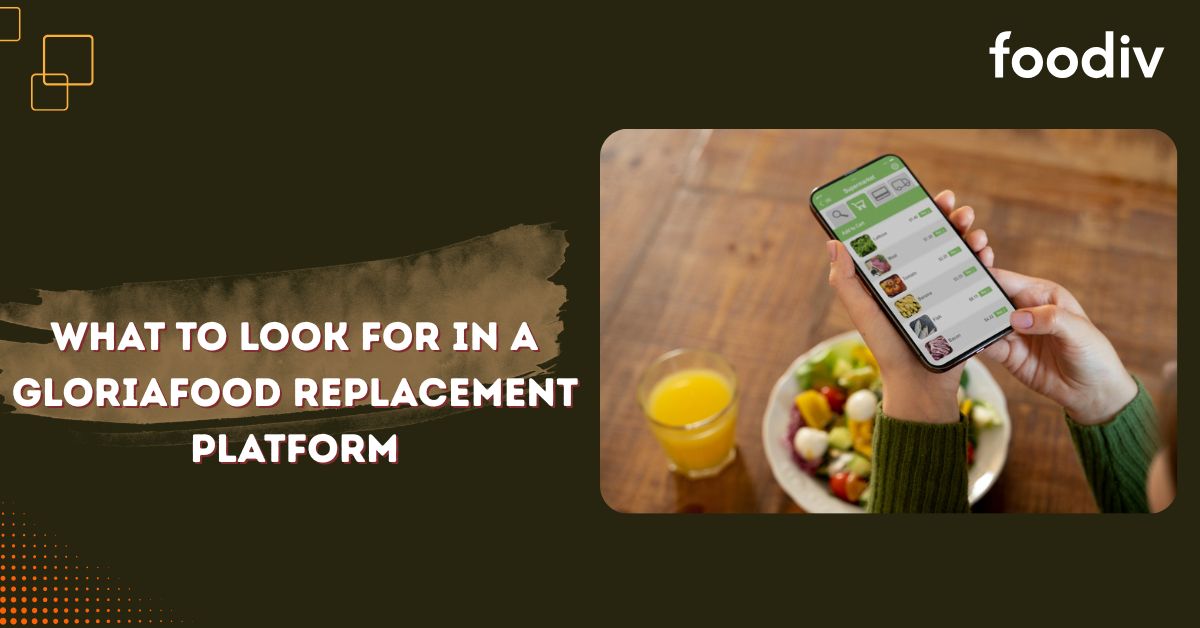
GloriaFood users are now facing an important decision. They do not just need another tool to take orders. They need a GloriaFood replacement platform that keeps their online ordering active, protects customer experience, and gives them better control over daily restaurant operations.
Here’s the thing. A quick switch may look easy at first. But if the new platform does not support the right features, problems can start quickly. The website order button may not work properly. Payments may fail during checkout. Menu items, prices, add ons, or delivery rules may not move correctly. Staff may also struggle if the order dashboard feels confusing.
That is why restaurants should look beyond basic online ordering. The right GloriaFood replacement should support direct online orders, menu setup, payment gateways, pickup and delivery rules, website ordering, QR ordering, table reservation, and customer data access. It should also make GloriaFood migration easier, so restaurants can switch from GloriaFood without losing control over orders.
For small restaurants, cafes, takeaway shops, bakeries, cloud kitchens, and multi location restaurants, this decision matters even more. Online orders are not just extra sales anymore. They are part of the daily workflow. A strong restaurant online ordering system helps food businesses manage orders, serve customers better, and prepare for long term growth.
This guide breaks down what restaurants should check before choosing a GloriaFood alternative. It will help you understand which features matter, what mistakes to avoid, and how to choose a platform that can support your restaurant beyond the migration stage.
What Should Restaurants Look for in a GloriaFood Replacement Platform?
A GloriaFood replacement platform should help restaurants accept direct online orders, manage menus, set up payment gateways, handle pickup and delivery rules, and connect ordering with their website, social media pages, and QR codes. Restaurants should also check pricing, onboarding support, customer data access, go live testing, and long term platform stability before they switch from GloriaFood.
Why Restaurants Need to Choose a GloriaFood Replacement Carefully
Many restaurants use GloriaFood for more than basic online ordering. It may power their website order button, menu display, pickup orders, delivery orders, customer ordering flow, and order notifications. So, replacing it is not something restaurants should treat like a small software change.
A rushed move can create problems that show up at the worst time. The new restaurant online ordering system may look ready, but if it is not tested properly, orders can get stuck. Customers may click the old ordering link. Payments may fail. Staff may not know where to check incoming orders. Small issues can quickly turn into lost sales.
Here’s the thing. A GloriaFood replacement platform should protect the full ordering journey, not just the menu page. Restaurants need to check how customers find the ordering link, how they place an order, how payments work, how staff receive order notifications, and how the kitchen team handles the order after that.
The website order button is one of the first things to check. Many restaurants depend on it for direct online orders. If the button still points to an old GloriaFood link after migration, customers may land on a broken page or outdated ordering flow. That can create confusion and reduce trust.
Payment setup also needs early testing. Restaurants should not wait until launch day to check payment gateways, cash on delivery, taxes, delivery fees, and checkout flow. A new online food ordering system should process payments correctly before the restaurant starts sending real customers to it.
Menu migration is another area where mistakes happen. Items, prices, add ons, variants, images, and availability settings can get missed if the process is rushed. A pizza shop may need toppings and size options. A cafe may need modifiers for milk choices or extras. A bakery may need advance order settings. These details directly affect customer experience.
Staff also need time to learn the new order dashboard. If the team does not understand where orders appear, how to accept them, or how to manage pickup and delivery timings, the restaurant may face delays during busy hours. A good GloriaFood alternative should make this learning process simple.
Customers may also get confused if ordering links change suddenly. Restaurants need to update their website, social media pages, Google Business Profile, QR codes, and any other place where the old GloriaFood link appears. This step helps customers reach the right ordering page without friction.
Waiting too long can make everything harder. Restaurants that migrate from GloriaFood early get time to review their setup, test orders, train staff, and fix small issues before they affect real customers. That is why choosing a GloriaFood replacement carefully is not just a technical decision. It is a business continuity decision.
What Is a GloriaFood Replacement Platform?
A GloriaFood replacement platform is an online ordering system that helps restaurants continue taking direct online orders after moving away from GloriaFood. It helps manage menus, payments, pickup orders, delivery orders, and customer ordering from one place.
A proper GloriaFood replacement platform should help restaurants:
- Accept orders from their own website
- Add ordering links to social media pages
- Use QR codes for dine in or table ordering
- Manage pickup and delivery orders
- Set up online payments and payment gateways
- Control menus, prices, offers, and order timings
- Reduce dependency on third party marketplaces
A good GloriaFood alternative should do more than replace an old ordering link. It should help restaurants keep online orders active, protect customer experience, and manage daily operations with better control.
Key Things to Look for in a GloriaFood Replacement Platform
Choosing a GloriaFood replacement platform is not only about finding another online ordering tool. Restaurants need a system that can handle real daily work. The platform should help with menu migration, website ordering, payments, pickup and delivery rules, QR ordering, table reservation, customer data, and long term growth.
Let’s break it down.
Easy Menu Migration
Menu migration is one of the first things restaurants should check. A good GloriaFood replacement should help move menu categories, items, prices, descriptions, add ons, modifiers, and images without creating confusion.
This matters because customers see the menu first. If items are missing, prices are wrong, or add ons do not work properly, orders can quickly go wrong.
Restaurants should check if the platform supports:
- Menu structure
- Food categories and items
- Add ons and variants
- Food images
- Pricing
- Taxes and charges
- Availability settings
A smooth GloriaFood migration helps restaurants switch faster and avoid menu mistakes after going live.
Direct Website Ordering
The right GloriaFood alternative should allow restaurants to accept direct online orders from their own website. This helps restaurants keep control over the customer journey instead of sending customers to third party marketplaces.
Your website order button should take customers to a clean and working ordering page. The flow should feel simple on mobile because most customers place food orders from their phones.
Restaurants should check if the platform supports:
- Website order button
- Embedded ordering page
- Custom restaurant website ordering
- Mobile friendly ordering flow
- Brand control
Direct website ordering helps restaurants protect their brand, keep customer data, and reduce marketplace dependency.
Flexible Payment Gateway Setup
Payment setup can make or break the online ordering experience. A GloriaFood replacement platform should support the restaurant’s preferred payment gateways and local payment methods.
Restaurants should test payments before going live. This includes card payments, wallets, cash on delivery, taxes, delivery fees, and refund related settings if needed.
Restaurants should check if the platform supports:
- Online payments
- Cash on delivery
- Card payments
- Wallets
- Local payment gateways
- Payment testing before go live
A strong online food ordering system should make checkout simple for customers and easy to manage for restaurant staff.
Pickup and Delivery Rule Management
Restaurants need clear control over pickup and delivery rules. A good restaurant ordering system should let them decide where they deliver, when they accept orders, how much they charge, and how long preparation takes.
This helps avoid late orders, wrong delivery expectations, and customer complaints.
Restaurants should check if the platform supports:
- Pickup orders
- Delivery orders
- Delivery radius
- Delivery charges
- Time slots
- Holiday hours
- Order cutoff time
- Preparation time
- Minimum order value
Pickup and delivery settings should match the real workflow of the restaurant, not force the restaurant to adjust around the software.
QR Ordering Support
QR ordering is useful for dine in restaurants, cafes, hotels, resorts, food courts, and quick service food businesses. It helps customers scan, view the menu, and place orders without waiting for staff.
For restaurants with dine in service, QR ordering can reduce pressure during busy hours. It can also improve table ordering and speed up customer service.
Restaurants should check if the platform supports:
- QR menu
- Table ordering
- Contactless ordering
- Dine in order flow
- Faster customer ordering
A GloriaFood replacement for restaurants should support both online orders and in house ordering needs if the business handles dine in customers.
Table Reservation Features
Restaurants that accept bookings should look for table reservation features. This helps them manage dine in guests along with online food orders from one system.
A simple reservation setup can help staff view bookings, prepare tables, and avoid missed customer requests.
Restaurants should check if the platform supports:
- Online table booking
- Reservation calendar
- Guest details
- Booking notifications
- Restaurant staff visibility
Table reservation support becomes even more useful for cafes, fine dining restaurants, hotels, resorts, and busy local restaurants.
Restaurant Management Tools
A GloriaFood replacement platform should not only collect orders. It should help restaurants manage daily operations with more clarity.
The platform should give staff a simple order dashboard, easy menu control, customer details, reports, and notifications. This helps the restaurant run online ordering without confusion.
Restaurants should check if the platform supports:
- Order dashboard
- Menu management
- Customer details
- Reports
- Staff access
- Notifications
- Restaurant settings
Good restaurant management software helps teams save time and handle orders with better control.
Multi Location Support
Multi location restaurants need more than basic online ordering. They need outlet wise control over menus, pricing, delivery rules, staff access, and order flow.
A single outlet may work with a simple setup. But multi location restaurants need a central dashboard to manage everything without mixing up orders.
Restaurants should check if the platform supports:
- Multiple outlets
- Outlet wise menu
- Outlet wise pricing
- Outlet wise delivery rules
- Central dashboard
- Location based ordering
- Role based access
This is important for restaurant chains, cloud kitchens, franchise businesses, and food businesses with more than one branch.
Customer Data Control
Customer data is one of the biggest reasons restaurants should choose a direct ordering platform. When restaurants own customer data, they can understand repeat buyers, order history, and customer preferences.
This helps them build stronger relationships instead of depending fully on third party platforms.
Restaurants should check if the platform provides access to:
- Customer names
- Contact details
- Order history
- Repeat orders
- Customer insights
- Direct marketing potential
A good GloriaFood replacement should help restaurants keep better control over customer data and direct online orders.
Transparent Pricing
Restaurants should understand the full cost before they switch from GloriaFood. Low pricing may look attractive, but hidden charges can create problems later.
They should check monthly fees, setup charges, transaction costs, migration fees, and add on costs before choosing the best GloriaFood replacement.
Restaurants should check:
- Monthly cost
- Setup cost
- Commission charges
- Feature based pricing
- Migration cost
- Add on costs
- Long term affordability
Clear pricing helps restaurants plan better and avoid surprises after migration.
Reliable Onboarding and Support
Migration becomes easier when the platform team supports setup, testing, and launch. Restaurants should not have to figure out everything alone, especially when online orders are important for daily sales.
The right onboarding support can help restaurants move menus, test payments, train staff, and go live with more confidence.
Restaurants should check if the platform offers:
- Migration support
- Setup guidance
- Payment testing
- Staff training
- Go live support
- Post launch support
Reliable onboarding support helps restaurants migrate from GloriaFood without panic or last minute confusion.
Long Term Platform Stability
Restaurants should choose a platform they can rely on for the long term. The goal is not to switch from GloriaFood today and start looking for another tool again tomorrow.
A stable platform should keep improving, support restaurant needs, and offer dependable support when problems come up.
Restaurants should check for:
- Product stability
- Regular updates
- Scalable system
- Support availability
- Future feature growth
- Restaurant focused roadmap
The best GloriaFood replacement should protect today’s orders and support tomorrow’s growth. That is the real test.
Features Restaurants Should Not Ignore While Replacing GloriaFood
Some features look small during comparison. But after launch, these details can affect real orders, staff work, and customer experience. Restaurants should check them before choosing a GloriaFood replacement platform.
Here are the important features to review:
- Order notifications should alert staff quickly when a new order comes from the website, QR ordering, or social media ordering link.
- Printer support matters if the kitchen team depends on printed order tickets during busy hours.
- A mobile order dashboard helps owners and managers track orders from anywhere.
- Tax and fee setup should allow restaurants to manage taxes, service charges, packaging fees, and delivery fees clearly.
- Discount and coupon setup helps restaurants run offers for direct online orders.
- Delivery fee control allows restaurants to set charges based on area, order value, distance, or business rules.
- Preparation time settings help customers know when their pickup or delivery order will be ready.
- Opening and closing hours should be easy to update for weekdays, weekends, holidays, and special events.
- Temporary item availability helps staff pause out of stock items without removing them from the menu.
- Staff login access lets restaurants control who can manage orders, menus, reports, and settings.
- Customer email and SMS alerts keep customers updated about order confirmation, pickup time, and delivery status.
- Reporting and analytics help restaurants understand sales, popular items, order volume, and customer behavior.
- Website and social media link updates are important after GloriaFood migration. Restaurants should update their website order button, Facebook page, Instagram profile, Google Business Profile, QR codes, and printed material with the new ordering link.
A good GloriaFood alternative should make these features easy to manage. They may seem minor during setup, but they help restaurants run online ordering with fewer mistakes after launch.
Questions to Ask Before Choosing a GloriaFood Alternative
Before choosing a GloriaFood alternative, restaurants should ask practical questions. These questions help them understand whether the platform can support real ordering needs, not just basic menu display.
Can the platform migrate my existing GloriaFood menu?
Yes, the platform should help migrate your existing GloriaFood menu, including menu items, categories, prices, descriptions, add ons, modifiers, and food images. This helps restaurants restart online ordering faster and reduces the chance of menu mistakes after migration.
A good GloriaFood replacement platform should make menu migration simple, clear, and organized.
Can I connect the platform with my restaurant website?
Yes, a proper restaurant online ordering system should connect with your restaurant website. It should offer a website order button, online ordering page, or website integration so customers can place direct online orders from your site.
This helps restaurants keep control over customer experience, branding, and customer data.
Does it support my preferred payment gateway?
Restaurants should check payment gateway support before switching. The platform should support online payments, card payments, cash on delivery, wallets, or local payment gateways based on the restaurant’s market.
Payment setup should be tested before the new online food ordering system goes live. This helps avoid checkout failures and lost orders.
Can I manage pickup and delivery timings?
Yes, the platform should allow restaurants to manage pickup hours, delivery hours, preparation time, order slots, delivery areas, delivery fees, and minimum order value.
This matters because every restaurant works differently. A cafe, pizza shop, cloud kitchen, and takeaway restaurant may all need different pickup and delivery rules.
Can I test orders before going live?
Yes, restaurants should test orders before going live. Go live testing helps confirm that the menu flow, payment flow, order notifications, pickup rules, delivery rules, taxes, fees, and customer order confirmation work properly.
Testing gives staff time to fix small issues before real customers start placing orders.
Does it support QR ordering and table reservations?
Restaurants that manage dine in customers should check QR ordering and table reservation features before choosing a GloriaFood replacement.
QR ordering helps customers scan, view the menu, and place orders from the table. Table reservation features help restaurants manage bookings, guest details, and reservation notifications from one system.
Can it support more than one outlet?
Multi location restaurants should choose a platform that supports location wise menus, pricing, delivery settings, staff access, and order management.
A central dashboard can help restaurant chains, cloud kitchens, and food businesses manage multiple outlets without mixing up orders or settings.
Will I get onboarding support?
Restaurants should check whether the platform team helps with GloriaFood migration, menu setup, payment testing, staff training, go live support, and post launch support.
Good onboarding support makes the switch from GloriaFood easier. It also helps restaurants start with more confidence instead of trying to manage everything alone.
GloriaFood Replacement Checklist for Restaurants
Replacing GloriaFood becomes easier when restaurants follow a clear checklist. It helps avoid missed menu items, broken ordering links, payment issues, and staff confusion.
Use this checklist before you switch from GloriaFood:
- Review your current GloriaFood setup and note how your menu, ordering flow, pickup, delivery, and payment settings work.
- Collect menu details, prices, descriptions, food images, add ons, modifiers, taxes, and charges.
- Check your current website order button and note where it appears on your restaurant website.
- List your active payment methods, including online payments, cash on delivery, card payments, wallets, and local payment gateways.
- Review pickup and delivery rules, including delivery areas, preparation time, minimum order value, delivery fees, and order cutoff time.
- Decide what to keep, remove, or improve before moving to the new GloriaFood replacement platform.
- Compare GloriaFood replacement platform features such as menu migration, website ordering, QR ordering, table reservation, customer data, and support.
- Set up your new online ordering system with menu details, branding, order settings, and restaurant information.
- Configure payments, taxes, delivery fees, pickup timings, delivery timings, and order availability.
- Test orders before going live to check menu flow, payment flow, order notifications, customer confirmation, pickup rules, and delivery rules.
- Train your staff on the new order dashboard so they know how to accept, manage, and track incoming orders.
- Update your website, social media pages, Google Business Profile, QR codes, and printed material with the new ordering link.
- Go live with the new restaurant online ordering system only after testing the full order flow.
- Monitor the first orders closely and fix small issues quickly before they affect more customers.
A checklist keeps the migration controlled. It also helps restaurants move from GloriaFood without rushing important setup steps.
Why Foodiv Is a Strong GloriaFood Replacement Platform
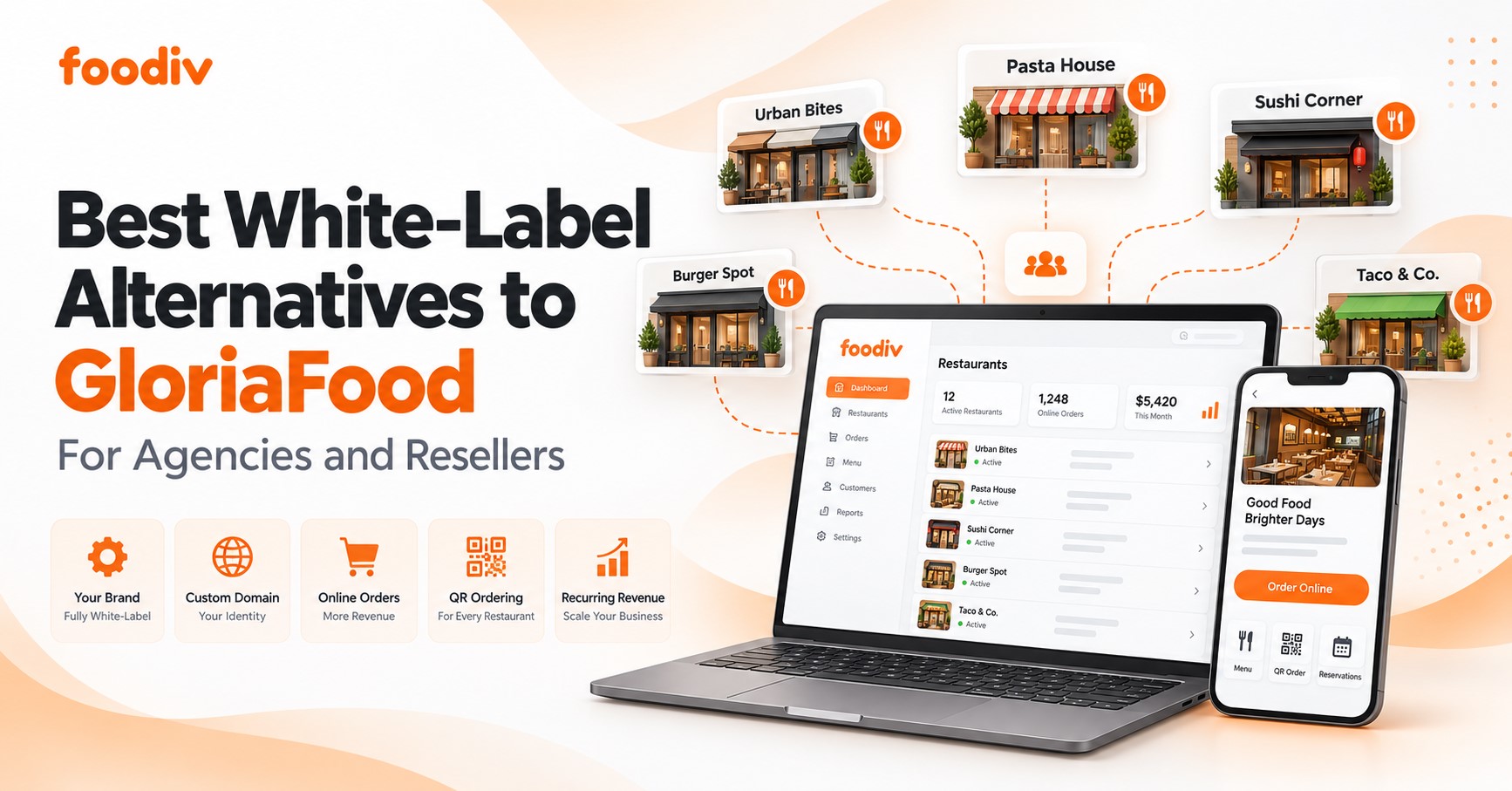
Foodiv is a practical GloriaFood replacement platform for restaurants that want more control over online orders, customer experience, and daily operations. It helps food businesses move from basic order taking to a more complete restaurant online ordering system.
Here’s the thing. Restaurants do not just need a new ordering link after GloriaFood. They need a platform that helps them manage direct online orders, website ordering, pickup, delivery, QR ordering, table reservations, and restaurant operations from one place.
Foodiv helps restaurants accept direct online orders without depending fully on third party marketplaces. Customers can place orders through the restaurant’s own digital channels, which helps the business keep better control over branding, customer data, and repeat orders.
Foodiv also supports restaurant website ordering. Restaurants can connect their website order button or ordering page so customers can order directly from the restaurant website. This keeps the ordering flow simple and familiar for customers.
For pickup and delivery, Foodiv helps restaurants set rules based on their real workflow. Restaurants can manage pickup timings, delivery areas, preparation time, delivery fees, order availability, and other important settings.
Foodiv also supports QR ordering for dine in and table ordering. This helps restaurants, cafes, hotels, resorts, and food courts give customers a faster way to view the menu and place orders from the table.
Table reservation features make Foodiv useful for restaurants that accept bookings. Staff can manage dine in reservations along with online food orders, which helps keep operations more organized.
Foodiv is also built to support wider restaurant management needs. Restaurants can manage menus, orders, customers, settings, and daily operations with more clarity from a single dashboard.
This makes Foodiv suitable for small restaurants, local cafes, pizza shops, takeaway restaurants, bakeries, cloud kitchens, and multi location food businesses. Each type of restaurant may work differently, but they all need a reliable way to manage online orders and customer flow.
Foodiv also helps restaurants move from GloriaFood with guided support. That matters because GloriaFood migration is not only about shifting a menu. Restaurants also need help with setup, payment testing, website links, staff training, and go live readiness.
For restaurants looking for a GloriaFood alternative that supports both ordering and operations, Foodiv is a strong option to consider.
Foodiv vs Basic GloriaFood Replacement Tools
Some GloriaFood replacement tools only solve one problem. They help restaurants take online orders. That may be enough for a very small setup, but many restaurants need more than a basic ordering page.
The real question is simple. Does the platform only replace the old GloriaFood ordering link, or does it help the restaurant manage daily operations better?
Basic replacement tools may support menu display, order taking, and a checkout page. But restaurants may still need separate tools for QR ordering, table reservations, customer management, reports, or multi location control. That can make the setup harder to manage over time.
Foodiv works as a more complete GloriaFood replacement platform because it supports direct online ordering, restaurant website ordering, QR ordering, table reservation, pickup and delivery rules, customer data, and restaurant management features from one system.
Here is how the difference usually looks:
- Basic tools may only support online order taking. Foodiv supports wider restaurant operations.
- Basic tools may offer a simple ordering page. Foodiv supports website integration and direct website ordering.
- Basic tools may need extra software for QR ordering. Foodiv supports QR ordering for dine in and table ordering.
- Basic tools may need another tool for reservations. Foodiv includes table reservation features.
- Basic tools may give limited control over operations. Foodiv helps manage menus, orders, customers, settings, and daily workflows.
- Basic tools may not offer guided GloriaFood migration. Foodiv helps restaurants switch with setup support, testing, and launch guidance.
This does not mean every restaurant needs every feature on day one. But choosing a platform with room to grow can save time later. A good GloriaFood alternative should support today’s online orders and tomorrow’s restaurant needs.
Final Thoughts
Choosing a GloriaFood replacement platform is not only about finding another online ordering tool. It is about protecting online orders, customer experience, payments, menu accuracy, and daily restaurant operations.
Restaurants should not rush this decision. A platform may look simple at first, but the real test starts when customers place orders, payments go through, staff manage the dashboard, and delivery rules come into action.
The better approach is to move early, compare features carefully, and test everything before going live. Restaurants should check menu migration, website ordering, payment gateways, pickup and delivery rules, QR ordering, table reservations, customer data, onboarding support, and long term platform stability.
Foodiv is a strong choice for restaurants that want a practical GloriaFood replacement with direct online ordering, restaurant website integration, QR ordering, table reservation features, restaurant management tools, and guided GloriaFood migration support.
The goal is simple. Choose a platform that keeps orders running today and supports the restaurant as it grows tomorrow.
FAQs About GloriaFood Replacement Platforms
A GloriaFood replacement platform is an online ordering system that helps restaurants continue taking direct online orders after moving away from GloriaFood. It should support menu management, website ordering, payment setup, pickup and delivery rules, order notifications, customer data, and daily restaurant operations.
Restaurants need a GloriaFood replacement to keep online orders running without disruption. Many restaurants use GloriaFood for website orders, menu display, order notifications, and customer ordering. A proper replacement helps protect orders, payments, customer experience, and restaurant workflow.
Restaurants should look for menu migration, direct website ordering, payment gateway support, pickup and delivery controls, QR ordering, table reservation, customer data access, onboarding support, clear pricing, and long term platform stability.
The best GloriaFood replacement is a platform that fits the restaurant’s real workflow. It should support direct online orders, website integration, menu control, payments, pickup, delivery, QR ordering, customer management, and reliable support. Foodiv is a strong option for restaurants that want ordering and restaurant management features in one system.
Yes, Foodiv can replace GloriaFood for restaurants that want a practical online food ordering system with website ordering, direct online orders, QR ordering, table reservation features, pickup and delivery settings, restaurant management tools, and guided migration support.
Yes, restaurants can migrate their GloriaFood menu to Foodiv. The migration can include menu categories, items, prices, descriptions, add ons, modifiers, images, taxes, and availability settings. This helps restaurants restart online ordering with less confusion.
Yes, payment gateway support is important. Restaurants should check whether the platform supports online payments, card payments, wallets, cash on delivery, and local payment gateways. Payment testing should happen before the new restaurant online ordering system goes live.
Yes, restaurants should switch early instead of waiting until the last moment. Early migration gives them time to move menus, test payments, update website links, train staff, and fix small issues before customers are affected.
Restaurants should test the full ordering flow before going live. This includes menu display, add ons, prices, payment flow, order notifications, pickup rules, delivery rules, taxes, fees, customer confirmation messages, website order button, and staff dashboard access.
Yes, Foodiv is suitable for small restaurants, cafes, takeaway shops, bakeries, cloud kitchens, and multi location food businesses. It supports direct online ordering, website ordering, QR ordering, table reservations, pickup and delivery settings, customer data, and restaurant management needs.
Yes, agencies can help restaurants move from GloriaFood to Foodiv. Agencies that serve restaurants can support menu migration, website link updates, payment setup, QR code replacement, staff training, and launch support for their restaurant clients.
The time needed to move from GloriaFood to Foodiv depends on the restaurant’s menu size, number of outlets, payment setup, delivery rules, and website changes. A simple restaurant setup can move faster, while multi location restaurants may need more time for testing and staff training.