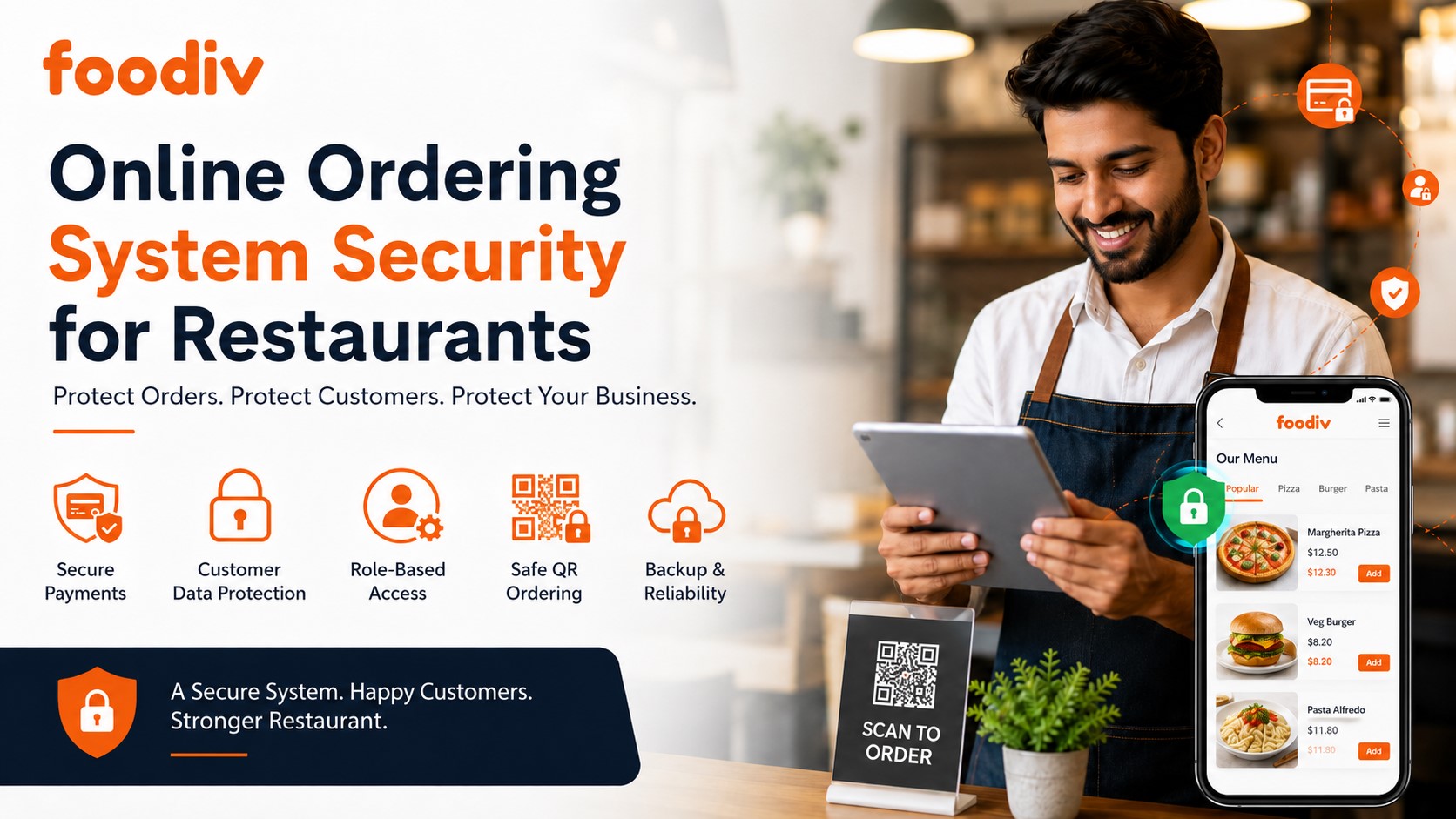
Restaurants now take orders from more places than ever: websites, QR codes, mobile menus, delivery links, pickup pages, and POS-connected systems. That makes ordering easier for customers, but it also creates new security risks for restaurants.
Customer names, phone numbers, delivery addresses, payment details, order history, staff logins, QR codes, and POS integrations all need protection. One weak link can put customer trust and daily operations at risk.
This online ordering system security checklist for restaurants will help you review the key areas that matter before you choose, launch, or upgrade a secure online ordering system. Let’s break down what restaurant online ordering security really means and how you can improve customer data protection and restaurant payment security.
What Is an Online Ordering System Security Checklist for Restaurants?
An online ordering system security checklist for restaurants is a simple way to review how safely your ordering platform handles customer data, payment details, admin access, QR ordering, POS integrations, website orders, pickup details, and delivery information. It helps restaurant owners check whether the system is safe, compliant, and reliable before customers start placing orders.
Why Online Ordering Security Matters for Restaurants
Restaurants collect more customer data than they often realize. Every online order can include a customer’s name, phone number, address, email, payment details, order history, table order, delivery note, or loyalty data. That is why restaurant online ordering security needs more attention than just adding a checkout page to a website.
If the system is weak, small issues can turn into serious problems. Fake orders, payment fraud, data leaks, menu changes, downtime, and lost customer trust can all hurt the business. A secure online ordering system helps restaurants protect daily operations, improve customer data protection, and handle restaurant payment security with more confidence.
Online Ordering System Security Checklist for Restaurants
A secure online ordering system does more than accept orders. It protects payment details, customer records, staff access, QR codes, POS connections, delivery information, and menu controls.
Here’s the thing: most security problems start with small gaps. A weak password, an old QR code, a risky payment flow, or too many staff permissions can create real trouble. Use this checklist to review the areas that matter most.
1. Payment Security
Payment security should be the first thing every restaurant checks. Customers trust your ordering system with their card details, wallet payments, and personal information. That trust can disappear quickly if the payment flow is not safe.
Restaurants should use a trusted payment gateway that supports PCI-compliant payment processing. The ordering system should not store raw card details inside the restaurant dashboard. Tokenized payments are safer because the payment provider handles sensitive card data instead of keeping it inside the ordering platform.
To protect customer payment data, check these points:
- Use PCI-compliant payment processing
- Avoid storing card details inside the ordering system
- Support secure payment options like Stripe, PayPal, cards, or digital wallets
- Enable fraud checks where possible
- Review refund and chargeback controls
- Make sure only approved staff can process refunds
- Test the payment flow before accepting live orders
2. Website and Checkout Security
Your ordering page should feel simple for customers, but it must stay secure behind the scenes. Customers should never enter names, addresses, phone numbers, or payment details on an unsecured page.
A secure restaurant website ordering system should use HTTPS, an active SSL certificate, secure hosting, and a protected checkout flow. Broken links, outdated order buttons, or unsecured forms can create risk for both the restaurant and the customer.
To keep your website and checkout safer, check these points:
- Use HTTPS on every ordering page
- Keep the website SSL certificate active
- Avoid broken or outdated order links
- Test checkout pages regularly
- Protect order forms from spam and abuse
- Make sure payment pages load from trusted sources
- Check website order buttons after every major website update
3. Customer Data Protection
Restaurants collect more customer data than they often realize. A single online order can include a name, phone number, address, email, delivery note, loyalty detail, and full order history.
Customer data protection starts with one simple rule: collect only what you need and limit who can access it. Staff members do not need full customer records for every task. A cashier may need order details, but not full customer history. A delivery staff member may need an address, but not payment information.
To protect customer data in online ordering, check these points:
- Collect only required customer details
- Encrypt sensitive customer data
- Limit who can view customer records
- Avoid exporting customer data without a clear reason
- Review privacy and data retention settings
- Remove old customer data when it is no longer needed
- Make sure customer records are not shared through unsecured apps or chats
4. Admin Login and Staff Access
Many restaurant security issues start with weak login habits. One shared admin password may feel convenient, but it creates a serious risk. When everyone uses the same login, you cannot see who changed a menu item, issued a refund, viewed customer data, or changed delivery settings.
Each staff member should have a separate login. The system should also support role-based access, strong passwords, and multi-factor authentication. This makes restaurant admin dashboard security much easier to manage.
To protect admin login and staff access, check these points:
- Use separate logins for each staff member
- Enable MFA for restaurant software wherever possible
- Set strong password rules
- Limit access by role
- Give staff only the permissions they need
- Remove access when staff leave
- Review login activity often
- Avoid sharing admin passwords through messages or notes
5. QR Code Ordering Security
QR code ordering helps restaurants speed up dine-in and table orders. Customers scan, browse the menu, and place orders without waiting for staff. But QR codes also need protection.
A fake or tampered QR code can send customers to a scam page instead of your real ordering menu. This can damage customer trust and put personal or payment details at risk. Restaurants should treat printed QR codes like part of the ordering system, not just table stickers.
To keep QR code ordering safe, check these points:
- Use verified QR ordering links
- Check printed QR codes often
- Avoid public editable QR destinations
- Match QR codes with the correct table numbers
- Replace damaged or suspicious QR stickers
- Train staff to spot QR code tampering
- Test QR codes from a customer’s phone regularly
6. POS and Third-Party Integration Security
Most online ordering systems connect with other tools. That may include POS systems, delivery apps, payment providers, loyalty tools, marketing platforms, accounting software, or customer databases.
Each connection creates a new place where data moves. That is why restaurant POS integration security matters. Every integration should use secure API connections and limited permissions. A tool should only access the data it needs to do its job.
To manage POS and third-party vendor security, check these points:
- Use secure API connections
- Give third-party tools only the access they need
- Review connected apps regularly
- Remove unused integrations
- Check POS sync permissions
- Ask vendors how they protect shared data
- Avoid connecting unknown or untrusted tools
- Review who can add or remove integrations from the dashboard
7. Delivery and Pickup Data Security
Delivery and pickup orders often include sensitive customer details. This can include names, phone numbers, addresses, delivery notes, apartment numbers, pickup times, and special instructions.
Restaurants should control who can access this information. Not every staff member needs to see every customer detail. The goal is simple: give the right people the right information at the right time, and nothing more.
To protect delivery and pickup data, check these points:
- Limit access to delivery addresses
- Hide unnecessary customer details from staff roles
- Protect driver or delivery partner access
- Avoid sharing order details in unsecured chats
- Delete or archive old delivery data when no longer needed
- Review who can see customer phone numbers
- Make sure pickup orders do not expose private customer details on public screens
8. Menu, Price, and Order Control
Security is not only about payments and customer data. Menu settings also need protection. If the wrong person gets access, they can change prices, remove items, edit delivery rules, create discounts, or even disable ordering.
That can lead to lost revenue, customer complaints, and staff confusion. Restaurants should control who can edit menu items, prices, taxes, coupons, delivery zones, pickup slots, and order settings.
To prevent unauthorized menu changes, check these points:
- Limit menu editing access
- Track price and item changes
- Lock key delivery and pickup rules
- Review discount and coupon permissions
- Check order notification settings
- Control who can pause or disable online ordering
- Review menu changes before busy hours or promotions
9. Backup and Downtime Protection
Even a secure system can face downtime. Internet problems, hosting issues, software errors, payment failures, or POS sync problems can interrupt online orders.
A restaurant needs a simple backup plan. Staff should know what to do if online ordering stops working during lunch rush, dinner service, or weekend traffic. The system should also keep order records safe and recoverable.
To prepare for downtime, check these points:
- Keep regular restaurant ordering system backups
- Confirm order history is recoverable
- Ask about uptime and hosting reliability
- Create a downtime process for staff
- Test order notifications
- Keep support contact details ready
- Know how to pause orders during technical issues
- Review business continuity steps before peak seasons
10. Vendor Security and Support
The online ordering provider plays a big role in security. A restaurant should not choose a system only because it looks easy to use. The vendor should clearly explain how it handles payments, customer data, hosting, admin access, backups, QR ordering, POS integrations, and support.
Before choosing a provider, ask direct questions. A good vendor should answer clearly. Vague answers are a warning sign.
To review vendor security and support, check these points:
- Ask if the system supports PCI-compliant payments
- Ask how customer data is stored
- Ask whether MFA is available
- Ask about backups and recovery
- Ask about incident response
- Ask how QR ordering links are protected
- Ask what happens during downtime
- Ask how fast the support team responds to security issues
- Ask whether staff roles and location-based permissions are available
- Ask how the vendor protects POS and third-party integrations
Security Questions to Ask Before Choosing an Online Ordering System
Before you choose an online ordering system, ask the vendor direct security questions. Do not rely only on feature lists, demos, or pricing pages. The system will handle customer details, payments, staff access, QR orders, delivery data, and POS connections, so you need clear answers before you trust it with live orders.
Use these questions during your review:
Does your system support PCI-compliant payment processing?
Do you store customer card details, or does the payment provider handle them?
Is the checkout page protected with HTTPS?
Can every staff member have a separate login?
Do you support multi-factor authentication for admin users?
Can I control access by role, branch, or location?
Do you provide activity logs for logins, menu changes, refunds, and order updates?
How do you secure QR ordering links?
How do you protect POS integrations and third-party connections?
What happens if the system goes down during business hours?
How fast does your support team respond to security issues?
Can I remove staff access immediately when someone leaves?
How often do you back up restaurant order data?
What steps do you follow if there is suspicious activity or a possible data issue?
A secure provider should answer these questions in simple language. If the answers feel vague, rushed, or too technical to understand, slow down before you move forward.
Restaurant Online Ordering Security Risk Table
Restaurant online ordering security becomes easier to manage when you know where the real risks are. Some risks come from weak passwords. Others come from unsafe payment flows, fake QR codes, old order links, or poor POS connections.
Use this table to spot common security gaps before they affect customers or daily orders.
| Security Risk |
What Can Go Wrong |
How to Prevent It |
| Weak admin password |
Someone can access orders, customer data, menu settings, or payment controls without permission. |
Use MFA and strong passwords for every admin user. |
| Fake QR code |
Customers can land on a scam page instead of your real ordering menu. |
Check printed QR codes regularly and replace suspicious stickers. |
| Insecure payment setup |
Customer payment data can be exposed or handled in an unsafe way. |
Use a PCI-compliant payment gateway and avoid storing raw card details. |
| Shared staff login |
You cannot track who changed orders, issued refunds, or edited menu settings. |
Give each staff member separate access. |
| Over-permissioned users |
Staff can view, edit, or change more than their role requires. |
Use role-based access and review permissions often. |
| Poor POS integration |
Data can leak or sync incorrectly between the ordering system and POS. |
Use secure API connections and limited permissions. |
| No backup |
The restaurant can lose orders or customer records during an outage. |
Keep regular backups and confirm order history is recoverable. |
| Old order links |
Customers may use broken, outdated, or unsafe ordering pages from your website or social profiles. |
Review website buttons, QR codes, Google Business Profile links, and social links regularly. |
How Often Should Restaurants Review Online Ordering Security?
Restaurants should review online ordering security at least once every quarter. They should also check it whenever they add a new payment method, connect a POS system, print new QR codes, hire or remove staff, change delivery rules, or move to a new online ordering platform. Security is not a one-time setup. It needs regular checks because staff, systems, links, and order flows change over time.
- Monthly: Check staff access, admin logins, QR codes, and active order links.
- Quarterly: Review payment settings, customer data access, POS integrations, and third-party tools.
- After staff changes: Remove old users and update permissions for new team members.
- After software changes: Test the checkout page, order flow, notifications, and payment process.
- Before busy seasons: Test backups, support contacts, downtime steps, and order recovery.
Final Verdict: How Restaurants Should Secure Online Ordering
Online ordering security is not only about payments. Restaurants also need to protect customer data, admin access, QR codes, POS connections, delivery details, menu settings, and order history. One weak area can affect the full ordering flow, especially when customers rely on your website, mobile menu, pickup page, or QR code to place orders.
The safest approach is simple: choose a secure online ordering system from the start, ask clear vendor questions, train your staff, and review this checklist regularly. A secure setup protects more than data. It protects revenue, customer trust, and the daily rhythm of your restaurant.
FAQs About Online Ordering System Security for Restaurants
An online ordering system security checklist helps restaurants review how safely their ordering platform handles payments, customer data, staff access, QR orders, POS integrations, delivery details, and website orders. It gives restaurant owners a simple way to find weak spots before customers start placing orders.
Restaurants can secure online orders by using HTTPS, PCI-compliant payment processing, strong staff passwords, MFA, role-based access, protected QR codes, and secure POS integrations. They should also review customer data access, test checkout pages, remove old users, and keep backups ready for downtime.
Restaurant ordering software should include secure payment processing, SSL protection, MFA, separate staff logins, role-based permissions, activity logs, encrypted customer data, secure QR ordering links, safe POS integration, backup support, and clear vendor support for security issues.
Yes, restaurants that accept card payments online need to follow PCI security requirements. The easiest way to reduce risk is to use a trusted PCI-compliant payment gateway. Restaurants should avoid storing raw card details inside their online ordering system.
No, restaurants should avoid storing customer card details directly. A safer setup uses tokenized payment processing through a trusted payment provider. This keeps sensitive card data with the payment gateway instead of storing it inside the restaurant ordering platform.
QR code ordering is safe when restaurants use verified links and check printed QR codes regularly. The main risk is tampering. Someone can place a fake QR sticker over the real one and send customers to a scam page. Staff should inspect QR codes often.
The biggest risks include weak admin passwords, shared staff logins, fake QR codes, insecure payment setup, too many staff permissions, poor POS integrations, old ordering links, missing backups, and weak customer data controls. Most of these risks are preventable with regular checks.
Restaurants should review online ordering security at least every quarter. They should also check it after adding a new payment method, connecting a POS, printing QR codes, changing staff, updating delivery rules, or moving to a new online ordering platform.