Running a busy dine-in restaurant means your staff are constantly moving. Servers take orders, walk back to the POS, enter items, return for reorders, answer the same menu questions, and handle payments. During peak hours, those small tasks add up fast.
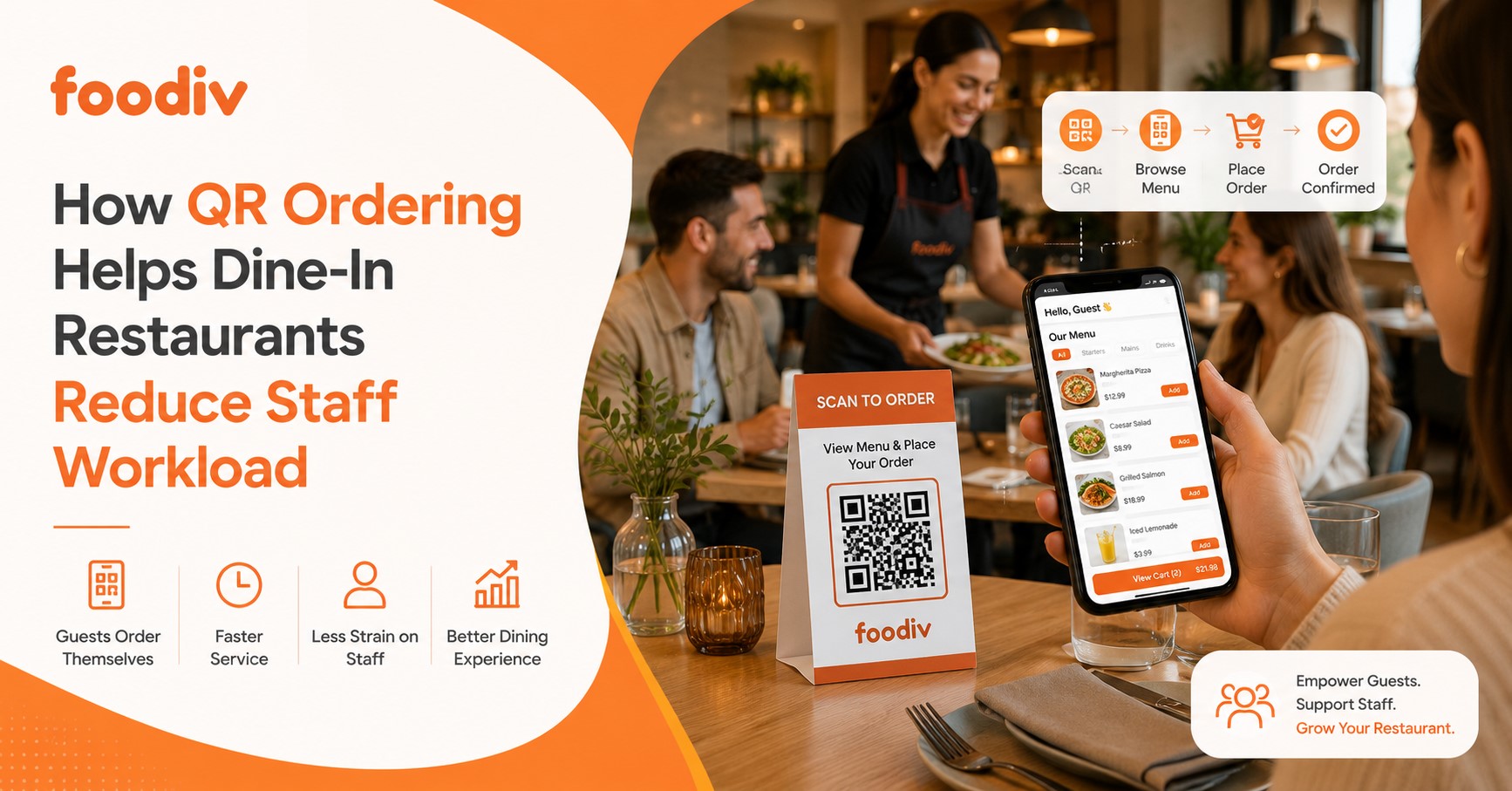
QR ordering helps dine-in restaurants reduce staff workload by letting guests scan a table QR code, view the menu, place orders, reorder, and sometimes pay from their phones. When the system connects with the restaurant POS or kitchen workflow, orders can move straight into preparation, cutting down manual entry, repeat table visits, payment handling, and avoidable order mistakes.
What this really means is that staff spend less time on repetitive tasks and more time on the parts of service that need a human touch.
QR ordering is not about removing servers from the dining experience. It is about giving them fewer routine tasks to manage. Staff can focus on welcoming guests, answering important questions, serving food, handling special requests, and making sure tables are looked after.
For restaurants dealing with high order volumes or limited staff, that shift can make daily service much easier to manage.
What Is QR Ordering for Dine-In Restaurants?
QR ordering is a digital ordering method that lets dine-in guests scan a table-specific QR code, open the menu on their phone, choose items, add modifiers, and send the order without waiting for a server to take it manually.
Once the guest submits the order, it can move into the restaurant’s ordering workflow through the POS, KDS, or another connected system. Staff then prepare and serve the food as usual.
The same QR code can also support repeat orders during the meal. Depending on the system, guests may be able to add another drink, order dessert, or pay digitally from the table. The key difference is that the guest handles more of the ordering process while staff stay focused on service and food delivery.
How Does QR Ordering Reduce Staff Workload in Dine-In Restaurants?
QR ordering reduces staff workload by moving repetitive parts of the ordering process to the guest. Instead of relying on a server for every menu request, order, reorder, and payment step, customers can handle many of these actions from their phones.
The biggest benefit shows up during busy service. Staff spend less time moving back and forth for routine tasks and more time on the work that actually needs their attention.
1. Guests Can Place Orders Without Waiting for a Server
QR ordering lets guests start the ordering process themselves. They scan the code at the table, open the menu, choose what they want, and submit the order.
That removes one of the most common pressure points during a busy shift: waiting for a server to become available just to take the first order.
In a traditional setup, a server may need to:
- Bring or explain the menu
- Return when the table is ready
- Take the order
- Confirm modifiers or add-ons
- Walk back to the POS
With QR ordering, much of that happens before the server needs to step in.
Staff still remain available for questions, recommendations, or special requests, but they no longer have to be involved in every basic ordering interaction.
2. Staff Spend Less Time Entering Orders Into the POS
Manual order entry takes time, especially when a restaurant is busy.
A server takes the order at the table, walks to the POS, enters every item, adds modifiers, checks quantities, and sends the order through. Multiply that by dozens of tables and the workload adds up quickly.
With an integrated QR ordering system, the guest can submit the order digitally and the order details can move directly into the restaurant’s POS or order management system.
That can reduce:
- Manual data entry
- Duplicate order entry
- Modifier mistakes
- Delays between order-taking and order submission
This benefit depends on how the QR ordering platform integrates with the restaurant’s POS or order management workflow. If staff still need to re-enter every QR order manually, the workload reduction will be much smaller.
3. Servers Make Fewer Trips Between Tables and POS Terminals
One of the simplest ways QR ordering reduces workload is by cutting down unnecessary movement.
Traditional ordering often looks like this:
Table → POS → Table → POS
A server takes an order, walks to the POS, enters it, returns to the table, takes another request, and walks back again.
QR ordering can shorten that flow to:
Guest → QR order → POS/KDS
The server does not disappear from the process. They simply spend less time acting as the link between the table and the ordering system.
That matters in larger dining rooms, outdoor seating areas, hotels, bars, and restaurants where the POS terminal is far from the tables.
4. Guests Can Reorder Without Calling a Server
Repeat orders create a surprising amount of extra work.
A guest wants another drink. Someone asks for an extra side. Another person decides to order dessert. Each request can mean another table visit, another POS entry, and another trip back to the service area.
With QR ordering, guests can place many of these repeat orders themselves.
Common examples include:
- Another drink
- An extra side
- Dessert
- Additional sauce
- A second round of food
- Another coffee
- Extra toppings or add-ons
This is especially useful in bars, cafés, casual dining restaurants, and high-volume venues where customers tend to order more than once during the same visit.
The guest does not need to wait for eye contact with a server, and the server does not need to stop another task just to take a simple reorder.
5. Digital Ordering Reduces Misheard Orders
Verbal orders can go wrong for simple reasons. A restaurant may be noisy. A customer may change their mind halfway through. A server may hear the wrong size or forget a modifier while entering the order later.
QR ordering gives the guest more control over those details because they select the options themselves.
They can choose:
- Item
- Size
- Variant
- Modifier
- Add-on
- Quantity
- Special options provided in the menu
That reduces the back-and-forth caused by misunderstood orders.
For example, instead of a server remembering that a burger needs no onions, extra cheese, and a different side, the customer selects those options directly before submitting the order.
It does not remove every possible order mistake, but it can reduce errors caused by verbal communication and manual re-entry.
6. Orders Can Reach the Kitchen Faster
Every extra handoff adds time.
In a traditional workflow, the customer tells the server, the server walks to the POS, enters the order, and only then does the kitchen see it.
With connected QR ordering, the flow can be much shorter:
Guest places order → POS/KDS receives it → Kitchen sees it
That means the kitchen does not have to wait for the server to finish another table before the order enters the queue.
The difference may only be a few minutes per table, but during a busy lunch or dinner service, those minutes matter.
Faster order routing can also help staff manage timing better because the kitchen receives the order closer to the moment the guest actually submits it.
7. Staff Spend Less Time Answering Repetitive Menu Questions
Restaurant staff should still answer important questions, but they do not need to explain every basic menu detail at every table.
A well-built digital menu can show information such as:
- Ingredients
- Prices
- Add-ons
- Variants
- Dietary information
- Product descriptions
- Item photos
- Availability
That helps guests answer simple questions on their own.
For example, a customer can see whether a dish comes with fries, what size options are available, or how much an extra topping costs without calling a server over.
Staff can then spend more time on questions where human help really matters, such as allergies, recommendations, dietary concerns, substitutions, or special requests.
8. QR Payment Can Reduce Checkout Work
Payment is another point where restaurant staff often lose time.
Guests finish their meal, wait to ask for the bill, wait for the server to bring it, wait for a card terminal, and then wait again while the payment is processed.
If the QR ordering system supports digital payment, some of those steps can disappear.
QR payment can reduce:
- Bill requests
- Trips to collect or deliver payment terminals
- Card collection
- Waiting for payment
- Receipt handling
- Repeated visits at the end of the meal
A guest may be able to open the same digital ordering page, check the total, and pay directly from their phone.
Not every QR ordering platform includes payment, so restaurants should check this before choosing a system. The biggest workload reduction happens when ordering, reordering, and payment all work together.
9. Digital Menus Reduce Manual Menu Management
Printed menus create work behind the scenes too.
When a restaurant changes a price, removes an item, adds a special, or runs out of something, staff may need to replace menu inserts, explain changes verbally, or tell guests that the printed information is no longer accurate.
With a digital menu, restaurants can update details without printing a new menu.
Teams can change:
- Prices
- Item availability
- Photos
- Modifiers
- Add-ons
- Specials
- Product descriptions
This is particularly useful for restaurants that change menus often or sell items that regularly go out of stock.
A quick update can also reduce the number of times staff need to tell customers, “Sorry, that item is not available today.”
10. Staff Can Focus More on Guest Service
The real value of QR ordering is not simply that customers can order from a phone. It is what staff can do with the time they get back.
When servers spend less time on repetitive order-taking, data entry, reorders, and payment handling, they can focus more on the parts of restaurant service that customers actually remember.
That includes:
- Greeting guests
- Serving food
- Checking whether everything is right
- Handling special requests
- Making recommendations
- Upselling when it feels natural
- Clearing tables
- Resolving problems quickly
- Helping guests who prefer human service
What this really means is that QR ordering can shift staff away from transactional work and toward hospitality.
The technology handles the repetitive steps. The staff handle the human ones.
Does QR Ordering Replace Waiters?
No. QR ordering does not need to replace waiters. It automates repetitive parts of the ordering process while staff continue handling hospitality, food delivery, recommendations, special requests, table maintenance, and customer support.
That distinction matters. A dine-in restaurant still needs people to welcome guests, answer questions, serve food, solve problems, and make the experience feel personal. QR ordering simply removes some of the routine steps that take up a server’s time.
For example, guests can use a QR code to:
- View the menu
- Place the first order
- Add another drink
- Order dessert
- Select modifiers
- Pay digitally, if supported
Meanwhile, staff can focus on:
- Greeting and seating guests
- Recommending dishes
- Handling allergy or dietary questions
- Delivering food and drinks
- Checking whether guests need help
- Clearing and resetting tables
- Resolving service issues
For many dine-in restaurants, a hybrid model works better than going fully self-service.
Guests who prefer speed can scan, order, and reorder from their phones. Guests who want help can still speak to a server. Staff step in where human attention adds value instead of being involved in every basic transaction.
What this really means is simple: QR ordering should support the waiter, not remove them. The best setup gives guests more control while giving staff more time to provide better service.
How Foodiv Helps Dine-In Restaurants Reduce Manual Ordering Work
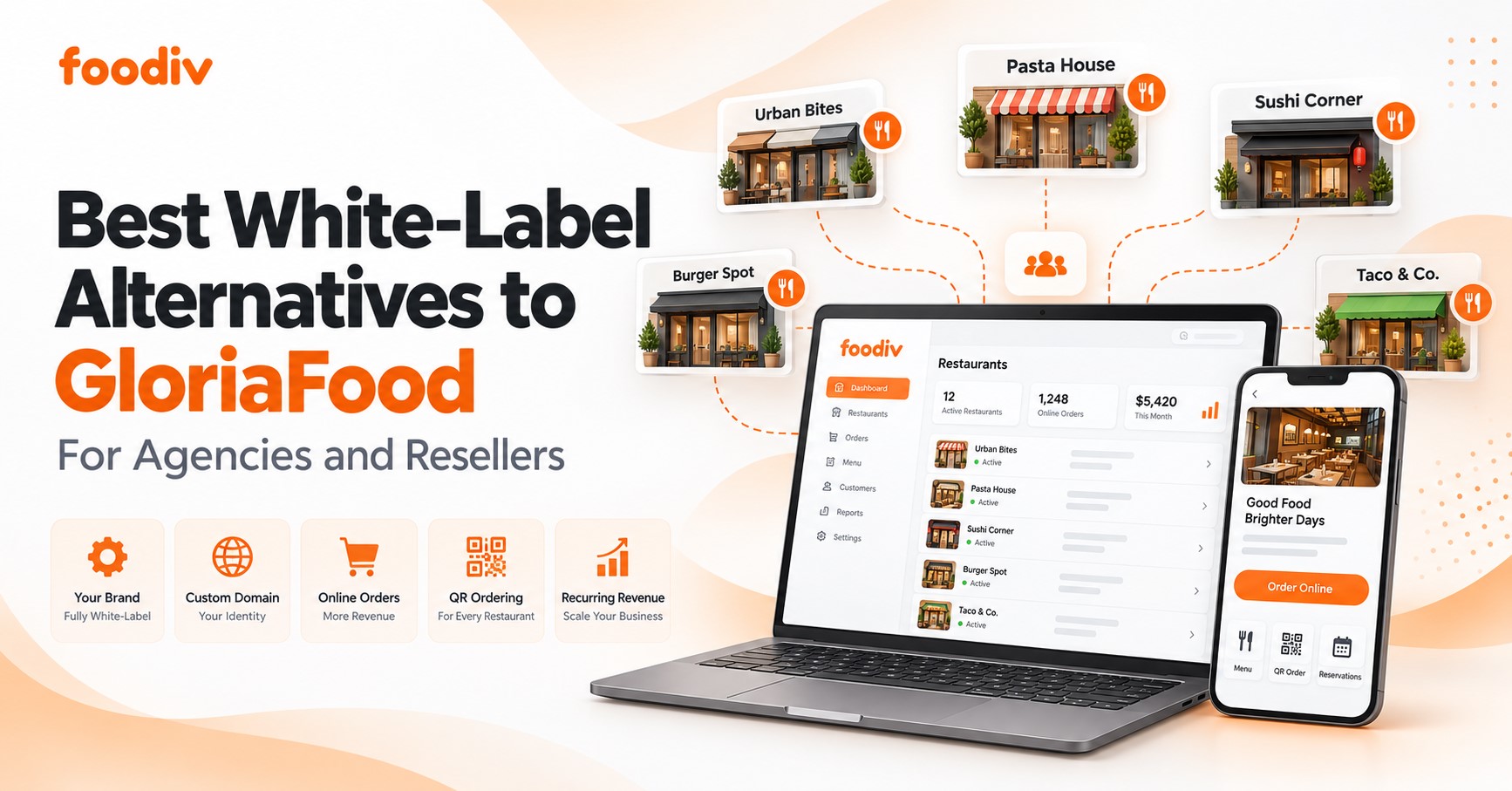
Foodiv helps restaurants move repetitive dine-in ordering tasks into a digital workflow, so staff do not have to manage every menu view, order, reorder, and payment step manually.
Guests can scan a table QR code, open the digital menu, choose items, select variants or modifiers, add extras, and place the order from their phone. Because the order is tied to the table, staff can see where it came from without asking guests to repeat the details.
The workflow can include:
- QR-based dine-in ordering
- Digital menus
- Table-specific ordering
- Variants and modifiers
- Add-ons and extras
- KDS/KOT order flow
- Restaurant order management
- Payment options
- Customer data access
- Multi-location management
For example, if a guest wants another drink or an extra side, they can place that reorder through the same QR ordering flow instead of waiting for a server to return and enter it manually.
Foodiv can also help restaurants keep menu details easier to manage. Teams can update items, prices, modifiers, add-ons, and availability digitally instead of relying only on printed menus or verbal updates from staff.
For restaurants using kitchen workflows such as KDS or KOT, digital orders can move into the preparation process without adding another manual handoff. That can make it easier for front-of-house and kitchen teams to keep track of incoming dine-in orders.
Multi-location restaurants can also manage ordering across different outlets from a more centralized setup while still keeping location-specific menus and operations where needed.
The goal is not to remove staff from the dining experience. It is to digitize repetitive ordering steps while keeping staff focused on service, food delivery, guest questions, and the situations where human attention matters most.
Final Verdict: Can QR Ordering Really Reduce Restaurant Staff Workload?
Yes. QR ordering can reduce dine-in restaurant staff workload by shifting repetitive tasks such as menu delivery, order-taking, reordering, manual order entry, and some payment interactions to a digital self-ordering workflow.
The biggest benefit comes when QR ordering connects properly with the restaurant’s POS, kitchen, payment, and table-management workflow. If staff still need to re-enter orders or manage disconnected systems, the impact will be smaller.
For the right restaurant, QR ordering can take pressure off servers during busy hours and make routine tasks easier to manage. Guests get more control over ordering, while staff stay available for recommendations, special requests, food delivery, problem-solving, and the personal service that shapes the dining experience.
That is the real value of QR ordering. It does not have to replace people to make restaurant operations easier.