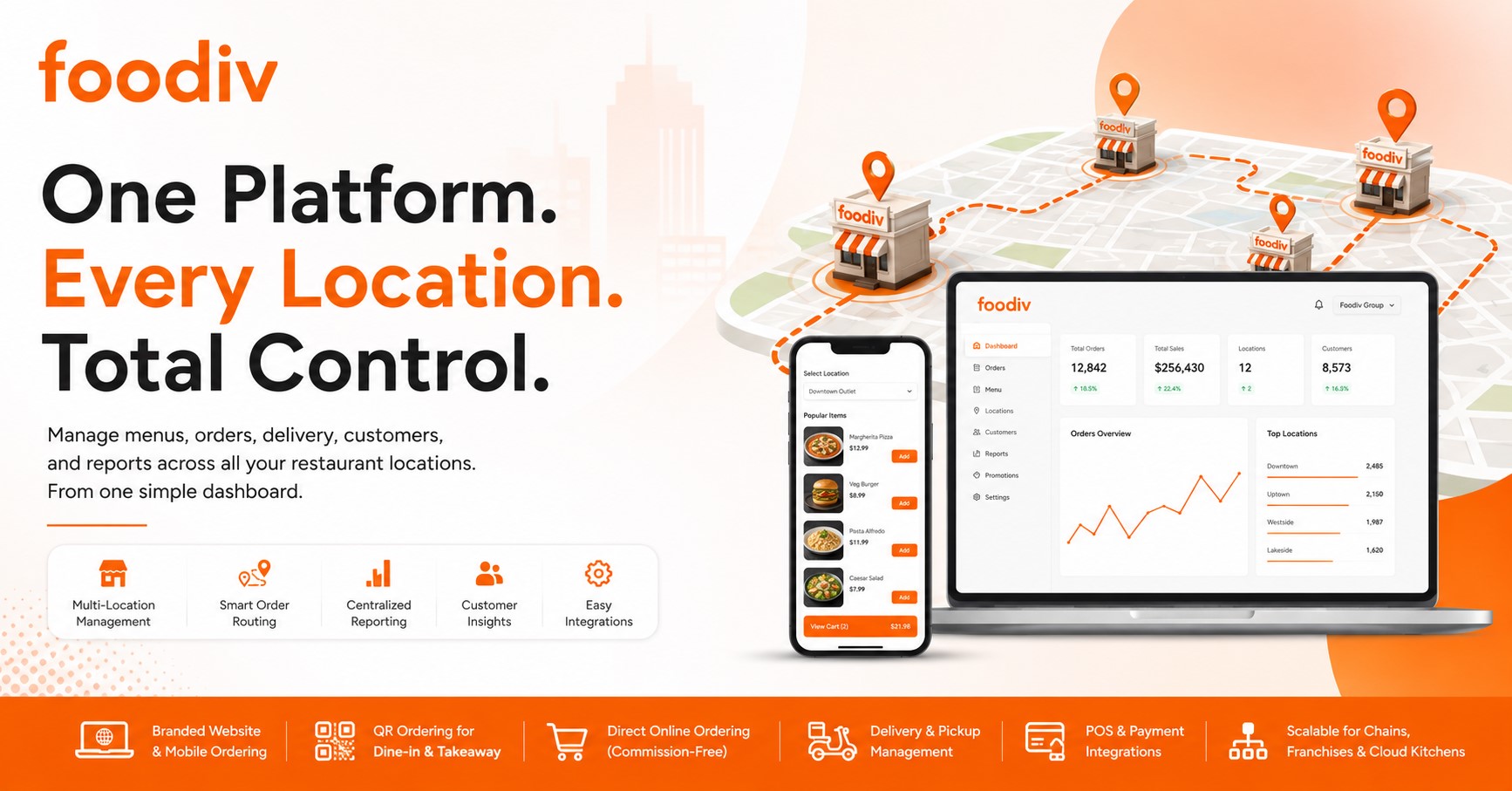
Running one restaurant is demanding. Managing several locations adds a different level of complexity.
Each outlet may have its own menu, prices, opening hours, delivery areas, and item availability. Orders must reach the right kitchen. Managers need to track sales across branches without relying on separate reports. At the same time, the brand should look and feel consistent everywhere.
This is where many restaurant groups start to struggle. Manual updates take too long, disconnected systems create mistakes, and comparing outlet performance becomes harder than it should be.
An online ordering system for multi-location restaurants solves these problems by bringing orders, menus, customer data, and reports into one central platform. The head office gains better control, while each outlet can still manage local prices, stock, hours, and delivery rules.
Good restaurant chain ordering software does not force every location to work in the same way. It supports centralized restaurant management without removing the flexibility that individual branches need to serve their local customers.
How Does Online Ordering Work Across Multiple Restaurant Locations?
A multi-location ordering system connects the customer, the correct restaurant, and the kitchen through one clear process. Here’s how it works.
Step 1: The Customer Selects a Location
The customer starts by choosing a restaurant location. They can select an outlet manually or enter a ZIP code, postal code, or delivery address. The platform may also identify the nearest restaurant location based on the customer’s location and the outlet’s service area.
Step 2: The System Displays a Location-Specific Menu
Once the location is confirmed, the system shows the menu available at that outlet. This may include different products, prices, offers, taxes, opening hours, item availability, and delivery options.
This matters because not every branch operates in the same way. One outlet may offer delivery, while another supports pickup only. Prices and menu items may also vary by area.
Step 3: The Order Is Routed to the Correct Outlet
After the customer places the order, automatic order routing sends it to the selected restaurant. Depending on the setup, the order may appear in the POS system, kitchen display system, restaurant printer, or order dashboard.
Location-based restaurant ordering helps prevent orders from reaching the wrong outlet.
Step 4: The Outlet Prepares and Fulfills the Order
The restaurant accepts the order and begins preparation. Staff then manage pickup, delivery, or dine-in fulfillment based on the customer’s selection.
Step 5: Management Receives Centralized Reports
Corporate teams can track total orders, sales, payment activity, and location-level performance from one dashboard. This centralized order management setup makes it easier to compare branches and identify where operational changes may be needed.
Why Do Multi-Location Restaurants Need a Centralized Online Ordering System?
Managing each restaurant through a separate ordering platform may work at first. As the business grows, it quickly creates more work, more errors, and less visibility. Teams end up updating the same information several times, checking different dashboards, and trying to keep every location aligned.
A centralized online ordering system removes much of that friction.
Reduce Repetitive Administrative Work
Corporate teams can update shared information once instead of repeating the same task for every branch. This includes menu descriptions, images, promotions, product categories, and brand settings. Fewer manual updates also mean fewer mistakes.
Maintain Brand Consistency
Customers should recognize the same brand experience at every location. A centralized platform helps keep menus, product images, descriptions, promotions, and ordering pages consistent across the restaurant group.
Give Each Outlet Local Flexibility
Central control does not mean every branch must operate in exactly the same way. Individual restaurants can still manage local prices, stock levels, opening hours, taxes, delivery zones, and item availability based on their market.
Improve Visibility Across the Restaurant Group
Separate systems make reporting harder. Managers may need to collect data from each outlet before they can understand overall performance. A centralized platform brings sales, orders, payments, and customer activity into one place, making it easier to compare locations and spot issues early.
Support Faster Restaurant Expansion
Opening a new location becomes simpler when the business can reuse existing menus, branding, workflows, and system settings. Instead of building the ordering setup from scratch, teams can copy the core structure and adjust only what is different for the new outlet.
Essential Features of an Online Ordering System for Multi-Location Restaurants
A multi-location ordering platform should do more than collect orders. It should help the head office manage the brand while giving each branch enough control to run its local operation properly. The following features matter most.
Centralized Multi-Location Dashboard
The dashboard acts as the control center for the entire restaurant group. Corporate teams should be able to add or remove locations, view incoming orders, manage users, control brand settings, compare sales, and review outlet performance from one admin panel.
This removes the need to switch between separate accounts whenever someone needs to check a branch or update a setting.
Master Menu With Location-Level Customization
A master menu helps the business keep product names, descriptions, images, categories, modifiers, and add-ons consistent across locations. However, each outlet should still be able to adjust local details.
That may include location-specific prices, local products, taxes, seasonal menus, product availability, and daypart menus. For example, one branch may offer a breakfast menu while another opens only for lunch and dinner.
Location Finder and Automatic Order Routing
Customers should not have to guess which branch serves their area. A location finder can identify the correct restaurant using the customer’s address, ZIP code, postal code, current location, or selected service area.
Once the customer places an order, automatic order routing sends it to the correct outlet. This reduces delays and prevents orders from reaching a restaurant that cannot fulfill them.
Separate Opening Hours and Ordering Schedules
Every location may follow a different schedule. One outlet may stay open late, while another may close earlier or operate differently on weekends.
The system should let each restaurant set its own opening hours, holiday hours, pickup schedules, delivery schedules, pre-order availability, and preparation times. These controls help customers see accurate ordering options before they reach checkout.
Delivery Zone Management
Delivery rules often vary by location. Each outlet should be able to define its own delivery radius, ZIP codes, service areas, minimum order value, delivery charges, and estimated delivery time.
This matters because delivery costs, traffic conditions, and customer density can differ from one area to another. Flexible zone management allows each branch to create rules that make sense for its local market.
Direct Website and Mobile Ordering
A strong platform should support direct ordering through the restaurant’s website, mobile-friendly ordering pages, branded mobile apps, and individual location landing pages.
Direct ordering gives the restaurant more control over branding, promotions, and customer relationships. It can also reduce the business’s dependence on third-party marketplaces, where commissions and limited customer access may affect long-term profitability.
POS and Kitchen Display System Integration
Online orders should move into the restaurant’s existing workflow without forcing staff to enter them manually.
POS and kitchen display system integrations can send orders directly to the kitchen, improve order accuracy, synchronize order status, and reduce the need for multiple tablets. Staff can manage online and in-store orders through a more connected process.
Location-Specific Payment Settings
Payment requirements may differ across branches. Each outlet should be able to configure online payments, cash payments, payment gateways, taxes, tips, refunds, and settlement reporting.
This gives restaurant groups central visibility while allowing each location to follow local tax rules, payment preferences, and financial processes.
Customer Data Ownership
Direct online ordering helps restaurant groups collect first-party customer data. This may include contact details, order history, preferred location, favorite items, purchase frequency, and past promotion use.
Owning this information gives the business a clearer view of customer behavior. It also supports more relevant marketing, stronger loyalty programs, and better retention campaigns.
Cross-Location Loyalty and Promotions
Customers should be able to interact with the brand as one restaurant group, not as a collection of disconnected outlets.
A cross-location loyalty system can support loyalty points, reward programs, coupons, brand-wide offers, and customer retention campaigns. At the same time, individual branches should be able to run location-specific promotions when needed.
Centralized and Location-Level Reporting
Management needs both a complete business view and detailed outlet-level data.
The reporting system should show total restaurant group revenue, sales by outlet, order volume, average order value, best-selling items, repeat order rates, peak ordering hours, payment reports, and promotion performance. These insights help teams identify strong locations, underperforming branches, and changing customer patterns.
Role-Based Access and Permissions
Not every user needs access to every setting. Corporate managers may need control across the full restaurant group, while branch managers may only need access to their own outlet.
The platform should provide different permissions for franchise owners, location managers, kitchen staff, finance teams, and marketing teams. This reduces accidental changes and keeps sensitive information limited to the right people.
Order Throttling and Capacity Management
Busy periods can overwhelm a kitchen if too many orders arrive at once. Order throttling helps each outlet manage demand by adjusting preparation times, setting order limits, closing delivery or pickup slots, and marking unavailable items.
These controls help restaurants protect service quality during peak hours instead of accepting more orders than the team can handle.
Scalable Cloud-Based Architecture
The platform should continue to perform well as the restaurant group grows. Adding more outlets, users, menus, and orders should not slow down the system or create extra management problems.
A scalable cloud-based setup makes it easier to expand without rebuilding the ordering process for every new branch.
Benefits of Online Ordering for Multi-Location Restaurants
A centralized ordering platform helps restaurant groups simplify daily work, improve customer service, and grow with fewer operational problems.
Manage Every Outlet From One Place
Corporate teams can manage menus, users, orders, promotions, delivery rules, and reports from one dashboard. This reduces the need to switch between separate accounts and makes it easier to keep every branch organized.
Increase Direct and Commission-Free Orders
Restaurants can accept orders through their own websites, mobile ordering pages, apps, and QR codes. Direct ordering reduces reliance on third-party marketplaces and gives the business more control over pricing, promotions, and customer relationships.
Reduce Menu and Pricing Errors
Updating menus separately across several branches increases the risk of mistakes. Centralized menu management helps prevent outdated products, incorrect prices, missing modifiers, and inconsistent descriptions. Teams can update shared information once while allowing outlets to manage local differences.
Route Orders More Accurately
Location-based ordering identifies the correct restaurant using the customer’s address, ZIP code, selected branch, or delivery area. The system then sends the order to the right outlet, reducing delays, cancellations, and customer complaints.
Improve Customer Experience
Customers see the menu, prices, availability, opening hours, delivery options, and estimated times for their chosen location. This creates a clearer ordering process and reduces surprises at checkout.
Compare Restaurant Location Performance
Centralized reporting helps management compare sales, order volume, average order value, popular items, and repeat orders across branches. Teams can identify strong locations, spot performance gaps, and make better operational decisions.
Build Stronger Customer Relationships
Direct ordering gives restaurants access to first-party customer data, including order history, preferred locations, and favorite items. Loyalty programs, rewards, and targeted promotions can then encourage customers to order again.
Expand Without Rebuilding the Ordering Setup
When the restaurant opens a new location, teams can reuse existing menus, branding, workflows, and platform settings. They only need to adjust local details such as prices, taxes, hours, and delivery zones. This makes expansion faster and easier to manage.
Single-Location vs Multi-Location Restaurant Ordering Systems
A single-location ordering system works well when a restaurant operates from one address. It manages one menu, one delivery area, and one set of business rules. The setup stays simple because every order goes to the same kitchen.
A multi-location system handles a more complex operation. It connects every branch to one central platform while allowing each outlet to manage its own menu, prices, hours, delivery zones, and availability. It can also route orders to the correct restaurant and provide both group-wide and outlet-level reports.
| Feature |
Single-Location System |
Multi-Location System |
| Dashboard |
One restaurant |
All restaurant locations |
| Menu management |
One menu |
Master and local menus |
| Order routing |
Not required |
Routes orders by location |
| Delivery zones |
One service area |
Separate zones by outlet |
| Reporting |
Single-location reports |
Consolidated and branch reports |
| User permissions |
Basic access |
Corporate and outlet-level roles |
| Loyalty |
One restaurant |
Cross-location loyalty |
| Scalability |
Limited |
Designed for expansion |
How to Choose the Best Multi-Location Restaurant Ordering System
The best platform is not always the one with the longest feature list. It is the one that fits how your restaurant group operates today and where you plan to grow next. Use the following checklist before making a decision.
Check Centralized Management Capabilities
Start with the main dashboard. Can the corporate team manage every outlet from one place? Look for control over menus, users, promotions, orders, branding, and reports. A platform that still requires separate logins for each branch will create the same problems you are trying to solve.
Confirm Location-Level Flexibility
Each restaurant should be able to manage local requirements without affecting the entire group. Check whether branches can adjust prices, product availability, taxes, opening hours, delivery rules, and preparation times. Central control matters, but local flexibility matters just as much.
Review POS and KDS Compatibility
The platform should work with your current POS system, kitchen display system, printers, and payment setup. Poor compatibility can force staff to enter orders manually, which increases errors and slows down service. Ask how orders, menu updates, and status changes move between systems.
Understand the Pricing Model
Do not look at the base subscription alone. Ask whether the provider charges:
- Per location
- Per order
- Per user
- Setup fees
- Integration fees
- Mobile app fees
- Payment processing fees
Calculate the total cost across all locations. A low entry price can become expensive once extra outlets and features are added.
Evaluate Customer Data Access
Confirm who owns the customer and order data. Your team should be able to access and export contact details, order history, location preferences, and purchase activity. This information supports loyalty, marketing, and long-term customer retention.
Test Order Routing
Place test orders using different ZIP codes, addresses, delivery zones, and branch selections. Make sure every order reaches the correct restaurant, printer, POS, or KDS. One routing error can lead to delays, refunds, and unhappy customers.
Review Reporting Depth
The system should provide both group-wide and outlet-level reports. Look for sales, order volume, average order value, payment data, customer activity, and promotion performance.
Confirm Scalability
Ask whether the platform can support more branches, brands, users, menus, and high order volumes without slowing down or becoming harder to manage.
Evaluate Migration and Onboarding Support
A strong provider should help with menu migration, location setup, payment configuration, POS integration, staff training, testing, and launch support. Good onboarding reduces mistakes and helps every branch start with the same clear process.
How to Set Up Online Ordering for Multiple Restaurant Locations
Setting up online ordering across several restaurant locations takes more planning than launching it for one outlet. The goal is to create one clear system while keeping enough flexibility for each branch.
Step 1: Define Corporate and Outlet Requirements
Start by separating shared rules from location-specific needs. Decide which menus, branding, promotions, customer policies, and reports should apply across the restaurant group. Then list what each outlet needs to control, such as local prices, taxes, hours, and delivery areas.
Step 2: Create the Restaurant Group Account
Set up the main business account with the restaurant name, brand details, contact information, users, and outlet locations. This account should act as the central control point for the entire group.
Step 3: Build the Master Menu
Create the common menu structure, including categories, products, variants, modifiers, and add-ons. A well-organized master menu saves time and keeps product information consistent across locations.
Step 4: Configure Each Restaurant Location
Set the details that vary by branch. These may include prices, taxes, opening hours, delivery zones, payment options, item availability, preparation times, and local menu items.
Step 5: Set Up Location-Based Order Routing
Connect customer addresses, ZIP codes, delivery areas, and location rules to the correct restaurant. Test how the system selects the nearest or most suitable outlet before accepting an order.
Step 6: Integrate POS, Payments, Printers, and KDS
Connect the ordering platform with each outlet’s POS system, payment gateway, restaurant printer, and kitchen display system. Check that orders, payments, and status updates move correctly between systems.
Step 7: Configure Roles and Permissions
Give each user access only to the locations and functions they need. Corporate managers may require full control, while branch managers, kitchen staff, and marketing teams may need limited access.
Step 8: Test Every Ordering Journey
Place test orders for delivery, pickup, and dine-in where relevant. Check payments, discounts, taxes, refunds, notifications, printers, and order routing at every outlet.
Step 9: Train Restaurant Teams
Train corporate administrators and outlet teams separately. Head office staff should understand central controls, while branch staff should know how to accept, prepare, update, and complete orders.
Step 10: Launch and Monitor Performance
After launch, track order errors, preparation times, customer feedback, failed payments, and sales by outlet. Early monitoring helps teams fix problems before they affect more customers.
How Foodiv Helps Multi-Location Restaurants Manage Online Ordering
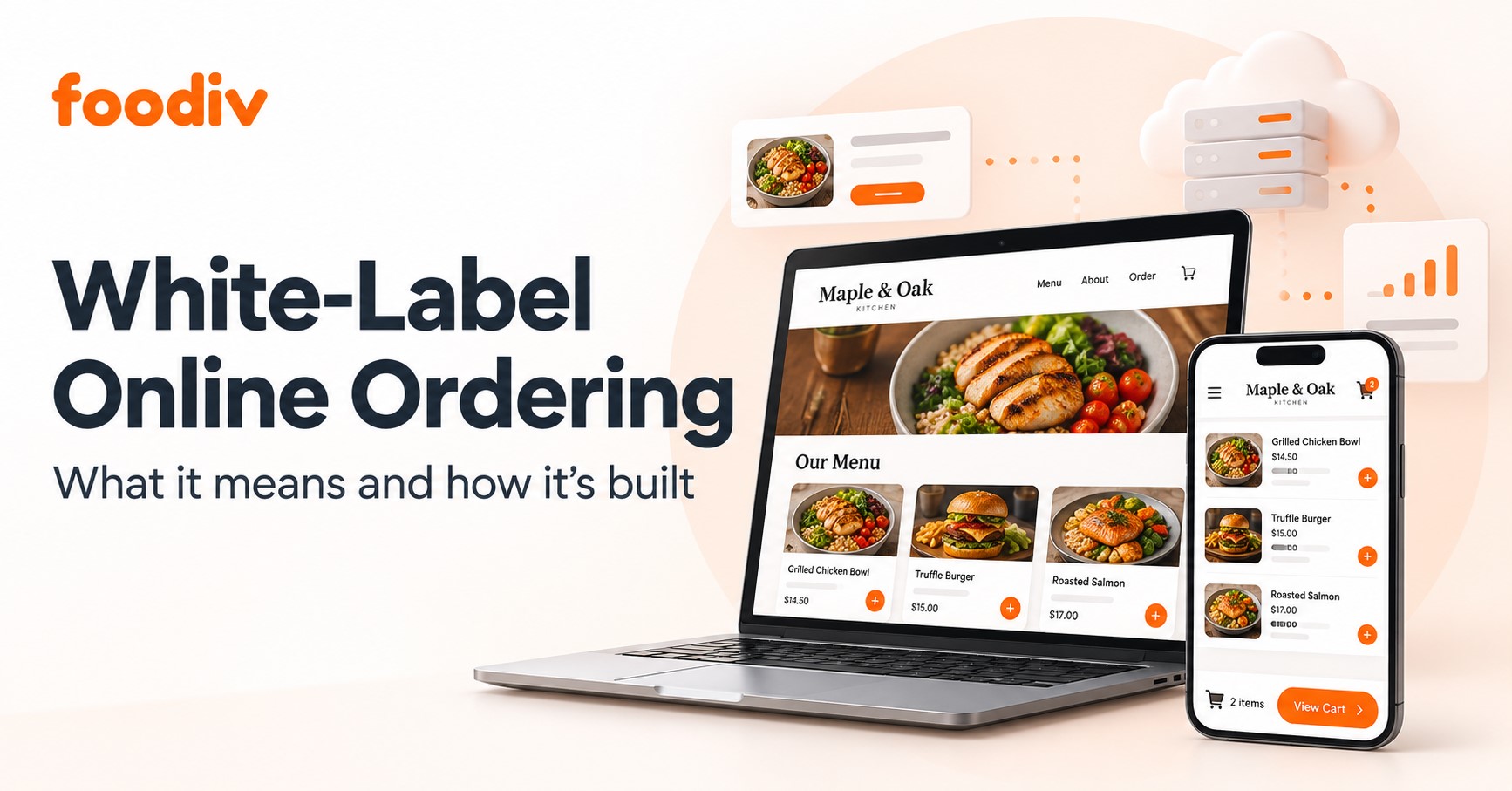
Foodiv gives restaurant groups one place to manage online ordering across multiple outlets without forcing every location to operate in exactly the same way.
The platform can support centralized menus, outlet-specific settings, direct online ordering, QR ordering, delivery and pickup rules, customer data, promotions, loyalty programs, POS and payment integrations, user permissions, and location-wise reporting. This helps restaurant groups keep control at the brand level while giving each outlet the flexibility it needs.
Centralized Control With Local Flexibility
Corporate teams can manage shared menus, product information, branding, promotions, and business settings from one platform. At the same time, outlet managers can handle local prices, opening hours, item availability, taxes, delivery zones, and pickup settings.
This balance matters. The head office can protect brand consistency, while each branch can respond to local demand and operational needs.
Direct Ordering Across Branded Channels
Foodiv helps restaurants accept direct orders through their own websites, mobile-friendly ordering pages, QR codes, and branded ordering channels.
Customers can choose the right location, view the relevant menu, and place orders for delivery, pickup, or dine-in where available. This gives restaurant groups more control over the customer journey and reduces their dependence on third-party ordering marketplaces.
Multi-Location Reporting and Customer Insights
Restaurant groups need more than total sales figures. They need to understand how each outlet performs.
Foodiv can provide visibility into orders, sales, payment activity, customer behavior, and location-level performance. Corporate teams can compare branches, identify popular items, review order patterns, and use customer data to support promotions and loyalty campaigns.
Migration and Launch Support
Moving several locations to a new system takes planning. Foodiv can support restaurant groups with menu setup, location configuration, payment settings, POS integration, testing, and staff onboarding.
Teams can test ordering flows, delivery zones, pickup settings, payments, printers, and outlet routing before launch. As the business expands, new locations can be added using the existing brand structure and menu setup instead of starting from scratch.
Final Verdict: Should Multi-Location Restaurants Use a Centralized Ordering System?
Yes. Once a restaurant group grows beyond one or two locations, separate ordering systems become harder to manage. Menus fall out of sync, customer data stays fragmented, reports take longer to collect, and teams spend more time fixing avoidable mistakes.
A centralized platform brings those moving parts together. The right system should give head office clear control while allowing each outlet to manage local prices, hours, taxes, stock, and delivery rules. It should also support accurate order routing, direct online ordering, POS integration, customer data ownership, consolidated reporting, and pricing that remains practical as new locations are added.
That balance is what matters most. Restaurant groups need consistency at the brand level without limiting how individual branches operate.
Foodiv is a practical option for restaurant chains, franchises, cloud kitchens, and growing restaurant groups that want to manage direct online ordering across multiple locations. It helps bring menus, orders, customer data, reporting, and outlet-level settings into one platform, making day-to-day management easier as the business expands.