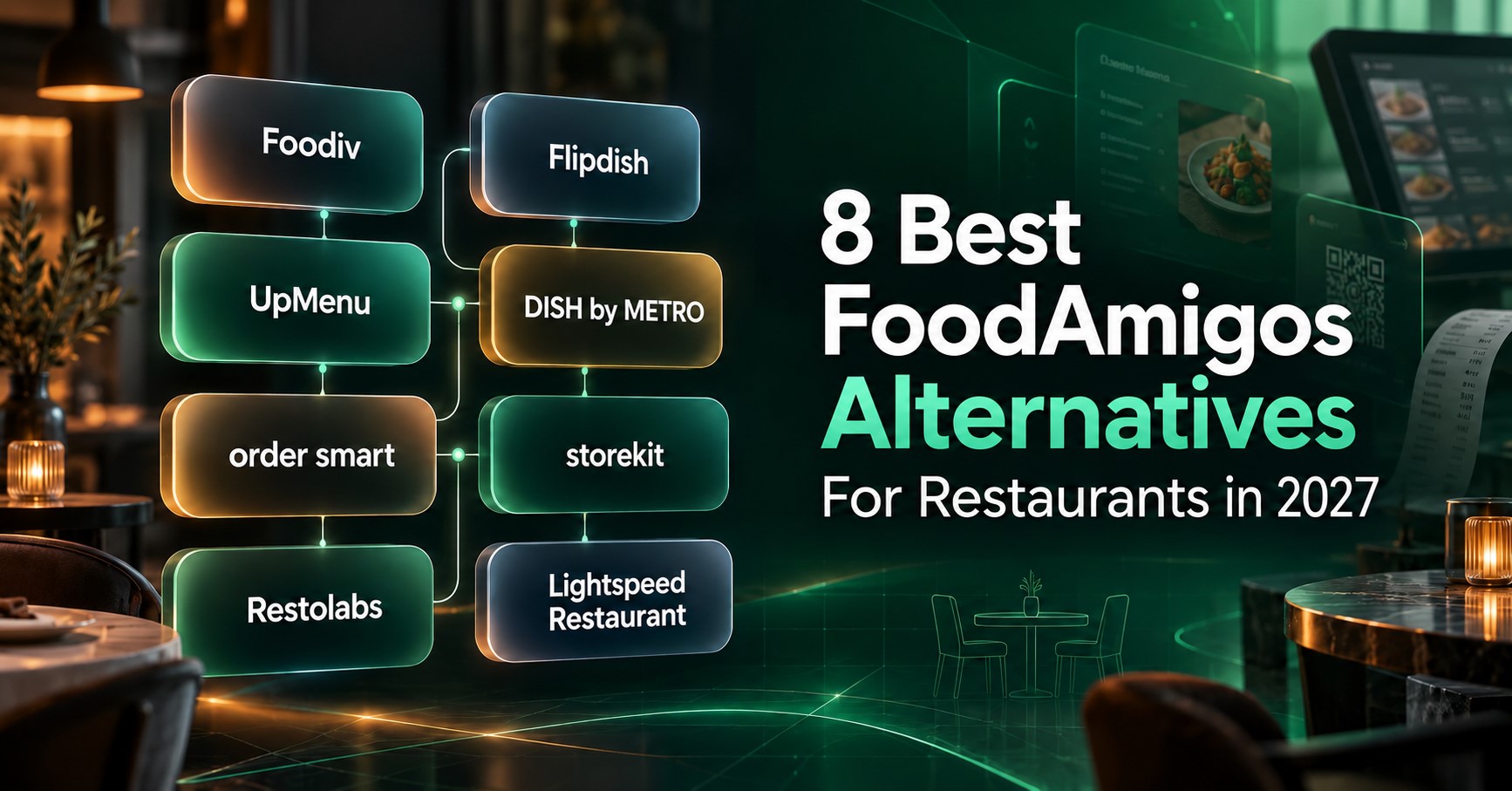
The right FoodAmigos alternative depends on what your restaurant needs to improve. Some businesses want stronger POS and kitchen workflows. Others need better QR ordering, multi-location control, payment integrations, or more flexibility over pricing and customer data.
Foodiv is a practical option for restaurants that want direct ordering, QR ordering, POS, KOT, KDS, reservations, loyalty, and customer management in one system. Flipdish focuses more on branded websites and mobile apps. DISH and order smart may suit restaurants operating in Germany, while Lightspeed is better suited to businesses that prefer a POS-first setup.
This guide compares eight options based on their features, pricing models, regional availability, strengths, and limitations. The goal is simple: help you choose a platform that fits the way your restaurant actually operates.
Why Do Restaurants Look for FoodAmigos Alternatives?
FoodAmigos may work well for restaurants that mainly need a website, direct ordering, a mobile app, loyalty, and marketing tools. Some restaurant owners keep comparing platforms because important details about costs, integrations, contracts, and day-to-day operations are not fully clear on the public product pages.
- The monthly price is not shown publicly: FoodAmigos promotes one fixed price, but its pricing page does not display the actual amount. Restaurants need to request a demo or proposal before they can calculate the cost.
- The contract terms need careful checking: The pricing page says restaurants can cancel monthly. The platform terms state that the initial term, renewal period, and notice period depend on the agreement signed by the restaurant. Buyers should confirm which condition applies to their contract.
- More than one type of fee may apply: The terms mention subscription fees, setup fees, app fees, driver charges, service fees, and transaction fees. Not every charge will apply to every restaurant, but the proposal should clearly state what is included.
- POS and kitchen workflows need confirmation: The main offer focuses on websites, online ordering, mobile apps, loyalty, and marketing. Restaurants that need POS, KOT, KDS, inventory, or detailed kitchen controls should check what FoodAmigos provides directly and what requires another system.
- Third-party services can add cost and complexity: Payments, delivery providers, maps, app stores, and other integrations may require separate agreements. Their fees, availability, and technical support do not always sit under the FoodAmigos contract.
- Multi-location details are limited on the public pricing page: Restaurant groups should ask how pricing works across locations and whether they can share menus, control staff access, manage location-level settings, and view combined reports.
- Switching away may require planning: FoodAmigos allows data exports, but its terms say additional migration help may require a separate paid agreement. Restaurants must also request their post-contract export within the stated period.
- Regional requirements can change the decision: FoodAmigos highlights its German support team. Restaurants in other countries should confirm local payment methods, tax settings, fiscal requirements, support hours, and available integrations.
Which FoodAmigos alternative fits your restaurant?
Start with the part of your restaurant you want to improve. The table below shows which platforms focus on direct ordering, branded apps, QR payments, POS or wider restaurant management.
| Platform |
Best for |
What it covers |
| Foodiv |
Direct ordering and restaurant operations |
Ordering, POS, QR, kitchen and management tools |
| Flipdish |
Branded websites and apps |
Direct ordering, mobile apps and marketing |
| UpMenu |
Modular ordering and marketing |
Ordering, loyalty, reservations and optional modules |
| DISH by METRO |
Restaurants in Germany and Europe |
Ordering, POS, payments and reservations |
| order smart |
Germany-focused ordering |
Restaurant web shops and mobile apps |
| storekit |
QR ordering and pay-at-table |
Dine-in, takeaway, delivery and digital payments |
| Restolabs |
Branded ordering and catering |
Direct ordering, apps, loyalty and catering |
| Lightspeed Restaurant |
POS-first restaurant management |
POS-connected online and tableside ordering |
What are the 8 best FoodAmigos alternatives for restaurants in 2027?
There is no single best option. Focus on the tools your restaurant needs, then check local pricing, integrations and support before you commit.
1. Foodiv: best for direct ordering and restaurant operations
One-sentence verdict: Foodiv is a suitable FoodAmigos alternative for restaurants that want direct ordering alongside POS, kitchen, QR, customer management and multi-location tools.
Best for:
- Independent restaurants
- Takeaways and cafés
- Full-service restaurants
- Cloud kitchens
- Multi-location restaurant businesses
- Hotels offering QR room ordering
Why it belongs on this list
Foodiv goes beyond a customer-facing ordering website. It brings online orders, dine-in ordering, kitchen workflows, reservations, customer records and restaurant reporting into the same system.
That makes it a practical option for restaurants that want fewer separate tools. It is particularly relevant when online ordering needs to connect with the way staff receive, prepare and manage orders.
Main capabilities
Foodiv supports commission-free website ordering for delivery and pickup. Restaurants can also use QR codes for table or room ordering, accept mobile orders and payments, manage orders through an online POS and send tickets to a KOT system or kitchen display.
Its wider feature set includes menu variants, modifiers, add-ons, reservations, coupons, loyalty programs, customer management, inventory, reporting and multi-location controls. Restaurants retain access to their customer and order data. Payment, POS and delivery integrations depend on the country and the systems being used.
Advantages
- Covers both direct ordering and back-of-house workflows
- Does not charge a commission on each direct order
- Supports delivery, pickup, table ordering and room ordering
- Includes POS, KOT and kitchen display functions
- Gives restaurants access to their customer data
- Supports multi-location restaurant groups
- Provides menu-migration tools
Limitations
- Integration availability differs by country.
- Restaurants need to confirm compatibility with their payment gateway and existing POS.
- Taxes, delivery rules, payments and other restaurant-specific settings still require configuration.
- Some features sit on higher-priced plans.
- Restaurants with unusual workflows should arrange a product demonstration before committing.
Pricing model and date checked
Foodiv Standard costs US$129 per outlet per year and includes website ordering, QR-based ordering, online POS, and kitchen order tickets. Plus costs US$349 and adds table and room ordering, reservations, and delivery zones by radius or postal code. Premium costs US$649 and adds a branded customer app.
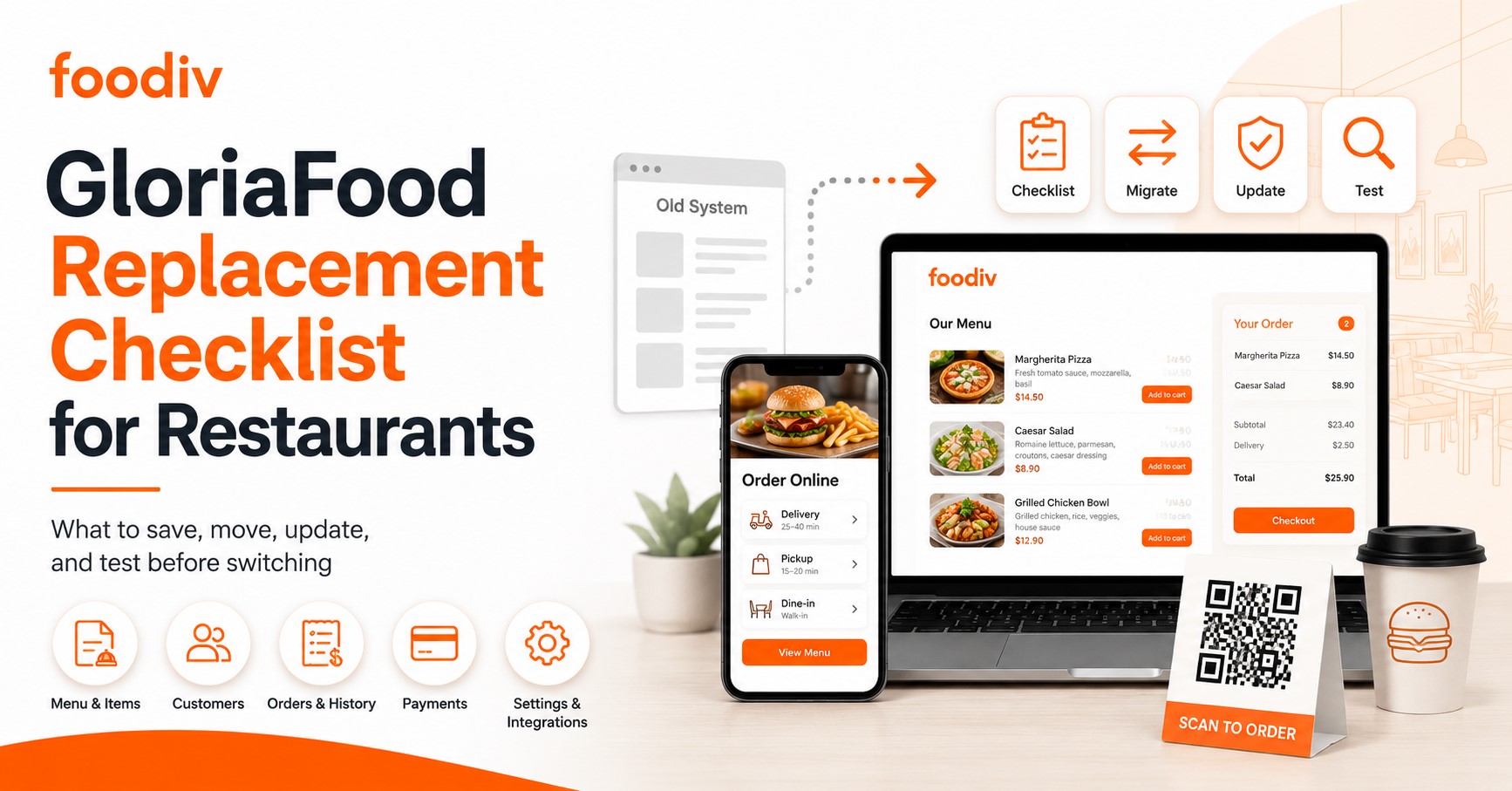
Foodiv offers a one-click menu import for GloriaFood. If you’re switching from FoodAmigos, ask Foodiv which fields it can import from your export, including menu variants and modifier groups.
Choose Foodiv if you want direct ordering combined with POS, kitchen, QR, reservation and customer-management functionality rather than only a customer-facing ordering page.
2. Flipdish: best for branded ordering websites and mobile apps
One-sentence verdict: Flipdish is a strong option for restaurants that place branded websites, mobile apps and customer retention at the centre of their direct-ordering strategy.
Best for:
- Takeaways and quick-service restaurants
- Growing restaurant brands
- Multi-location operators
- Restaurants that want their own ordering app
- Businesses adding self-service kiosks
Why it belongs on this list
Flipdish covers the main customer-facing services restaurants often look for when comparing ordering providers. These include an ordering website, a branded mobile app, loyalty tools and marketing support.
It also offers POS connections, delivery integrations and self-service kiosks. That makes it more than a basic website-order form, although several services may require separate packages.
Main capabilities
Restaurants can use Flipdish for web and mobile ordering, menu management, integrated payments, loyalty, customer retention and reporting. POS integrations and third-party delivery connections are available, while kiosk products support counter-service and quick-service workflows.
Advantages
- Strong focus on restaurant branding
- Website and mobile app packages
- Built-in loyalty and retention features
- Suitable for multi-location brands
- Kiosk options for counter-service restaurants
- POS and delivery connections available
Limitations
- Prices are charged per site.
- A mobile app costs more than a website-only package.
- Kiosk hardware is separate from the software subscription.
- POS, driver-fleet and other integrations may add to the monthly cost.
- Payment-processing rates and feature availability vary by market.
Pricing model and date checked
In the US, Flipdish website ordering starts at US$119 per site per month with annual billing or US$149 with monthly billing. If you also want a branded app, the starting price is US$199 per site per month with annual billing or US$249 with monthly billing. Ask for the payment processing rate and any charges for connecting your POS.
Choose Flipdish if branded web and mobile ordering are higher priorities than having every restaurant-management function inside one platform.
3. UpMenu: best for modular ordering and restaurant marketing
One-sentence verdict: UpMenu suits restaurants that want to choose individual ordering, loyalty, marketing and operational modules instead of paying for one large package.
Best for:
- Independent restaurants
- Small and growing restaurant groups
- Businesses with an existing POS
- Restaurants that want flexible add-ons
- Operators focused on repeat orders and marketing
Why it belongs on this list
UpMenu starts with direct ordering and lets restaurants add the tools they need. A restaurant can begin with website orders and later add a mobile app, loyalty program, reservations, tableside ordering or inventory.
This modular approach works well when a restaurant already has some systems in place and does not want to replace everything at once.
Main capabilities
The platform offers direct website ordering, a restaurant website builder, branded mobile apps, loyalty, marketing automation, reservations, inventory and tableside ordering. POS integrations are available, along with driver and delivery-service options.
Advantages
- Restaurants can choose modules separately.
- Entry costs can remain lower when only a few tools are needed.
- Includes marketing and loyalty options.
- Works with a range of POS integrations.
- Supports both independent restaurants and multi-location businesses.
- Monthly subscriptions do not require a long-term contract.
Limitations
- The final monthly cost can rise after adding several modules.
- Lower web-ordering tiers include order limits.
- Additional orders can carry an extra charge.
- Payment gateway and integration availability varies by country.
- Restaurants should check whether each required function is currently available in their market.
Pricing model and date checked
UpMenu’s web ordering plans cost US$49 per location per month for 75 orders, US$89 for 210 orders, or US$169 for unlimited orders. If you choose a capped plan, orders from your website, app, and till all count toward the limit. UpMenu keeps taking orders and bills you for the extras by default. If you turn off overages and hit the cap, the location stops taking new orders until the next billing period.
Choose UpMenu if you want to select ordering, loyalty, marketing, reservation and inventory modules according to your restaurant’s needs.
4. DISH by METRO: best for restaurants in Germany and Europe
One-sentence verdict: DISH is a practical choice for restaurants in supported European markets that want locally available ordering, reservation, payment and POS products.
Best for:
- Restaurants in Germany
- European restaurants in supported DISH markets
- Businesses that value local support
- Restaurants already using METRO or DISH products
- Operators that want ordering and reservations from one provider
Why it belongs on this list
DISH offers a set of restaurant products rather than a single ordering tool. Restaurants can use its website and ordering service, reservation system, payment products and POS offering, depending on local availability.
That local focus can matter when a restaurant needs country-specific payment methods, tax handling, contracts and support.
Main capabilities
DISH Professional Order supports direct website and Google orders, delivery, takeaway, online payments and central menu management. Other DISH products cover reservations, POS and payments.
These tools may be packaged separately, so restaurants should check exactly what their chosen subscription includes.
Advantages
- Strong presence in Germany and parts of Europe
- Local ordering and payment options
- Direct orders without a percentage-based ordering commission
- Website, ordering and reservation products available
- POS and payment products within the wider DISH range
- Local-market support
Limitations
- Products and packages vary between countries.
- The lowest monthly price requires a longer contract.
- Setup and online-payment charges apply.
- Some services require compatible DISH hardware or software.
- Ordering, reservations and POS may sit in separate products.
Pricing model and date checked
In Germany, DISH Professional Order costs €49 a month on a 36-month term, €59 on a 12-month term, or €64 on a three-month term. New contracts carry a €299 setup fee. DISH also charges 1.89% of the gross value of orders paid through its online payment system. DISH Premium starts at €79 a month on a 36-month term, with a €279 setup fee. Listed prices exclude VAT.
Choose DISH if your restaurant operates in a supported European market and you value locally available ordering, reservation, payment and POS products.
5. order smart: best for German web and app ordering
One-sentence verdict: order smart is aimed at German restaurants that want a locally supported ordering website, branded app and connected order-management tools.
Best for:
- Restaurants based in Germany
- German takeaway and delivery businesses
- Operators that want a branded customer app
- Restaurants looking for German-language support
- Businesses that want local payment and POS connections
Why it belongs on this list
order smart addresses many of the same customer-facing needs as FoodAmigos. It offers a restaurant web shop and app, while also connecting ordering, payments, menus and order management.
Its German market focus may make support and local integrations easier for restaurants operating mainly within the country.
Main capabilities
The service covers restaurant web shops, branded apps, menu management, delivery and pickup orders, online payments and order acceptance. POS and delivery-platform integrations are also available, although compatibility depends on the restaurant’s existing systems and selected package.
Advantages
- Built for the German restaurant market
- Website and branded app options
- Delivery and pickup ordering
- Central menu and order management
- Local payment options
- German-language service and support
Limitations
- Public pricing information is limited.
- Restaurants need to request details about contract length and cancellation.
- POS and delivery-platform compatibility should be checked before signing.
- The service may be less suitable for businesses operating mainly outside Germany.
- Hardware, payment-processing and integration costs need written confirmation.
Pricing model and date checked
order smart lists its web shop at €119 a month. The web shop and branded app bundle costs €229 a month, and the web shop with YOYO POS costs €208 a month. These monthly rates exclude VAT. If you want a separate device to accept orders, the optional Order Manager costs €299 upfront.
Choose order smart if your business operates primarily in Germany and needs a locally focused restaurant web shop and app.
6. storekit: best for QR ordering and pay-at-table
One-sentence verdict: storekit is well suited to restaurants and hospitality groups that want customers to order, view bills and pay from their tables.
Best for:
- Full-service restaurants
- Bars and pubs
- Food halls
- Multi-location hospitality groups
- Businesses offering catering or office ordering
- Restaurants trying to reduce payment queues
Why it belongs on this list
storekit gives greater attention to the dine-in payment journey than many ordering platforms. Guests can scan a QR code, order, add items to a bill, split payments and settle the bill from their phones.
The platform also supports pickup, delivery and catering, so restaurants do not need a separate system for every ordering channel.
Main capabilities
Its features include digital menus, QR order and pay, pay-at-table, digital bills, add-to-bill, split payments, pickup, delivery, catering and office ordering. POS integrations, kitchen display functions, cross-site reporting and customer-retention tools are available on selected plans.
Advantages
- Strong QR and table-payment workflows
- Supports digital bills and split payments
- Covers dine-in, pickup, delivery and catering
- POS integrations available
- Suitable for multi-location groups
- Restaurants retain access to guest data
- No setup fee or long-term contract shown on standard plans
Limitations
- The free plan still has a flat fee per order.
- QR order and pay sits on the higher-priced Pro plan.
- Kiosks, apps and extra screens cost more.
- Public pricing is in pounds and appears aimed mainly at the UK market.
- Restaurants outside core markets should confirm payment and POS support.
Pricing model and date checked
Storekit’s UK plans cost £0 for Starter, £49 for Connect, £99 for Grow, and £199 for Pro per location per month, excluding VAT. Grow is the first plan that lets guests order and pay by QR code. Grow and Pro each carry a £199 setup fee per location. Every plan adds a flat per-order charge. Enterprise starts at £995 per brand per month.
Choose storekit if dine-in QR ordering, digital bills and pay-at-table workflows are central to your restaurant experience.
7. Restolabs: best for branded direct ordering and catering
One-sentence verdict: Restolabs is a good fit for restaurants that want branded direct ordering across delivery, pickup, QR and catering channels.
Best for:
- Independent restaurants
- Takeaways and delivery businesses
- Caterers
- Restaurant groups with multiple outlets
- Businesses that want branded web and app ordering
Why it belongs on this list
Restolabs gives restaurants their own online ordering channel without taking a commission from each direct order. It also supports catering orders, which makes it useful for restaurants serving offices, events or large groups.
Restaurants can expand from a basic ordering service into branded websites, mobile apps, loyalty and multi-outlet management.
Main capabilities
The platform supports pickup, restaurant-managed delivery, QR ordering, catering orders, loyalty, analytics and multi-outlet management. POS and delivery integrations are available on eligible plans. Higher packages can include branded website, mobile app and Google Business Profile ordering tools.
Advantages
- Commission-free direct ordering
- Delivery, pickup, QR and catering channels
- Loyalty and reporting tools
- Support for multiple outlets
- Branded website and mobile app options
- Broad payment-gateway support
Limitations
- Apps, websites and some integrations may require higher plans or add-ons.
- Delivery-provider and POS support varies by region.
- Restaurants should confirm which payment gateways work in their country.
- The total price depends on the selected package and optional services.
Pricing model and date checked
On monthly billing, Restolabs charges US$69 for Basic, US$99 for Growth, and US$199 for Pro. With annual billing, the advertised monthly rates are US$55, US$79, and US$159, respectively. You can try any plan free for 30 days. I verified both billing options on the live pricing page. Restolabs pricing
Choose Restolabs if you want branded ordering with support for delivery, pickup, loyalty and catering orders.
8. Lightspeed Restaurant: best for POS-first restaurant operations
One-sentence verdict: Lightspeed Restaurant is the strongest fit on this list for businesses that want online and tableside ordering built around their restaurant POS.
Best for:
- Full-service restaurants
- Bars, cafés and hotels
- Businesses replacing their current POS
- Multi-location restaurant groups
- Restaurants that want connected front-of-house and kitchen workflows
Why it belongs on this list
Lightspeed approaches online ordering from the POS side. Orders, menus, payments, kitchen activity and sales reports remain closely linked to the main restaurant system.
This can reduce duplicate menu work and manual order entry. It also means restaurants need to commit to the Lightspeed ecosystem rather than use Order Anywhere as a separate ordering product.
Main capabilities
Lightspeed Restaurant provides POS, payment processing, kitchen and front-of-house tools, reporting and multi-location controls. Order Anywhere adds online ordering, QR ordering, tableside ordering, pickup and takeaway. Menu information can stay synchronized with the restaurant POS.
Advantages
- Ordering connects directly with the POS.
- Supports front-of-house and kitchen workflows.
- Includes detailed sales and performance reporting.
- Suitable for complex and multi-location operations.
- QR and tableside ordering are available.
- Menu changes can flow through connected Lightspeed products.
Limitations
Lightspeed Order Anywhere is designed to work with the Lightspeed Restaurant ecosystem, so it may not suit restaurants that want a standalone ordering solution. The current Order Anywhere documentation states that it works with Lightspeed Restaurant K Series.
Restaurants also need to budget for compatible hardware, payment processing, extra POS licences, integrations and plan-specific add-ons.
Pricing model and date checked
Lightspeed Restaurant lists its German POS plans at €89 a month for Basic, €159 for Core, and €249 for Pro. If you also need online ordering, ask for the price of the Order Anywhere add-on and check availability for your country and POS series. Lightspeed publishes separate documentation for K-Series and L-Series.
Choose Lightspeed if you want online and tableside ordering connected closely with your restaurant POS.
How we evaluated the best FoodAmigos alternatives
We compared each platform using the same 15 criteria, based on the tools restaurants need to accept orders and manage daily work. We also considered cost, regional availability, compatibility with existing systems and the support available during setup or migration.
- Direct website ordering: Whether customers can place orders through the restaurant’s own website.
- Pickup and delivery management: Support for collection times, delivery areas, fees and order fulfilment.
- QR and dine-in ordering: Options for table ordering, digital menus and mobile payments.
- Restaurant POS capabilities: Whether the platform includes a POS or connects with existing POS systems.
- KOT and kitchen display workflows: How orders move from the customer or counter to kitchen staff.
- Website and mobile app options: Availability of restaurant websites, branded apps and online menu tools.
- Loyalty and customer management: Features for rewards, coupons, customer records and repeat-order marketing.
- Reservations and table management: Tools for bookings, table allocation and dine-in service.
- Inventory and reporting: Access to stock controls, sales reports and restaurant performance data.
- Multi-location management: Controls for menus, users, orders and reporting across several outlets.
- Customer-data access: Whether restaurants can view, manage and export their customer information.
- Integrations and payments: Compatibility with payment gateways, POS systems and delivery providers.
- Pricing transparency: How clearly the provider explains subscriptions, transaction fees, add-ons and contract terms.
- Regional availability: The countries, currencies, payment methods and local requirements supported.
- Setup, support and migration assistance: Help with onboarding, menu transfers, integrations, staff training and launch preparation.
Product details should be checked against official vendor pages before publication. Pricing, payment support and integrations may vary by country.
Final verdict
Start with the problem you want to solve. Foodiv makes sense when direct ordering needs to work with POS, kitchen, QR, reservations and multi-location tools. Flipdish and Restolabs suit restaurants that care most about branded websites and apps, while UpMenu works well for businesses that prefer to add features as they need them. DISH and order smart are more relevant to restaurants operating in Germany or supported European markets. storekit is built around QR ordering and table payments. Lightspeed fits restaurants that want online ordering tied closely to their POS.
Before choosing, compare the full cost for your location, including payment fees, hardware, add-ons and integrations. Ask for a demonstration using your menu and order flow. Then test support, data access and migration before signing.