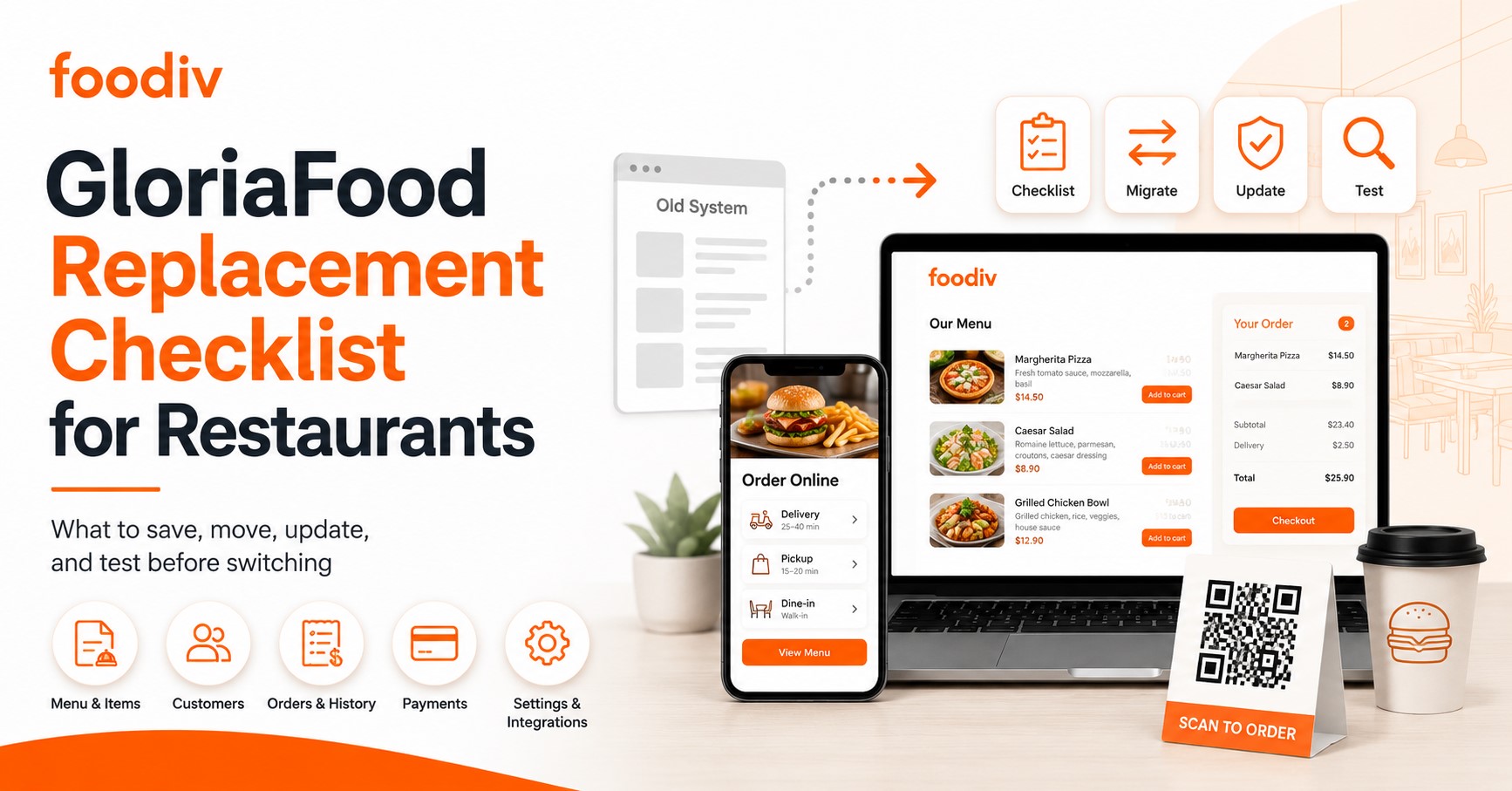
GloriaFood is being discontinued, and that puts many restaurants in a position where they need to plan their next move carefully. If your restaurant still uses GloriaFood for online orders, pickup, delivery, QR codes, or website ordering links, now is the right time to prepare. Waiting until the last moment can create problems you do not want during busy service hours.
Here’s the thing. A GloriaFood replacement is not just about choosing another restaurant online ordering system and moving on. You also need to protect your menu data, customer details, payment setup, delivery rules, QR codes, website buttons, and social ordering links. Miss one important step, and customers may land on a broken page or staff may struggle to manage orders properly.
This GloriaFood replacement checklist for restaurants will help you switch from GloriaFood with less confusion and fewer mistakes. It covers what to save, what to move, what to update, and what to test before your new system goes live. For restaurants that want a reliable GloriaFood replacement with direct online ordering, pickup, delivery, QR ordering, and menu control, Foodiv is a practical option to consider.
What Should Restaurants Do Before Replacing GloriaFood?
Restaurants should first export their GloriaFood menu, customer data, order history, delivery zones, fees, taxes, payment settings, QR codes, and website ordering links. Then they should choose a new restaurant online ordering system, rebuild the menu with items, prices, add-ons, and modifiers, configure pickup and delivery rules, test payments, update all ordering links, train staff, and go live before GloriaFood’s end of service. The goal is simple: switch from GloriaFood without breaking orders, losing customer data, or confusing guests
Why Restaurants Need a GloriaFood Replacement Now
GloriaFood discontinued its service, and that creates a real online ordering risk for restaurants that still depend on it. Your order button, menu widget, QR codes, pickup flow, delivery setup, and customer data may all connect back to GloriaFood in some way. If those pieces stop working, customers do not wait. They either call, get frustrated, or order from somewhere else.
Restaurants should replace GloriaFood early because migration takes more time than most owners expect. You need to move the menu, save customer data, set up payments, rebuild delivery zones, replace QR codes, update website links, and train staff on the new system. That is not something you want to rush during the final GloriaFood shutdown period.
Here’s the thing. A restaurant ordering software replacement is not just a technical task. It affects daily operations. If staff do not know where orders arrive, if old QR codes still point to GloriaFood, or if your website button leads to a broken page, you lose orders. Starting before GloriaFood end of service gives you time to test everything properly and switch without confusing customers.
GloriaFood Replacement Checklist for Restaurants
Replacing GloriaFood is not something restaurants should handle in a rush. Your online ordering setup may include menus, customer records, delivery rules, QR codes, payment settings, order buttons, and staff workflows. If one part gets missed, the new system may go live with gaps that affect real orders.
Use this GloriaFood replacement checklist for restaurants to move step by step. It will help you see what to export, what to rebuild, what to update, and what to test before you switch fully to a new restaurant online ordering system.
1. Export Your GloriaFood Menu
Your menu is the heart of your online ordering system. Do not only copy the item names and prices. A proper menu export should include every small detail that helps customers place accurate orders.
What this really means is simple. If your pizza sizes, burger toppings, spice levels, combo meals, or add-ons do not move correctly, your staff may receive incomplete or wrong orders after the switch.
Make sure you save:
- Menu categories
- Item names
- Item prices
- Item descriptions
- Food images
- Sizes
- Add-ons
- Modifiers
- Toppings
- Combo meals
- Availability rules
- Special notes or instructions
Restaurants should export full menu data from GloriaFood before moving to a new platform. This includes categories, prices, descriptions, images, sizes, add-ons, modifiers, toppings, and combo meals. These details help the new ordering system match the way customers already order from the restaurant.
2. Backup Customer Data and Order History
Customer data is easy to overlook, but it matters more than most restaurants realize. It helps you understand who orders often, what they like, how they order, and which customers you can bring back through offers or updates.
If you leave this data behind, you may lose a clear view of your regular customers. That can hurt repeat orders, loyalty campaigns, and future marketing.
Save important customer details such as:
- Customer names
- Phone numbers
- Email addresses
- Delivery addresses if available
- Past orders
- Repeat customer details
- Popular order patterns
- High-value customers
- Frequently ordered items
Restaurants should save customer data and order history before leaving GloriaFood. This includes names, phone numbers, emails, past orders, repeat customer details, and popular order patterns. This data helps restaurants keep customer relationships alive after migration.
3. Save Delivery Zones, Fees, and Minimum Order Rules
Delivery settings directly affect your daily operations. If you forget them, your new system may accept orders from areas you do not serve, charge the wrong fee, or allow orders below your minimum value.
Here’s the thing. Delivery mistakes do not stay hidden for long. Customers notice wrong fees. Staff notice unclear addresses. Drivers notice bad zones. So, save these rules before you move.
Check and record:
- Delivery radius
- Area-wise delivery fees
- Minimum order value
- Free delivery rules
- Pickup slots
- Delivery timing
- Preparation time
- No-delivery areas
- Branch-wise delivery rules if you have multiple locations
Restaurants should move delivery zones, delivery fees, minimum order rules, pickup slots, free delivery rules, and delivery timings from GloriaFood to the new system. These settings keep pickup and delivery orders accurate after migration.
4. Note Taxes, Discounts, and Payment Settings
Pricing errors can quickly create problems. If tax rates, service fees, discounts, or payment settings do not move correctly, customers may see the wrong total at checkout.
Before replacing GloriaFood, write down how your current billing setup works. Check every fee, offer, and payment rule so your new system calculates totals properly.
Review these settings:
- Tax rules
- Service fees
- Delivery fees
- Discount codes
- Promo rules
- Minimum order discounts
- Free delivery offers
- Online payment settings
- Stripe setup if used
- PayPal setup if used
- Card payment setup
- Cash on delivery or cash on pickup rules
Restaurants should check tax rules, service fees, discount codes, promo rules, and online payment settings before replacing GloriaFood. They should also review Stripe, PayPal, card payments, and cash payment options if those methods apply to their restaurant.
5. Choose a New Online Ordering System
Once you know what needs to move, choose the right replacement platform. Do not pick a new system only because it looks cheap or quick to set up. You need a tool that supports how your restaurant actually takes orders.
A good GloriaFood replacement should help you manage direct orders without forcing customers through third-party marketplaces. It should also give your team simple control over menus, payments, delivery rules, and customer data.
Look for a system that supports:
- Website ordering
- Pickup orders
- Delivery orders
- Takeaway orders
- Dine-in QR ordering
- Customer data ownership
- Online payments
- Menu control
- Staff dashboard
- Migration support
- Multi-location support if needed
- Order notifications
- Reports and customer insights
Foodiv is a practical GloriaFood replacement for restaurants that want direct online ordering, pickup, delivery, QR ordering, customer data control, and menu management in one place. It gives restaurants more control over their own ordering flow instead of sending every customer to a marketplace.
6. Rebuild the Menu in the New Platform
After choosing your new platform, rebuild the menu carefully. This is where many restaurants make mistakes. They move item names and prices, but forget the details that make the ordering flow work.
For example, a burger item may need cheese, extra patty, spice level, side options, and drink add-ons. A pizza may need size, crust, toppings, and half-and-half choices. If these details do not move, staff may need to call customers again to confirm the order.
When rebuilding the menu, include:
- Categories
- Items
- Prices
- Descriptions
- Add-ons
- Modifiers
- Images
- Item availability
- Special instructions
- Upsells
- Combo options
- Popular item tags
- Sold-out settings
Restaurants should not copy only item names and prices from GloriaFood. They should also move modifiers, add-ons, sizes, images, availability rules, and special instructions because these details affect order accuracy.
7. Set Up Pickup, Delivery, and QR Ordering
Your new system should match how your restaurant serves customers. Some customers want pickup. Some want delivery. Some scan a QR code at the table and order without waiting for staff.
Set these flows properly before launch. If pickup time is unclear, customers may arrive too early. If prep time is wrong, delivery orders may pile up. If table QR codes do not work, dine-in guests may get frustrated.
Set up:
- Pickup timing
- Delivery timing
- Preparation time
- Delivery zones
- Delivery fees
- Table QR codes
- Dine-in ordering
- Takeaway workflow
- Order acceptance rules
- Customer notifications
- Staff alerts
Yes, restaurants can move pickup and delivery from GloriaFood to a new system, but they need to set the rules again. This includes pickup slots, delivery hours, preparation time, delivery zones, fees, and QR ordering if the new platform supports it.
8. Replace Website Order Buttons and Widgets
Your website may still send customers to GloriaFood without you noticing. Check every place where your restaurant asks customers to order online.
This matters because even one old link can send customers to the wrong page. If the old page stops working, you lose the order before the customer even reaches checkout.
Update these website elements:
- Website Order Online button
- Homepage call-to-action button
- Menu page links
- Header navigation links
- Footer links
- Landing page links
- Popups or banners
- Old GloriaFood widget
- Embedded menu widgets
- Mobile website buttons
Restaurants should update all website order buttons, menu links, homepage buttons, footer links, landing page links, and old GloriaFood widgets after leaving GloriaFood. Every customer-facing order link should point to the new online ordering system.
9. Replace QR Codes Everywhere
QR codes can create a hidden problem during migration. Many restaurants place them on tables, menus, counters, packaging, flyers, window stickers, and social posts. If those QR codes still point to GloriaFood, customers may land on an old or inactive page later.
Do a physical and digital check before launch. Walk through your restaurant like a customer. Scan every QR code you can find. Then replace anything that points to GloriaFood.
Check QR codes on:
- Dining tables
- Printed menus
- Counter displays
- Flyers
- Packaging inserts
- Window stickers
- Posters
- Social media posts
- Google Business Profile images if needed
- Email campaigns
- SMS campaigns
Restaurants should replace all GloriaFood QR codes before switching platforms because old QR codes may send customers to inactive ordering pages after service ends. This includes QR codes on tables, flyers, packaging, menus, counters, and online promotions.
10. Update Google Business Profile and Social Links
Many customers do not start from your website. They search your restaurant on Google, tap your Instagram bio, click your Facebook button, or use a WhatsApp order link. If those links still point to GloriaFood, your migration is not complete.
Let’s break it down. Your new ordering system should appear everywhere customers already find you. That keeps the customer journey simple and avoids confusion.
Update ordering links on:
- Google Business Profile
- Facebook button
- Instagram bio
- WhatsApp links
- Email signatures
- SMS campaigns
- Local directory listings
- Review platforms
- Link-in-bio tools
- Printed marketing material
- Digital ads if running
Restaurants should update their Google Business Profile order link, Facebook button, Instagram bio, WhatsApp links, email signatures, SMS campaigns, and local directory listings after replacing GloriaFood. This makes sure every customer reaches the new ordering page.
11. Run Test Orders Before Going Live
Never launch a new ordering system without testing it like a real customer. Test orders help you catch mistakes before they affect paying customers.
Place orders from a phone, tablet, and desktop if possible. Ask staff to handle the test orders exactly like normal orders. This helps you find issues with payments, notifications, kitchen tickets, taxes, discounts, and delivery fees.
Test these order types:
- Pickup test order
- Delivery test order
- QR dine-in test order
- Online payment test
- Cash payment test
- Discount code test
- Kitchen ticket test
- Customer notification test
- Menu modifier test
- Delivery fee test
- Tax calculation test
- Cancelled order test
Restaurants should test a GloriaFood replacement by placing real test orders before launch. They should check pickup, delivery, QR ordering, online payments, cash payments, discounts, kitchen tickets, customer notifications, modifiers, taxes, and delivery fees.
12. Train Staff Before Launch
A new ordering system only works well when staff know how to use it. Even a good platform can create confusion if the team has not seen the dashboard before launch day.
Train your team before going live. Keep the training simple and focused on daily tasks. Staff do not need a long technical session. They need to know what happens when an order comes in and what to do next.
Train staff on:
- How to accept orders
- How to reject or cancel orders
- How to manage pickup timing
- How to update preparation time
- How to pause unavailable items
- How to handle payment status
- How to check customer notes
- How to manage delivery instructions
- How to contact customers if needed
- How to report an issue
Staff training reduces mistakes during the switch from GloriaFood. When the team understands the new system, they can accept orders faster, avoid missed tickets, manage busy periods better, and serve customers with less confusion.
13. Launch the New Ordering System
Once the setup and testing are done, launch the new system carefully. Do not treat launch day as the end of the migration. The first few days matter because they show how the system performs with real customers and real staff pressure.
Start with a soft launch if possible. Let staff use the system, check early orders, fix small issues, and update customers about the new ordering link. If you can run the old and new systems in parallel for a short period, do it carefully so you do not miss orders from either side.
During launch, manage:
- Soft launch
- Parallel testing
- Customer announcement
- Website update
- QR code rollout
- Staff monitoring
- First-week order review
- Payment checks
- Menu corrections
- Delivery zone review
- Customer feedback
- Staff feedback
After launch, review the first week closely. Check whether customers can place orders easily, staff can manage orders without confusion, payments work correctly, and delivery rules match your real service area. A careful first week helps you fix small issues before they turn into bigger problems.
What to Look for in a GloriaFood Replacement
Choosing a GloriaFood alternative for restaurants is not just about finding another ordering link. You need a restaurant online ordering replacement that fits how your kitchen, staff, customers, and delivery flow already work.
Here’s what to check before you move.
- Direct online ordering: Customers should be able to order from your restaurant website without going through a third-party marketplace.
- Commission-free orders: A good commission-free online ordering system helps you protect your profit on every pickup, delivery, and takeaway order.
- Pickup and delivery support: Your new platform should let you manage pickup times, delivery zones, fees, preparation time, and order notifications from one place.
- QR ordering: Look for QR ordering if you want customers to scan, view the menu, and place dine-in or table orders without waiting for staff.
- Full menu control: You should be able to update prices, images, descriptions, modifiers, add-ons, toppings, item availability, and combo meals whenever needed.
- Online payments: The platform should support trusted payment gateways so customers can pay online with cards, wallets, Stripe, PayPal, or other suitable options.
- Customer data ownership: Your restaurant should own customer names, emails, phone numbers, order history, and repeat order data so you can bring customers back.
- Staff-friendly dashboard: Your team should be able to accept orders, update timing, pause items, check payment status, and manage customer notes without confusion.
- Multi-location support: If you run a chain, franchise, cloud kitchen, or multiple branches, the system should support location-wise menus, prices, hours, delivery zones, and reports.
- Migration support: A good online ordering platform for restaurants should help you move menus, customer data, delivery settings, QR codes, and payment setup with fewer mistakes.
The simple rule is this: do not choose a GloriaFood replacement only because it looks easy on day one. Choose a platform that helps you keep orders running, protect customer data, and give your staff a clean way to manage daily operations.
GloriaFood Replacement Checklist Table
Here’s a simple checklist you can use before you switch from GloriaFood. Keep this open while you plan the move, and mark each item only after you have checked it properly.
| Checklist Item |
What to Check |
Why It Matters |
Done |
| Export menu |
Save menu categories, item names, prices, descriptions, food images, sizes, add-ons, modifiers, toppings, and combo meals. |
This prevents menu loss and helps you rebuild your new ordering page without missing key details customers use while ordering. |
☐ |
| Save customer data |
Backup customer names, phone numbers, email addresses, delivery addresses, repeat customer records, and customer notes if available. |
This protects your repeat customer base and helps you continue marketing, loyalty, and customer communication after leaving GloriaFood. |
☐ |
| Download order history |
Save past orders, popular items, repeat orders, high-value customers, peak order times, and sales patterns. |
Order history helps with reporting, menu decisions, customer insights, and future promotions once your new system goes live. |
☐ |
| Copy delivery zones |
Record delivery radius, service areas, area-wise delivery fees, no-delivery zones, and location-wise delivery rules. |
This keeps delivery orders accurate and prevents customers from placing orders from areas your restaurant does not serve. |
☐ |
| Save taxes and fees |
Check tax rates, service fees, delivery fees, packaging charges, discounts, promo codes, and minimum order rules. |
This helps avoid wrong checkout totals, pricing errors, customer complaints, and staff confusion during billing. |
☐ |
| Choose replacement platform |
Choose a restaurant online ordering system that supports website ordering, pickup, delivery, QR ordering, payments, and customer data ownership. |
This keeps online ordering active before GloriaFood stops working and gives your restaurant a safer path to migration. |
☐ |
| Rebuild menu |
Recreate categories, items, prices, descriptions, images, add-ons, modifiers, availability rules, special instructions, and upsells. |
This makes your new ordering page ready and reduces wrong orders caused by missing menu options. |
☐ |
| Set pickup and delivery |
Set pickup slots, delivery timing, preparation time, delivery fees, order minimums, table QR ordering, and takeaway workflow. |
This keeps daily operations smooth and helps staff manage pickup, delivery, dine-in, and takeaway orders clearly. |
☐ |
| Replace QR codes |
Replace QR codes on tables, menus, counters, flyers, packaging inserts, posters, window stickers, and social media posts. |
This prevents customers from scanning old GloriaFood QR codes that may lead to inactive or broken ordering pages. |
☐ |
| Update website links |
Update homepage buttons, menu page links, header links, footer links, landing pages, popups, and old GloriaFood widgets. |
This sends website visitors to your new online ordering system instead of an outdated GloriaFood ordering page. |
☐ |
| Update Google profile |
Update the Google Business Profile order link, website link, menu link, photos with QR codes, and any order-related local listing information. |
This protects local ordering traffic from Google Search and Google Maps, where many customers start their order journey. |
☐ |
| Test orders |
Place pickup, delivery, QR dine-in, online payment, cash payment, discount code, modifier, and kitchen ticket test orders. |
This helps you find issues with payments, taxes, notifications, delivery fees, modifiers, and staff order handling before launch. |
☐ |
| Train staff |
Train staff to accept orders, reject or cancel orders, manage pickup timing, pause items, check payment status, and read customer notes. |
This reduces order mistakes and helps your team handle the new restaurant ordering dashboard with confidence. |
☐ |
This table gives restaurants a quick way to check whether their GloriaFood migration is actually ready. The main goal is not just to choose a new platform. The goal is to move every important part of your online ordering setup without losing orders, confusing customers, or putting extra pressure on staff.
Why Foodiv Is a Strong GloriaFood Replacement for Restaurants
Foodiv is a strong GloriaFood replacement for restaurants that need direct website ordering, pickup, delivery, QR ordering, menu control, customer data ownership, online payments, and migration support. It helps restaurants move away from GloriaFood while keeping control of orders, customers, and daily operations.
Here’s where Foodiv can help.
- Direct online ordering: Restaurants can accept orders from their own website instead of sending customers to third-party marketplaces.
- Pickup and delivery: Foodiv supports takeaway, pickup, and delivery workflows, so restaurants can manage different order types from one place.
- QR ordering: Restaurants can use QR ordering for dine-in, table ordering, and quick menu access. This works well for cafes, casual dining restaurants, fast food outlets, and busy takeaway spots.
- Menu control: Restaurants can manage prices, food images, descriptions, add-ons, modifiers, toppings, item availability, and combo options without depending on someone else for every small change.
- Customer data ownership: Foodiv helps restaurants keep customer names, phone numbers, emails, order history, and repeat order data. That makes it easier to bring customers back without relying only on marketplaces.
- Online payments: Restaurants can set up payment options based on their needs, including online payments and other suitable checkout choices for pickup, delivery, and takeaway orders.
- Migration support: Moving from GloriaFood can feel messy if menus, QR codes, delivery rules, and payment settings are not handled properly. Foodiv can help restaurants shift these pieces with fewer setup mistakes.
- Multi-location support: Foodiv works for single restaurants, chains, cloud kitchens, franchise-style operations, and businesses that need location-wise menu control, delivery rules, and order management.
The simple reason Foodiv stands out is control. Restaurants get a way to keep online orders connected to their own brand, own website, own customer data, and own daily workflow. For restaurants looking for a GloriaFood alternative that covers both ordering and migration needs, Foodiv is a practical option to consider.
Final Verdict: How Restaurants Should Replace GloriaFood Safely
Replacing GloriaFood is not just about picking another tool and moving your order button. Restaurants need to protect the full ordering setup, including menu data, customer records, payment settings, QR codes, website links, delivery zones, pickup rules, and staff workflows. Miss one of these, and the switch can create order problems that customers notice quickly.
The safest move is to start early and follow a clear checklist. Export your data, rebuild the menu properly, update every ordering link, replace old QR codes, test pickup and delivery orders, check payments, and train your staff before launch. Do not wait until the final service deadline to figure this out. A rushed migration usually creates more stress than the platform switch itself.
For restaurants that want direct online ordering, QR ordering, pickup, delivery, and menu control in one place, Foodiv is a practical GloriaFood replacement to consider. It helps restaurants move away from GloriaFood while keeping orders, customers, and daily operations under their own control.