Running a restaurant today is not just about food. It is about speed, accuracy, and control. Orders come from the counter, the table, and online. If the system behind it is slow or disconnected, everything starts to break.
That is where a restaurant POS system comes in. It keeps orders, payments, inventory, and customer data in one place. It helps staff move faster and reduces mistakes during busy hours. More importantly, it gives clear visibility into what is working and what is not.
Here’s the thing. Not every POS system fits every restaurant. A small cafe does not need the same setup as a multi location brand. Some systems focus on payments. Others focus on full restaurant management with online ordering and customer data.
In this guide, the focus is simple. Break down the best restaurant POS systems, explain where each one fits, and help choose the right option based on real business needs.
What is a Restaurant POS System?
A restaurant POS system is the central tool that handles orders, payments, and daily operations. It connects billing, inventory, and customer data in one place. It helps staff take orders faster, track sales, and keep the entire restaurant running smoothly.
Quick Comparison of the Best Restaurant POS Systems
Here’s a quick look at how these POS systems compare. This makes it easier to narrow down your options before going deeper.
| Software |
Best For |
Key Strength |
Starting Price |
Online Ordering |
POS + Management |
| Square POS |
Small restaurants and startups |
Free plan and easy setup |
Free plan available |
Yes |
Basic + Add-ons |
| Foodiv POS |
Direct ordering and full control |
Commission-free ordering + POS |
Custom pricing |
Yes |
Full platform |
| Lightspeed POS |
Multi-location restaurants |
Advanced reporting and scalability |
Starts around $69/month |
Yes |
Advanced |
| TouchBistro |
iPad-based restaurants |
Built for dine-in workflows |
Starts around $69/month |
Yes |
Strong |
| Eat App |
Reservations and guest experience |
Reservation + POS integration |
Custom pricing |
Limited |
Moderate |
| SpotOn POS |
Payments and marketing |
Built-in marketing tools |
Custom pricing |
Yes |
Strong |
| Clover POS |
Flexible hardware setups |
Wide hardware options |
Starts around $54.95/month |
Yes |
Moderate |
| Korona POS |
Inventory-heavy businesses |
Strong inventory control |
Custom pricing |
Limited |
Moderate |
| Revel Systems |
Enterprise restaurants |
Customization and scalability |
Custom pricing |
Yes |
Advanced |
| Aloha POS |
Large hospitality businesses |
Enterprise-grade system |
Custom pricing |
Yes |
Advanced |
| SumUp |
Budget-friendly POS |
Simple and low-cost solution |
Low-cost entry plans |
Limited |
Basic |
Top 11 Best Restaurant POS Systems in 2026
Choosing a POS system is not just about features. It is about how well it fits the way a restaurant actually runs day to day. Some places need something simple and fast. Others need more control across orders, staff, and online channels.
Here are 11 restaurant POS systems that stand out for different reasons. Each one solves a different kind of problem, so the right choice depends on what matters most for the business.
1. Square POS – Best for Small Restaurants and Startups
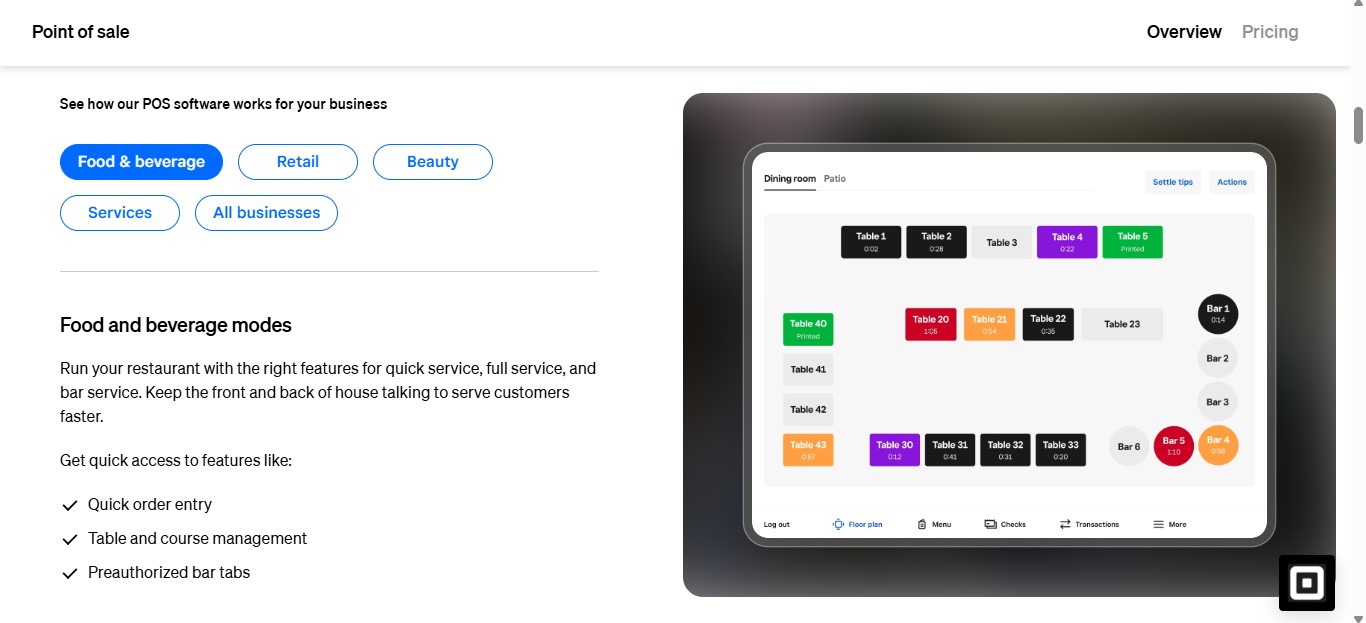
Square POS works well for restaurants that want to get started fast without heavy upfront cost. It keeps things simple. You can take orders, process payments, and manage basic operations from day one.
Here’s the thing. It is built for ease. That makes it a strong choice for small restaurants, cafes, and new setups that do not want complex systems.
Key Features
- Order and payment processing across in-store and online channels
- Table management and menu customization
- Built-in reporting and sales tracking
- Inventory management for basic stock control
- Online ordering and delivery integrations
- Works on mobile, tablet, and dedicated POS hardware
Pros
- Free plan available, which lowers entry cost
- Very easy to set up and use
- Supports both online and offline payments
- Strong ecosystem with add-ons like KDS and loyalty tools
Limitations
- Transaction fees can add up as sales grow
- Limited customization compared to enterprise systems
- Advanced features require paid plans
Best For
- Small restaurants and cafes
- New food businesses starting out
- Food trucks and quick service setups
Pricing Overview
Square offers a free POS plan with basic features. Paid plans typically start around 49 to 69 dollars per month per location, with transaction fees applied on each sale.
2. Foodiv POS – Best for Direct Ordering and Commission-Free Growth
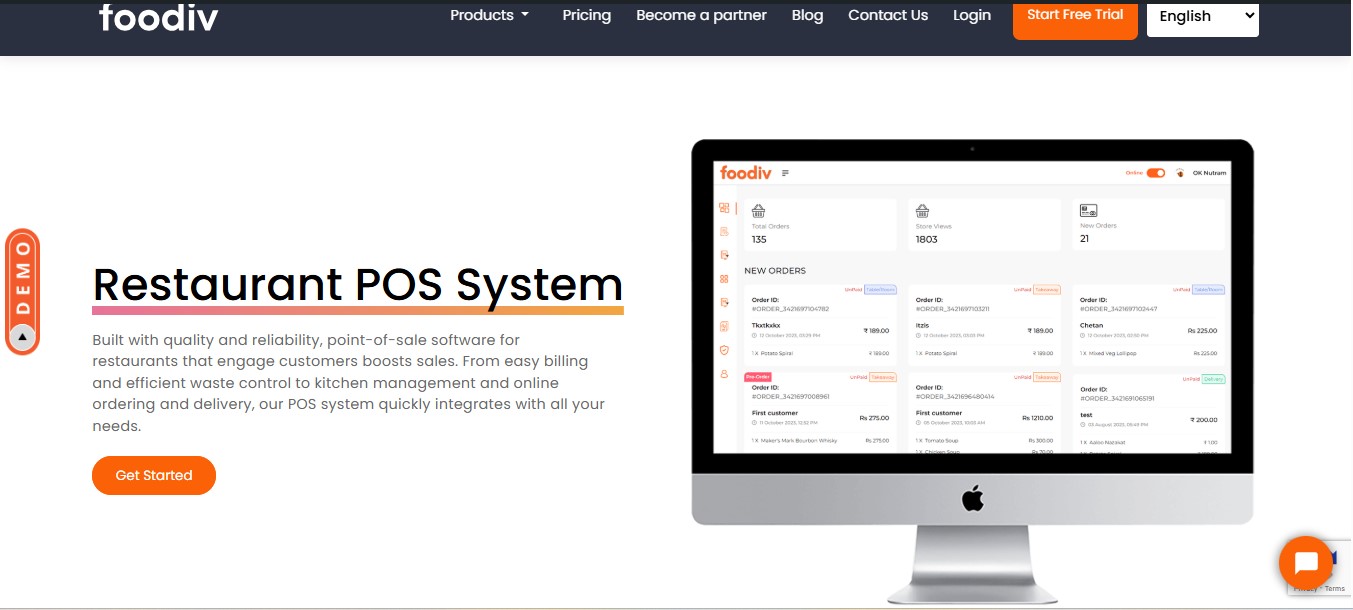
Foodiv Restaurant POS System fits restaurants that want more than billing at the counter. It focuses on direct ordering, digital operations, and keeping more revenue in the business instead of losing a share on every order.
What this really means is simple. If a restaurant wants online ordering, QR ordering, POS support, and customer data control in one setup, Foodiv stands out for that use case.
Key Features
- Commission free online ordering for restaurants.
- POS and restaurant management support in the same platform.
- QR based ordering for dine in and table side ordering.
- Restaurant website and branded ordering setup.
- Customer data ownership and marketing support.
- Inventory, order management, and payment integration support.
Pros
- No commission per order, which helps protect margins.
- Strong fit for restaurants that want direct orders through their own channels.
- Brings ordering, website, QR, and management tools together.
- Gives restaurants more control over customer relationships and data.
Limitations
- Pricing is custom, so there is no simple public starting number to compare side by side with every POS on this list.
- It is a stronger fit for businesses focused on direct ordering and restaurant operations than for restaurants that only want a basic standalone billing system. This is an editorial assessment based on Foodiv’s product positioning.
Best For
- Restaurants that want commission free direct ordering.
- Cloud kitchens and delivery first food businesses.
- Small to mid sized restaurants that want full control over orders and customer data.
Pricing Overview
Foodiv uses custom pricing. Its pricing page highlights no commission per order, no setup fee, no contracts, and no credit card requirement to get started.
3. Lightspeed POS – Best for Multi-location Restaurants
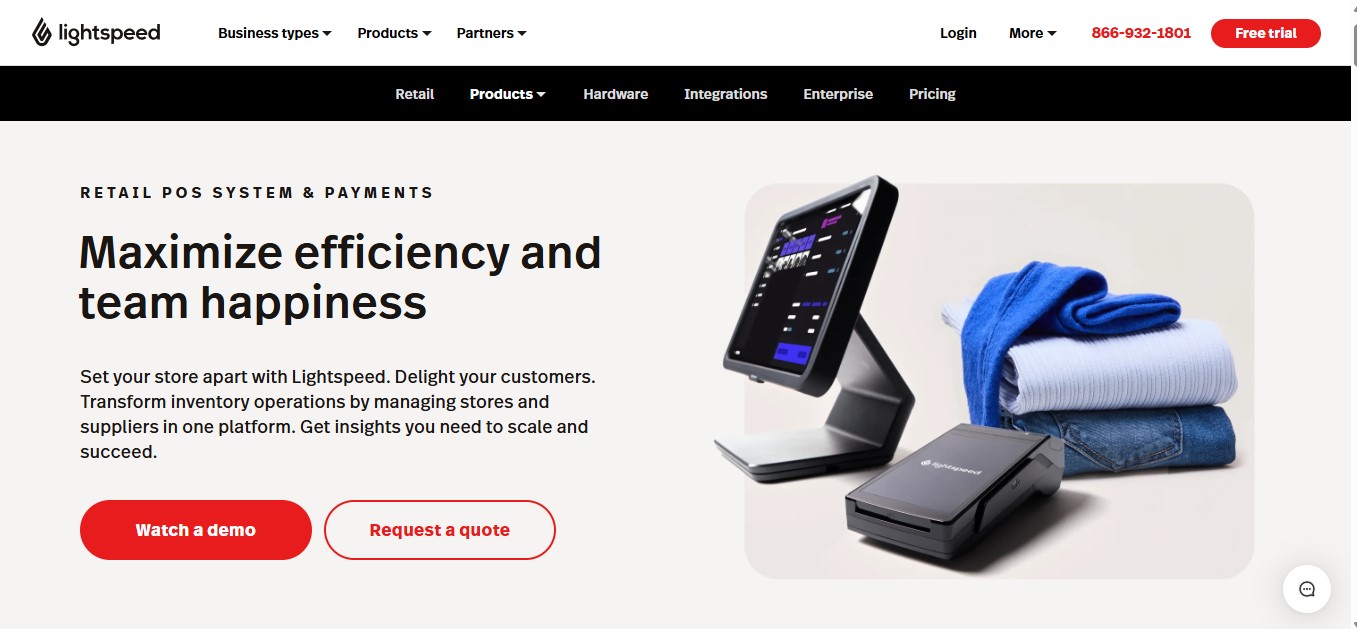
Lightspeed POS is built for restaurants that are growing or already running in multiple locations. It gives a clear view of operations across outlets, from orders to inventory to performance.
Here’s the key difference. Instead of just handling billing, Lightspeed helps manage the entire business at scale. That matters when consistency and control become harder to maintain across locations.
Key Features
- Multi-location management with centralized control
- Advanced inventory tracking across outlets
- Customizable menu and floor plan setup
- Built-in reporting and real-time insights
- Online ordering and contactless ordering support
- Tableside ordering and mobile POS support
Pros
- Strong reporting and analytics for decision making
- Handles multiple locations without losing control
- Flexible system that adapts to different restaurant types
- Supports both dine-in and online operations
Limitations
- Higher cost compared to basic POS systems
- Setup and learning curve can take time
- Some features require add-ons or higher plans
Best For
- Multi-location restaurants
- Growing restaurant chains
- Restaurants that need detailed reporting and control
Pricing Overview
Lightspeed pricing typically starts around 100 dollars per month for the base plan, with higher tiers going up to 189 or 399 dollars per month depending on features and scale.
4. TouchBistro – Best for iPad Based Restaurant POS
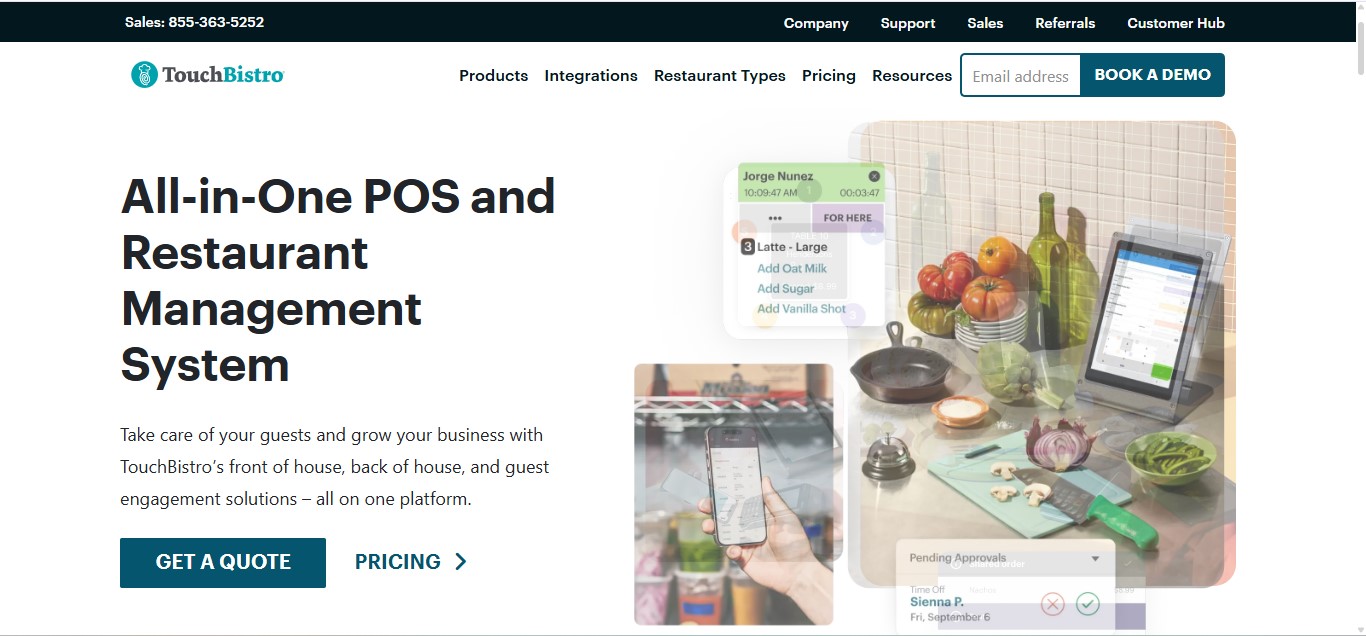
TouchBistro is a strong pick for restaurants that want a POS built around the iPad workflow. It is designed specifically for food businesses, so the setup feels closer to daily restaurant operations than a general purpose POS.
What this really means is simple. If a restaurant wants tableside ordering, floor plan control, staff management, and reporting in one iPad based system, TouchBistro deserves a serious look.
Key Features
- iPad based restaurant POS
- Floor plan and table management
- Tableside ordering
- Menu management
- Reporting and analytics
- Staff management
- Access to online ordering, reservations, loyalty, kitchen display, and inventory through its broader product and integrations ecosystem
Pros
- Built specifically for restaurants, not as a general retail first POS.
- Strong fit for dine in service and table based operations because of its floor plan and tableside tools.
- Works well for operators who prefer iPads and want a familiar front of house setup.
- Offers a wide range of integrations across accounting, inventory, payroll, online ordering, and delivery management.
Limitations
- Core pricing starts at 69 dollars per month, but many restaurants may need add ons for a fuller setup.
- Some important functions such as inventory, online ordering, and reservations depend on separate solutions or integrations rather than being included in a single base package.
- It is best suited to restaurants comfortable with the Apple and iPad ecosystem. This is an inference based on TouchBistro’s stated iOS and iPad focus.
Best For
- Full service restaurants
- Dine in focused businesses
- Restaurants that want an iPad based POS with restaurant specific workflows
Pricing Overview
TouchBistro says its software starts at 69 dollars per month for a single license. The final cost can go higher depending on the add ons and integrations a restaurant needs.
5. Eat App – Best for Reservations and Guest Experience
Eat App is not a traditional POS system. It focuses on reservations, guest management, and front of house experience. It helps restaurants manage bookings, track guests, and improve how they handle dine in service.
Here’s the key difference. Instead of focusing on billing first, Eat App focuses on the guest. That makes it a strong choice for restaurants where reservations and customer experience matter more than just transactions.
Key Features
- Reservation and table management system
- Guest database with CRM and customer insights
- Waitlist and booking automation
- SMS and WhatsApp communication with guests
- Reporting and analytics for guest behavior
- Integrations with POS and other restaurant tools
Pros
- Strong focus on improving guest experience and retention
- Helps reduce no shows with automated communication
- Easy to use interface for managing reservations
- Works well alongside existing POS systems
Limitations
- Not a full standalone POS system for billing and payments
- Requires integration with other tools for complete restaurant operations
- Less useful for delivery first or quick service businesses
Best For
- Full service restaurants with reservations
- Fine dining and high guest experience focused venues
- Restaurants that want better control over bookings and customer data
Pricing Overview
Eat App offers a free plan with limited usage. Paid plans start around 49 dollars per month and can go higher depending on features and scale.
6. SpotOn POS – Best for Integrated Payments and Marketing
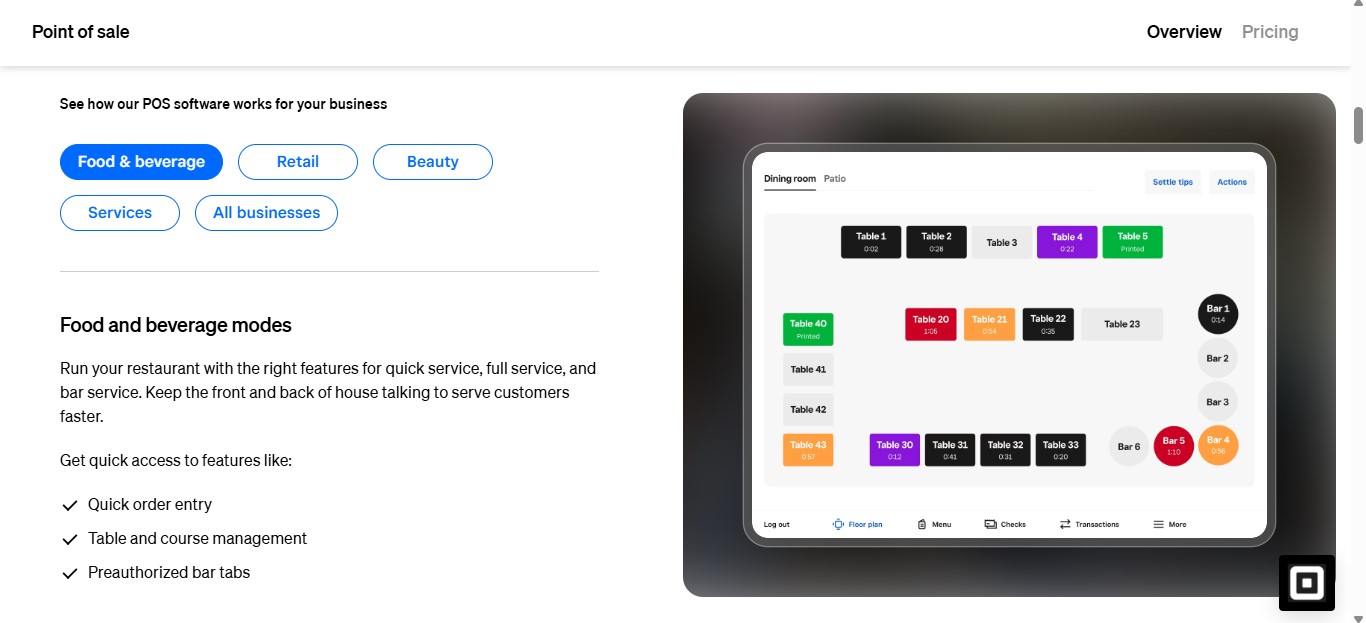
SpotOn POS is a strong fit for restaurants that want payments, online ordering, and marketing tools connected in one system. It is built for restaurant operators who want more than checkout speed. They want tools that help bring guests back and protect margins.
Here’s the real advantage. SpotOn does not stop at payment processing. It also offers online ordering, loyalty, marketing, websites, reservations, and other restaurant tools that work alongside its POS. That makes it a practical option for restaurants that want one connected setup instead of stitching together multiple systems.
Key Features
- Restaurant POS with ordering, payments, table layouts, menu management, and reporting.
- Integrated online ordering and delivery tools.
- Built in marketing, reviews, loyalty, and website tools.
- Cloud based system with customizable workflows and fast transactions.
- Restaurant hardware options including station displays, handhelds, guest facing displays, and built in contactless payment support.
- 24/7/365 support and setup assistance.
Pros
- Brings payments, POS, online ordering, and marketing into one ecosystem.
- Offers pricing paths for restaurants that want low upfront cost or month to month flexibility.
- Works across different restaurant types, including casual dining, fine dining, bars, nightclubs, breweries, and quick service.
- Includes restaurant specific tools instead of acting like a generic retail first POS. This is an inference based on SpotOn’s restaurant focused product pages and feature set.
Limitations
- Pricing can get more complex once processing fees, hardware choices, and add on tools enter the picture.
- Some restaurants may need a custom package, which makes side by side price comparison harder than flat fee tools.
- It may be more system than a very small restaurant needs if the goal is only basic billing and payment acceptance. This is an editorial assessment based on the scope of SpotOn’s restaurant platform.
Best For
- Restaurants that want integrated payments and marketing tools.
- Operators that want online ordering tied closely to the POS.
- Full service, quick service, bar, brewery, and multi use hospitality setups that need a broader operating system.
Pricing Overview
SpotOn lists a Quick Start plan at 0 dollars per month with processing at 2.79% plus 20 cents and says processing minimums apply. It also lists a POS Essentials plan at 55 dollars per station per month with card present processing at 2.45% plus 15 cents, with hardware financing available.
7. Clover POS – Best for Hardware Flexibility
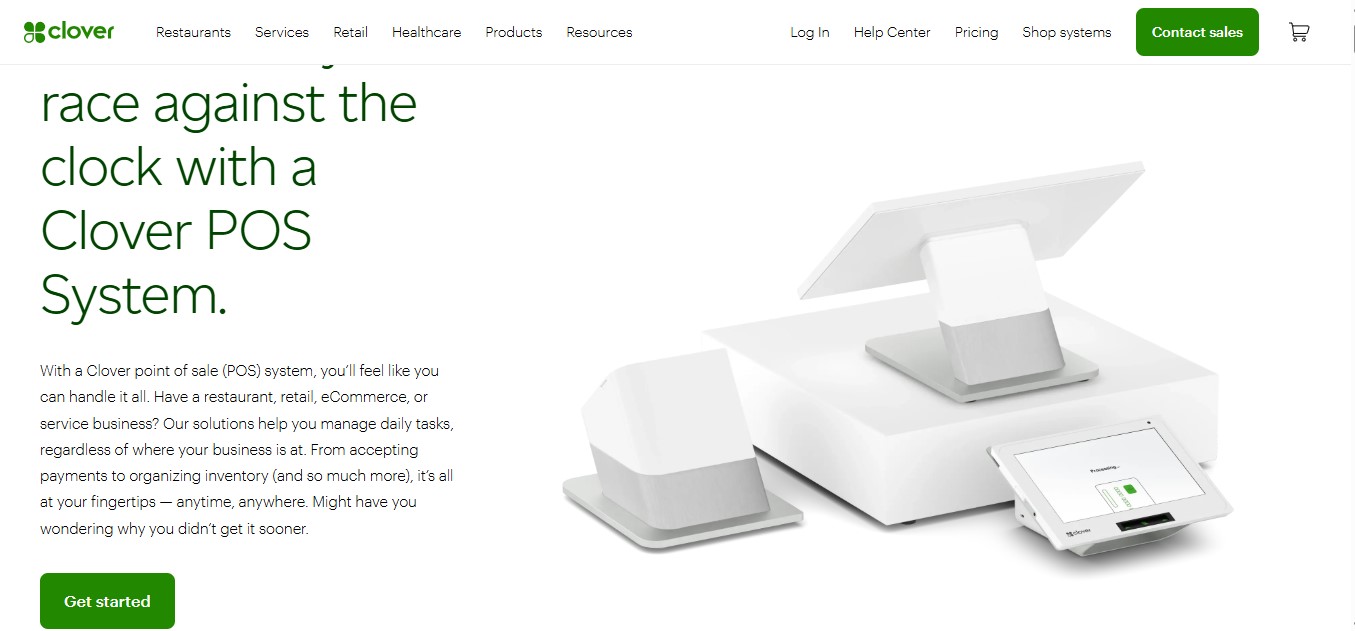
Clover POS stands out because of its hardware range. Instead of locking you into one setup, it gives multiple device options. You can start small and upgrade as the business grows.
Here’s what matters. You can choose the setup that fits how your restaurant actually runs. Countertop, handheld, or mobile. That flexibility makes it easier to adapt without changing the whole system.
Key Features
- Wide range of hardware including mobile, handheld, and full station setups
- Payment processing with card, tap, and mobile support
- Inventory and menu management tools
- Employee and shift management features
- App marketplace for additional features and integrations
- Reporting and sales tracking across devices
Pros
- Strong hardware flexibility for different restaurant setups
- Works for small, mid, and growing businesses
- All in one system with payments, POS, and apps
- Easy to scale by adding new devices or features
Limitations
- Hardware cost can be high depending on the setup
- Monthly pricing and add-ons can increase total cost
- Hardware may be tied to a specific payment processor in some cases
Best For
- Restaurants that want flexible hardware options
- Businesses that plan to scale or expand
- Restaurants that need both countertop and handheld devices
Pricing Overview
Clover pricing depends on hardware, software, and processing fees. Plans can start around 14 to 16 dollars per month, while full restaurant setups can go higher depending on devices and features . Hardware costs can range from low cost mobile readers to full systems costing over a thousand dollars .
8. Korona POS – Best for Inventory Control
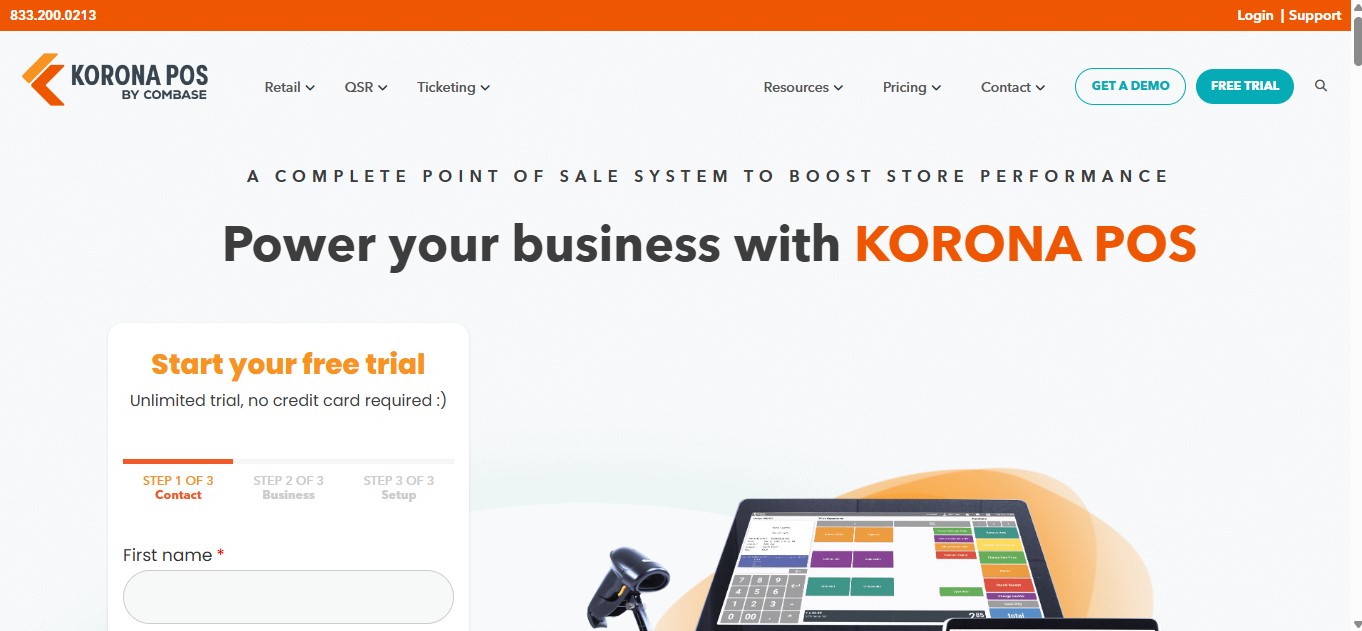
Korona POS stands out for one reason more than anything else. It gives businesses tighter control over inventory. If stock tracking, reorder levels, product movement, and reporting matter a lot, this system brings more depth than many basic restaurant POS tools.
That is what makes it interesting for food businesses with a large menu, frequent stock movement, or multiple categories to manage. It is not the most restaurant focused name on this list, but it does bring strong inventory logic, flexible processing, and useful reporting.
Key Features
- Real time inventory tracking and analytics.
- Reorder level optimization based on sales history, trends, and demand.
- Multi location support and centralized reporting.
- Promotions, discounts, gift cards, and KPI reporting.
- Processor flexibility instead of forcing one payment provider.
- Self order kiosk and loyalty program support for some use cases.
Pros
- Strong inventory depth compared with many entry level POS systems.
- Transparent base pricing with no contracts listed on the pricing page.
- Gives businesses freedom to choose their own credit card processor.
- Includes 24/7 in house support.
Limitations
- Korona’s strongest positioning is broader hospitality and retail, so it may feel less restaurant specific than platforms built mainly for full service dining workflows. This is an editorial assessment based on its product pages and positioning.
- Some restaurant focused features may depend on add ons or configuration rather than a simple all in one default setup.
- It may be more system than a small restaurant needs if the main goal is only basic billing and payments. This is an editorial assessment based on the feature scope and pricing structure.
Best For
- Restaurants that care heavily about inventory control.
- Quick service businesses with fast stock movement.
- Multi location operators that want better visibility across products and sales.
Pricing Overview
Korona POS starts at 59 dollars per month for its Core plan. The company also lists no hidden fees, no contracts, and free 24/7 support. Some added modules can increase the total monthly cost depending on what the business needs.
9. Revel Systems – Best for Enterprise Restaurants
Revel Systems is built for restaurants that need more control, more customization, and more scale. It is a stronger fit for enterprise operators than for small restaurants looking for a simple plug and play setup. Its platform is positioned around open architecture, multi location management, and broad restaurant workflows.
What this really means is simple. If a restaurant group needs deep reporting, centralized oversight, online ordering, inventory, employee tools, and the freedom to shape a larger tech stack, Revel is one of the more serious options in this category.
Key Features
- Multi location management through its Enterprise Management System.
- Inventory tracking, reporting, and back office controls.
- Online ordering, delivery management, and loyalty support.
- Table service restaurant workflows including tabs, bar service, and table management.
- Open API and flexible architecture for broader integrations.
- Mobile and iPad based restaurant POS setup with enterprise level controls.
Pros
- Strong fit for growing restaurant groups and enterprise operations.
- Good depth across reporting, inventory, CRM, and order management.
- Built to support more complex restaurant workflows than many basic POS systems.
- Open architecture gives larger businesses more flexibility with integrations.
Limitations
- Pricing is not transparent on its main public pages, so side by side comparison is harder than with flat fee tools.
- It can be expensive for smaller restaurants once licensing, setup, and hardware are factored in.
- The platform may feel too complex for businesses that only need simple billing and payment tools. This is an editorial assessment based on Revel’s enterprise positioning and feature scope.
Best For
- Enterprise restaurant groups
- Multi location restaurant businesses
- Operators that need deeper control, reporting, and customization across locations
Pricing Overview
Revel does not publish straightforward restaurant pricing on its main official pages. Third party pricing references commonly place it around 99 dollars per terminal per month on annual terms, often with minimum terminal requirements, but restaurants usually need a direct quote for exact costs.
10. Aloha POS – Best for Large Hospitality Businesses
Aloha POS is built for scale. It makes more sense for large hospitality operations, multi unit restaurant groups, and businesses that need deeper control across service, reporting, and back office workflows than for a small restaurant looking for a basic setup. NCR Voyix positions Aloha across restaurant POS, cloud back office, handheld ordering, online ordering, and broader hospitality operations.
What this really means is simple. If a business needs a POS that can support complex operations, multiple service formats, room charge workflows in hotel environments, and centralized management, Aloha is one of the more established options in that space.
Key Features
- Cloud based restaurant POS with front of house and back office capabilities.
- Labor management, inventory tools, scheduling, and reporting through Aloha Cloud back office.
- Online ordering support for digital and guest ordering channels.
- Handheld ordering and payment tools through Aloha OrderPay.
- Hardware options designed for restaurant environments.
- Hotel PMS integration support for room charges and hotel restaurant operations.
Pros
- Strong fit for larger hospitality and restaurant operations that need more than simple billing.
- Covers front of house, back office, online ordering, and handheld workflows in one broader ecosystem.
- Supports centralized control and multi store management needs.
- Built on a long running restaurant technology platform with ongoing product updates.
Limitations
- NCR Voyix does not show simple public flat pricing for Aloha on its main restaurant pages, which makes quick side by side pricing comparison harder.
- The platform can be more than a small restaurant needs if the goal is only basic checkout and payments. This is an editorial assessment based on the scope of Aloha’s restaurant and hospitality offerings.
- Setup can be more involved than lighter POS tools because Aloha serves broader operational use cases. This is an inference based on its multi product hospitality setup and enterprise style capabilities.
Best For
- Large hospitality businesses
- Hotel restaurants and room service operations
- Multi unit restaurant groups that need stronger control across locations and service workflows
Pricing Overview
Aloha pricing is quote based on NCR Voyix’s public restaurant pages. The company highlights flexible pricing plans for Aloha Cloud, but it does not publish a simple universal starting price on the main product pages, so most businesses need to contact sales for exact costs.
11. SumUp – Best Budget POS for Small Food Businesses
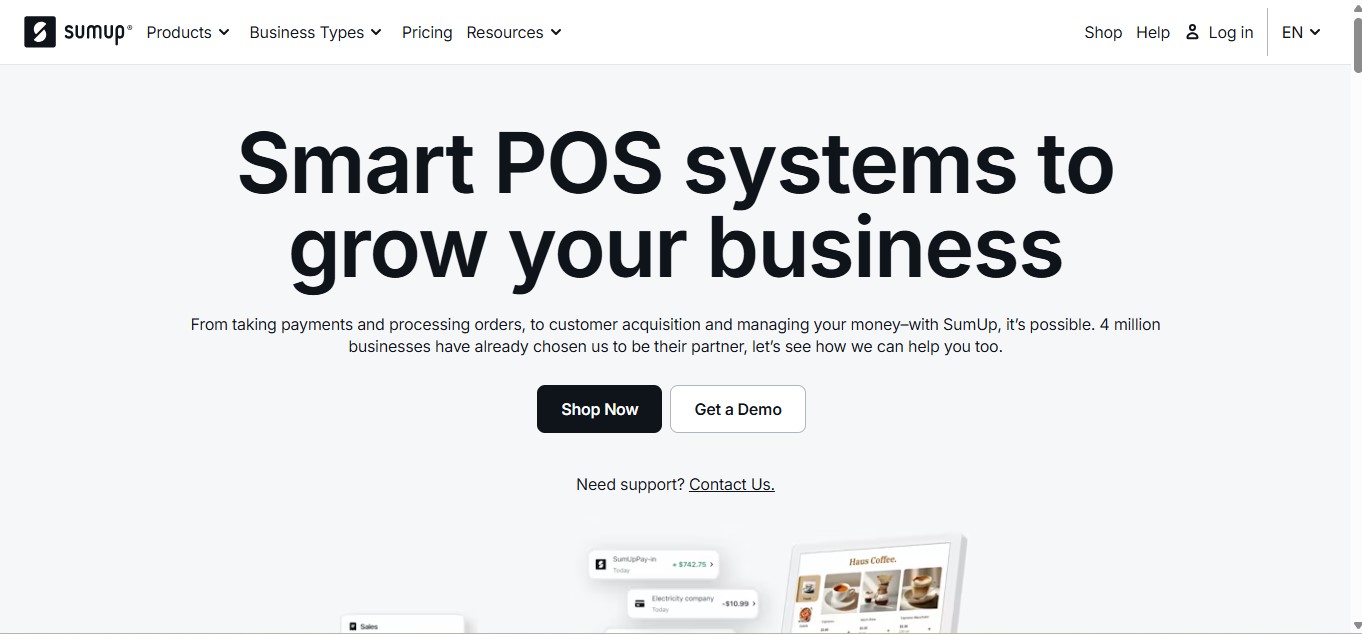
SumUp works best for small food businesses that want to keep costs low and get started without much friction. It is a practical fit for cafes, kiosks, pop ups, and smaller takeaway setups that care more about simple payments and basic POS than deep restaurant management.
Here’s the thing. SumUp is strongest when the goal is affordability and ease. It gives small businesses a simple way to take payments, use handheld or counter hardware, and avoid heavy monthly commitments. What it does not try to be is a full scale restaurant operating system for complex dine in workflows. That is an editorial assessment based on SumUp’s public product positioning and pricing pages.
Key Features
- Card payment acceptance for in person transactions.
- Handheld and counter based payment hardware options.
- POS Lite option with tablet software and card reader bundle.
- Terminal device with built in printer.
- Transparent pricing with no annual renewal fees and no minimum monthly processing amount listed on its US page.
- Business tools ecosystem that also includes invoicing and business account products.
Pros
- Low barrier to entry for small businesses.
- Simple hardware choices for mobile or counter service.
- No annual renewal fees shown on the US pricing page.
- Good fit for businesses that mainly need payments and a lightweight setup. This is an editorial assessment based on SumUp’s public product lineup.
Limitations
- SumUp’s public pages highlight payments and lightweight POS tools more than restaurant specific workflows like advanced table management or full service operations. This is an editorial assessment based on the sources reviewed.
- It may feel too limited for multi location restaurants or businesses that need deeper inventory, reservations, or broader restaurant management. This is an editorial assessment.
- Product and pricing details vary by country, so restaurants need to check their local SumUp market before comparing final costs.
Best For
- Small food businesses
- Cafes and kiosks
- Pop ups and takeaway counters
- Operators who want low cost payment and POS hardware without a heavy setup
Pricing Overview
SumUp pricing varies by market. On its UK pricing page, SumUp lists POS Lite and Solo at £290, Terminal at £135, and Solo card reader at £79. On its US page, it lists in person transaction pricing at 2.6% + 10¢ and online or manual entry at 3.5% + 15¢, while stating there are no admin costs, annual renewal fees, or minimum monthly processing amounts.
Best Restaurant POS Systems by Business Type
Choosing a POS gets easier when you start with your business type. Different setups need different tools. A small cafe does not need what a multi location chain needs. Let’s break it down in a practical way.
Best POS for Small Restaurants
If the goal is to keep things simple and affordable, these systems work well.
Square POS is a strong starting point. It is easy to set up and does not require a big upfront cost. Good for cafes, small dine in spots, and new restaurants.
Foodiv POS fits small restaurants that want to grow through direct ordering. It combines POS with online ordering, so you are not dependent on third party platforms.
SumUp works for very small setups. Think kiosks, takeaway counters, and pop ups. It keeps things basic and low cost.
Best POS for Quick Service Restaurants (QSR)
Speed matters most in QSR. Orders need to move fast and the system should not slow things down.
SpotOn POS works well here because it connects payments, online ordering, and marketing in one place. That helps manage both walk in and digital orders.
Revel Systems fits larger QSR setups. It handles high order volume and gives better control across locations, menus, and reporting.
Best POS for Full Service Restaurants
Full service restaurants need more control over tables, staff, and guest experience.
TouchBistro is designed for dine in operations. It handles table layouts, courses, and tableside ordering in a way that feels natural for service teams.
Lightspeed POS is a strong option for restaurants that want more visibility. It adds deeper reporting, inventory control, and flexibility for growing operations.
Best POS for Multi location Restaurants
Once a restaurant expands, control becomes the real challenge.
Lightspeed POS helps manage multiple outlets from one place. It keeps menus, reports, and inventory in sync across locations.
Revel Systems goes deeper. It is built for enterprise setups where consistency, customization, and centralized control matter a lot.
Best POS for Cloud Kitchens and Delivery-first Businesses
This is where things change completely. There is no dine in. Everything depends on online orders.
Foodiv POS stands out here. It focuses on direct ordering, not marketplace dependency. That means no commission on every order and full control over customer data.
What this really means is better margins and better ownership. For cloud kitchens and delivery first brands, that makes a real difference over time.
How We Evaluated the Best Restaurant POS Systems
Choosing a restaurant POS is not as simple as comparing feature lists. Most platforms look good on the surface. Almost all of them promise faster billing, better reporting, and easier operations. The real difference shows up when you look at how each system fits daily restaurant work.
That is why this list was built through a simple step by step evaluation process. The goal was not to find one POS for everyone. The goal was to understand which system works best for which type of business.
Step 1: We looked at core restaurant features
The first step was to check whether each system covers the basics a restaurant actually needs. That includes order taking, billing, menu management, payment processing, and reporting.
Then the review went deeper. Systems were compared on restaurant specific features like table management, online ordering, inventory tracking, staff controls, reservation support, and guest management. A POS should do more than process payments. It should help the business run better during real service hours.
Step 2: We compared pricing beyond the base plan
Pricing was not judged by monthly subscription alone. That would not give a fair picture.
The review also looked at hardware costs, transaction fees, add on charges, and whether pricing was transparent or quote based. Some systems look affordable at first, but the total cost increases once restaurants add online ordering, handheld devices, loyalty tools, or extra terminals. What this really means is simple. A low starting price does not always mean lower long term cost.
Step 3: We checked ease of use for real restaurant teams
A POS can have strong features and still be hard to use. That creates problems fast.
So ease of use was a major part of the review. Systems were evaluated based on how simple they feel for restaurant staff, how quickly teams can learn them, and whether the interface supports fast service during busy hours. This matters because restaurant teams do not have time to fight with confusing screens when orders start piling up.
Step 4: We reviewed integrations that support daily operations
Most restaurants do not use one tool for everything. They often need their POS to connect with online ordering, reservations, loyalty programs, accounting tools, delivery channels, and customer management software.
That is why integrations were reviewed closely. A system scored better when it could connect with the tools restaurants already depend on. A POS should make operations smoother, not create more manual work between disconnected systems.
Step 5: We looked at scalability for future growth
Some POS systems are perfect for a single small location. Others make more sense for growing businesses with multiple outlets, larger teams, or more complex workflows.
Scalability was reviewed by looking at how well each system supports growth. That includes multi location management, centralized reporting, broader controls, and flexibility as the business expands. This part matters because switching POS systems later can be expensive and disruptive.
Step 6: We matched each POS to a clear business use case
After reviewing features, pricing, usability, integrations, and scalability, each platform was placed where it makes the most sense.
Instead of forcing one winner for everyone, the systems were grouped by practical fit. Some stood out for small restaurants. Some made more sense for full service dining. Others were stronger for direct ordering, enterprise operations, or cloud kitchen models.
Step 7: We focused on real usefulness, not just brand name
Some POS brands are more visible in the market, but visibility alone does not make a system the right choice.
This evaluation focused on usefulness. The main question was always the same. Does this system solve the kind of problems a restaurant actually deals with every day? That includes speed, control, visibility, margin protection, and growth.
What this evaluation process helps you understand
This approach makes the list more practical. It helps separate general POS tools from restaurant focused systems. It also makes it easier to see which platforms are better for simple setups and which ones are built for more demanding operations.
In the end, the best restaurant POS system is not the one with the longest feature list. It is the one that fits the way the business works today and still supports where it wants to go next.
How to Choose the Best Restaurant POS System for Your Business
Choosing a restaurant POS system can feel harder than it should be. Most platforms promise the same things. Faster billing, better reporting, easier operations. But once you look closer, the real question is not which POS has more features. The real question is which one fits the way the business actually works.
A good POS should support the restaurant during busy hours, not slow it down. It should match the service style, connect with the right tools, and make daily work easier for staff and managers. Here is a practical way to evaluate that.
Understand Your Restaurant Type
Start with the business model before looking at features. This is the part many restaurants skip, and it usually leads to the wrong choice. A quick service setup does not need the same system as a fine dining restaurant. A cloud kitchen has very different needs from a cafe with dine in service.
The POS should match how orders move through the business. If the restaurant handles table service, then floor plans, table management, and staff coordination matter. If most sales come from delivery and pickup, then online ordering and order flow matter more. When the system matches the restaurant type, the rest of the decision becomes much easier.
Key things to consider:
- Service style such as dine in, takeaway, delivery, or hybrid
- Order volume during peak hours
- Number of tables, locations, or service points
- Need for reservations, QR ordering, or handheld ordering
- Whether the business depends heavily on direct online orders
Check Pricing and Hidden Costs
Pricing needs a closer look than most restaurants expect. The monthly plan is only one part of the total cost. Hardware, payment processing fees, setup charges, support costs, and add on modules can change the final number quickly.
This is where many systems look cheaper than they really are. One POS may have a lower monthly fee but charge more for online ordering or extra terminals. Another may offer a free base plan but recover the cost through transaction fees. What matters is the full cost based on how the restaurant will actually use the system.
Before making a decision, it helps to review:
- Monthly software fee
- Hardware cost for terminals, printers, and handhelds
- Payment processing fees
- Add on costs for loyalty, online ordering, or inventory
- Contract terms, setup fees, and cancellation conditions
Look for Integration Capabilities
Most restaurants do not run on one tool alone. They often use separate systems for online ordering, reservations, loyalty, accounting, or delivery. A POS should work well with those tools. If it does not, the team ends up doing extra manual work just to keep operations moving.
Good integrations save time and reduce mistakes. Orders flow correctly. Data stays connected. Reports make more sense because everything is in sync. On the other hand, weak integration creates confusion and slows down service. That is why this step matters more than it first appears.
Look for integrations with:
- Online ordering platforms
- Reservation and table booking systems
- Loyalty and customer engagement tools
- Accounting and reporting software
- Delivery and third party ordering channels
- Kitchen display systems and payment tools
Evaluate Ease of Use
A POS may look powerful in a demo, but the real test happens during service hours. Staff need to use it quickly, especially when the restaurant gets busy. If the interface feels confusing or takes too many steps, that problem shows up fast in slower service and more mistakes.
Ease of use matters for both front of house and management. Staff should be able to learn the system without long training sessions. Managers should be able to update menus, review reports, and handle daily tasks without wasting time. A cleaner system usually performs better in real life than a feature heavy system that feels hard to use.
A practical evaluation should include:
- How easy the system feels during order taking and checkout
- How quickly new staff can learn it
- Whether menu updates and basic changes are simple to manage
- How clear the reporting dashboard is
- Whether the workflow supports speed during peak hours
Consider Scalability
The best POS for today may not be the best POS a year from now. That is why scalability matters. If the restaurant plans to grow, launch more locations, expand online ordering, or add new service models, the POS should support that growth.
Some systems work well for small setups but become limiting as operations get more complex. Others are built to handle multi location control, stronger reporting, and larger teams. Choosing a scalable system early can prevent the cost and stress of switching later.
Think about future needs such as:
- Opening additional locations
- Expanding from dine in to online ordering or delivery
- Adding more terminals or handheld devices
- Managing inventory across multiple outlets
- Creating centralized reporting and control
In the end, the right restaurant POS system is not the one with the longest feature list. It is the one that fits the business clearly, works well under pressure, and continues to support growth without creating new problems.
Conclusion
Choosing the right restaurant POS system affects much more than billing. It shapes how fast the team works, how smoothly orders move, how clearly performance is tracked, and how much control the business keeps over daily operations. A weak system creates friction. A strong one supports better service, better decisions, and better growth.
That is why this decision deserves a closer look. The best POS is not always the biggest name or the one with the longest feature list. It is the one that fits the way the restaurant actually runs and supports where the business wants to go next.
For some restaurants, a simple POS is enough. For others, the better choice is a platform that goes beyond payments and helps manage online ordering, customer relationships, and direct sales more effectively. That is where Foodiv stands out as a modern alternative. It gives restaurants a way to manage orders, support direct online sales, and reduce dependence on third party platforms.
In the end, the right POS should help the business protect margins, improve efficiency, and grow with more confidence. That is what makes the choice matter.
Restaurant POS Software FAQs
There is no single best POS system for every restaurant. The right choice depends on how the business operates. A small cafe may do well with Square POS. A full service restaurant may prefer TouchBistro or Lightspeed. A delivery first business may get more value from Foodiv because it supports direct ordering and helps reduce third party dependency.
What this really means is simple. The best restaurant POS system is the one that fits the service style, budget, and growth goals of the business.
The best POS for small restaurants is one that is simple, affordable, and easy to use. Most small businesses do not need complex systems. They need something that works fast during service and does not add extra cost.
Square POS is often a top choice because it has a free plan, quick setup, and an easy interface for small teams. Foodiv works well if the goal is to grow through direct online orders and keep more profit. SumUp is a good fit for very small setups that mainly need payments and basic POS.
Here’s what small restaurants should focus on:
- Low upfront cost and simple pricing
- Easy setup without technical effort
- Fast order and payment processing
- Basic inventory and reporting
- Option to add features later as the business grows
What this really means is simple. The best POS for a small restaurant is not the most advanced one. It is the one that keeps operations smooth without increasing cost or complexity.
The cost of a restaurant POS system varies based on features, size, and setup. Most restaurants pay a mix of monthly software fees, hardware costs, and transaction charges.
Here’s a simple breakdown:
- Software usually costs between $60 to $250 per month for most restaurants
- Some basic systems start at $0, while advanced setups can go beyond $400 per month
- Hardware can cost anywhere from $300 to $5,000 depending on terminals and devices
- Payment processing fees typically apply on every transaction
What this really means is simple. A small restaurant can start at a low cost, but the total price increases as the business adds features, devices, and locations. The right way to compare POS systems is to look at the full cost, not just the monthly plan.
Some POS systems include online ordering, but not all of them. It depends on how the system is built.
Many modern POS platforms offer online ordering as part of their setup or as an add on. Systems like Square, SpotOn, and Lightspeed support online orders, often with extra configuration or cost. Others focus mainly on in store billing and require third party tools for online sales.
Foodiv takes a different approach. It combines POS with built in online ordering, so restaurants can accept direct orders without relying on external platforms.
What this really means is simple. If online orders matter to the business, choose a POS that supports it natively or integrates smoothly.
Yes, a POS system can help increase restaurant sales when used properly. It does more than process payments. It improves speed, accuracy, and decision making across the business.
Here’s how it actually impacts sales:
- Faster service helps serve more customers during peak hours
- Better order accuracy reduces mistakes and lost revenue
- Real time data helps identify top selling items and optimize the menu
- Customer data supports loyalty programs and repeat business
- Streamlined operations improve overall efficiency and profitability
What this really means is simple. A POS system does not directly create demand, but it helps the restaurant serve better, sell smarter, and keep more customers coming back.