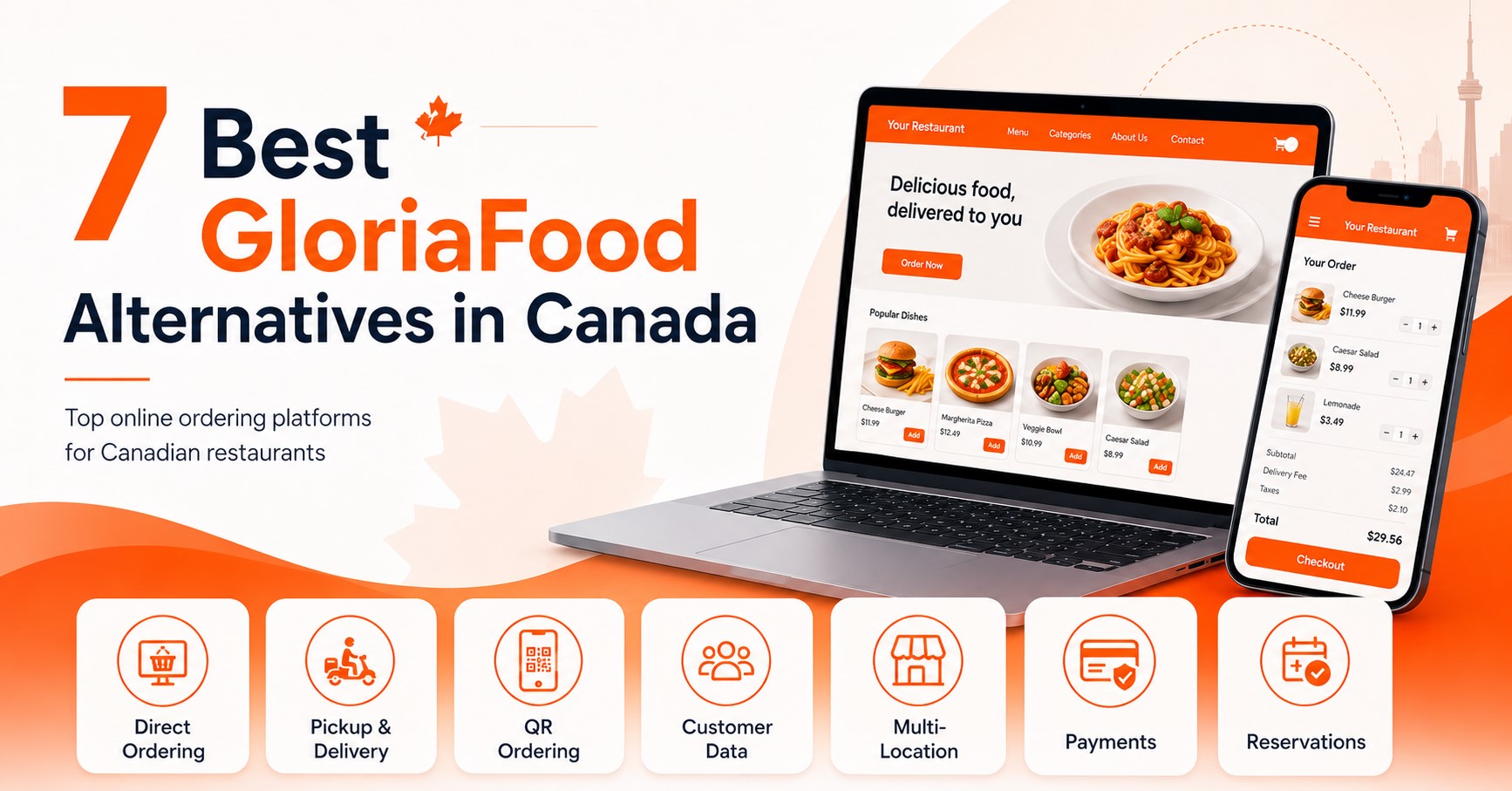
The best GloriaFood alternatives in Canada include Foodiv for direct ordering and migration, CloudWaitress for simple online ordering, Hyperzod for delivery and multi-location operations, Tableo for reservations and guest management, Restolabs for customizable ordering, iOrders for direct customer relationships, and Ressto for broader restaurant management. The right choice depends on how your restaurant takes orders and manages daily operations.
Canadian restaurants using GloriaFood have good reason to start looking elsewhere now. Oracle has confirmed the platform will shut down by April 30, 2027, and putting off migration until the deadline is close will only make the switch harder than it needs to be.
But choosing a replacement is not just about finding another tool that accepts online orders. Restaurants also need to think about commissions, pickup and delivery, payment options, QR ordering, customer data, multi-location management, integrations, pricing, and how easily they can move away from GloriaFood.
In this guide, we compare seven GloriaFood alternatives available to Canadian restaurants: Foodiv, CloudWaitress, Hyperzod, Tableo, Restolabs, iOrders, and Ressto. The goal is simple: help you understand where each platform fits, what it does well, and which option makes the most sense for the way your restaurant actually operates.
Top GloriaFood Alternatives in Canada at a Glance
If you want a GloriaFood replacement that covers more than basic online ordering, Foodiv is the strongest all-round option in this list. It combines commission-free direct ordering with pickup and delivery, QR ordering, multi-location support, and dedicated GloriaFood migration support for Canadian restaurants.
The other platforms have different strengths. Some focus more on delivery, some on direct ordering, and Tableo is mainly built around reservations rather than replacing GloriaFood’s complete ordering workflow.
| Platform |
Best For |
Commission Model |
Online Ordering |
Pickup & Delivery |
QR Ordering |
Multi-Location |
GloriaFood Migration |
| Foodiv |
Best overall for direct ordering and migration |
0% commission, subscription |
Yes |
Yes |
Yes |
Yes |
Dedicated support |
| CloudWaitress |
Simple direct online ordering |
0% commission, fixed monthly plan |
Yes |
Yes |
Yes |
Per-store support |
Migration scope unclear |
| Hyperzod |
Delivery-heavy and multi-location businesses |
Subscription + success fee |
Yes |
Yes |
Yes |
Yes |
Dedicated migration support |
| Tableo |
Reservations and guest management |
Free and paid plans |
Limited |
No |
No |
Yes |
Reservation migration support |
| Restolabs |
Customizable direct restaurant ordering |
0% commission, subscription |
Yes |
Yes |
Yes |
Yes |
Dedicated migration program |
| iOrders |
Direct customer ownership and Canadian restaurant growth |
0% commission, fixed cost |
Yes |
Yes |
Yes |
Yes |
GloriaFood transition guidance |
| Ressto |
Broader restaurant ordering and management |
0% commission, free and paid plans |
Yes |
Yes |
Yes |
Yes |
Free migration support |
Why Foodiv Is a GloriaFood Alternative
Foodiv is a strong fit for restaurants that want to replace GloriaFood without giving up direct ordering. Restaurants can take commission-free orders through their own website, manage pickup and delivery, offer QR ordering, update menus, retain customer data, and control multiple locations from one system.
Migration is another reason Foodiv stands out. Its GloriaFood one click migration process can move menu items, categories, modifiers, toppings, sizes, combo meals, images, and item availability into the new setup. Restaurants can then review payments, delivery rules, taxes, opening hours, and other settings before going live.
Key Features
- Direct online ordering: Accept orders through your restaurant’s own ordering channel without a third-party marketplace commission.
- Restaurant website: Create a branded website where customers can browse the menu and order directly.
- Pickup and delivery: Configure takeaway, delivery areas, fees, and ordering rules.
- QR ordering: Let customers scan a QR code to view the menu and place dine-in or table orders.
- Menu management: Control categories, products, variants, modifiers, add-ons, prices, and item availability.
- Customer data: Keep access to customer information generated through direct orders.
- Multi-location management: Manage menus and ordering across several restaurant locations.
- Restaurant integrations: Connect ordering with other tools used in restaurant operations.
- GloriaFood migration: Import important GloriaFood menu data instead of rebuilding the entire menu manually.
Foodiv Pricing
Foodiv currently lists its Standard plan at $129 per year per outlet and its Plus plan at $349 per year per outlet. The Plus plan adds features such as coupons, reports, table reservations, delivery-zone controls, table and room ordering, inventory, and loyalty. Foodiv also offers a seven-day free trial.
Foodiv’s direct online ordering system charges zero commission on restaurant orders. Payment processing or other third-party service fees can still apply depending on the services the restaurant connects.
Foodiv Pros and Limitations
Pros
- Zero commission on direct orders
- Dedicated GloriaFood menu migration
- Website, pickup, delivery, and QR ordering
- Customer data access
- Multi-location support
- Low annual entry price
- Restaurant operations beyond basic online ordering
Limitations
- Some advanced capabilities sit on higher plans
- Restaurants still need to configure payments, delivery rules, taxes, and other location-specific settings after menu migration
- A branded customer mobile app requires a higher plan or add-on depending on the selected package
Who Should Choose Foodiv?
Choose Foodiv if you want a commission-free GloriaFood replacement that covers direct ordering, pickup, delivery, QR ordering, menu management, and multiple locations. It makes particular sense for restaurants that want migration help instead of rebuilding a complex GloriaFood menu from scratch.
2. CloudWaitress: Best for Simple Direct Online Ordering
Why CloudWaitress Is a GloriaFood Alternative
CloudWaitress focuses on the core jobs many GloriaFood users already understand: taking direct online orders, managing pickup and local delivery, and allowing customers to order at the table through QR codes.
Restaurants can set delivery zones, fees, minimum orders, and delivery limits. CloudWaitress also supports self-delivery and Uber Direct, while dine-in customers can scan a QR code or tap an NFC tag to start an order linked to their table.
That makes CloudWaitress worth considering if your main goal is replacing GloriaFood’s ordering workflow without adding a large restaurant management stack.
Key Features
- Direct online ordering website
- Pickup orders
- Local and zoned delivery
- Self-delivery and Uber Direct
- QR and NFC table ordering
- Promotional codes
- Custom domain and SSL
- Performance reports
- API access
- Restaurant system integrations
CloudWaitress Pricing
CloudWaitress has a free plan limited to 100 combined orders and reservations per month. Its Standard plan is currently advertised at $39 per store per month, while Enterprise starts at $299 per month. The company states that there are no contracts or additional platform fees on its plans.
Restaurants in Canada should confirm the billing currency before subscribing.
CloudWaitress Pros and Limitations
Pros
- Free plan available
- No commission-based ordering fee
- Straightforward online ordering
- QR and NFC ordering
- Flexible delivery zones
- Uber Direct integration
- API access and integrations
Limitations
- Free accounts stop accepting new orders or reservations once they reach the 100-per-month limit
- A custom mobile app carries separate build and subscription costs
- Restaurants wanting deeper loyalty, marketing, or enterprise management tools may need to compare additional services
Who Should Choose CloudWaitress?
CloudWaitress fits independent restaurants, cafés, takeout businesses, and smaller operators that mainly need direct ordering, pickup, delivery, and QR ordering without a complicated setup. Restaurants with more advanced multi-location or marketing requirements should compare those needs separately.
3. Hyperzod: Best for Delivery-Focused and Multi-Location Restaurants
Why Hyperzod Is a GloriaFood Alternative
Hyperzod goes further into delivery and quick-commerce operations than a basic restaurant ordering system. Its ordering website supports single stores, multiple branches, and multi-vendor businesses, along with delivery, pickup, product add-ons, online payments, discounts, and scheduled orders.
Its wider platform includes merchant, ordering, and driver apps. That makes it more relevant to restaurant groups, cloud kitchens, delivery businesses, and operators that want more control over their own delivery infrastructure.
Hyperzod also has a GloriaFood migration offer that supports menu and data migration and promotes automatic menu import.
Key Features
- Branded ordering website
- White-label ordering app
- Delivery and pickup
- Multi-branch support
- Multi-vendor support
- Product options and add-ons
- Merchant management app
- Driver app
- Route optimization
- Live driver tracking
- POS integrations
- Delivery integrations
- Loyalty and referrals
- GloriaFood migration support
Hyperzod Pricing
Hyperzod prices its platform by module. Its current public pricing lists:
- Ordering website: $29 per month
- Ordering app: $99 per month
- Merchant app: $79 per month
- Driver app: $79 per month
Hyperzod also charges a 0.99% success fee on each order. Optional end-to-end setup costs $300 per module, although businesses with their own technical team can avoid that setup fee. Enterprise pricing is available on request.
Hyperzod Pros and Limitations
Pros
- Strong delivery management capabilities
- Multi-branch and multi-vendor support
- White-label apps
- Driver management
- Route optimization and tracking
- GloriaFood migration support
- Suitable for more complex delivery models
Limitations
- Charges a 0.99% success fee per order
- Modular pricing can become more expensive as you add apps and operational tools
- Its quick-commerce feature set may be more than a small restaurant needs
Who Should Choose Hyperzod?
Choose Hyperzod if delivery is a major part of your business or you operate several branches, cloud kitchens, or a multi-vendor ordering model. A single-location restaurant that only wants basic website ordering may find a simpler platform easier and less expensive.
4. Tableo: Best for Restaurants That Prioritize Reservations and Guest Management
Why Tableo Is a GloriaFood Alternative
Tableo needs a different comparison from the other platforms on this list.
Its main focus is restaurant reservations and table management, not takeaway and delivery ordering. Tableo lets restaurants manage bookings, walk-ins, table availability, floor plans, guest information, payments and deposits, booking reminders, and reservation channels such as Google and social platforms.
Tableo specifically promotes itself as a GloriaFood alternative for restaurants that need to move their reservations and guest data. Its migration page says restaurants can run both systems in parallel while switching.
So, if you used GloriaFood mainly for takeaway and delivery orders, Tableo is not a like-for-like replacement for that part of the system.
Key Features
- Online reservations
- Table management
- Interactive floor plan
- Waiting list
- Guest database
- Booking history
- Payments and deposits
- Reserve with Google
- Facebook and Instagram booking connections
- Reports and guest insights
- Reservation migration assistance
Tableo Pricing
Tableo offers a free plan for up to 100 covers per month. Its current US public pricing page lists annual-billing rates of $57.50 per month for Organise, $95.83 for Grow, and $164.17 for Expand. Expand targets restaurant groups, franchises, and hotels.
Canadian restaurants should request local pricing or confirm the billing currency before making a decision.
Tableo Pros and Limitations
Pros
- Free plan
- Strong reservation management
- Guest database and CRM tools
- Floor and table management
- Google and social booking channels
- Options for restaurant groups
- GloriaFood reservation migration support
Limitations
- Not a full replacement for GloriaFood takeaway and delivery ordering
- Does not focus on direct food ordering in the same way as Foodiv, CloudWaitress, Restolabs, or similar platforms
- Restaurants may need a separate online ordering system if they also take pickup or delivery orders
Who Should Choose Tableo?
Choose Tableo if reservations, table management, guest records, and reducing no-shows matter more to your restaurant than delivery ordering. If GloriaFood currently handles your pickup or delivery orders, you will likely need another system for that part of the operation.
5. Restolabs: Best for Customizable Restaurant Online Ordering
Why Restolabs Is a GloriaFood Alternative
Restolabs focuses on direct, commission-free restaurant ordering. Restaurants can offer pickup and in-house delivery, accept online payments, use QR ordering, manage loyalty programs, connect delivery providers, and integrate with POS systems. It also supports multi-location restaurants.
For GloriaFood users, Restolabs offers guided migration that can include setup review and menu-transfer support. Its GloriaFood program is designed to help restaurants move their ordering operations without rebuilding everything alone.
Key Features
- Commission-free direct ordering
- Pickup and delivery
- QR ordering
- Menu modifiers and add-ons
- Online payments through 50+ gateways
- POS integrations
- Third-party delivery integrations
- Loyalty tools
- Real-time analytics
- Multi-location support
- Restaurant websites
- Branded mobile apps on higher packages
- GloriaFood migration support
Restolabs Pricing
Restolabs’ current public pricing lists the Basic plan at $55 per month, Growth at $79 per month, and Pro at $159 per month when billed annually. The company also offers a 30-day trial.
Restolabs states that its direct-ordering plans do not take a percentage commission from restaurant orders.
Restolabs Pros and Limitations
Pros
- Commission-free direct ordering
- Pickup and delivery capabilities
- QR ordering
- Wide payment gateway support
- POS and delivery integrations
- Multi-location support
- Loyalty and analytics
- Guided GloriaFood migration
Limitations
- Website, mobile app, and other advanced branding features depend on the selected plan or add-ons
- Higher plans cost considerably more than entry-level alternatives
- Restaurants should confirm which integrations are available for their existing Canadian tech stack before switching
Who Should Choose Restolabs?
Restolabs makes sense for restaurants that want direct ordering with more room for integrations, branding, loyalty, and multi-location growth. It is particularly worth comparing if your GloriaFood replacement needs to connect with an existing POS or third-party delivery setup.
6. iOrders: Best for Canadian Restaurants Focused on Direct Customer Relationships
Why iOrders Is a GloriaFood Alternative
iOrders has one advantage that matters specifically in this comparison: it is built around the Canadian restaurant market and offers 24/7 Canada-based support.
Its platform combines commission-free online ordering with branded websites and apps, QR ordering, delivery services, loyalty programs, customer engagement, marketing tools, and direct access to customer relationships and behavioural data. Restaurants can also receive payments directly into their own accounts.
iOrders says it creates a migration plan around each restaurant rather than applying the same setup to every business.
Key Features
- Commission-free online ordering
- Branded restaurant websites
- Website and QR ordering
- White-label mobile apps
- Delivery-as-a-Service
- Direct restaurant payments
- Customer data ownership
- Loyalty and rewards
- Personalized offers
- Smart campaigns
- Review management
- Canada-based customer support
iOrders Pricing
iOrders uses a fixed-cost, commission-free pricing model rather than taking a percentage from each order. Its current public pages do not show a standard dollar starting price. Instead, the company says restaurants can choose services based on their needs and that pricing can be customized. Billing is month to month, with no long-term contractual commitment stated on its site.
That means restaurants need to request a quote to make a direct price comparison with Foodiv, CloudWaitress, or Ressto.
iOrders Pros and Limitations
Pros
- Built with Canadian restaurants in mind
- 24/7 Canada-based support
- Commission-free pricing model
- Direct customer data access
- Website and QR ordering
- Branded mobile apps
- Loyalty and customer engagement tools
- Flexible delivery services
Limitations
- No fixed public starting price currently shown
- You need a quote to calculate the actual cost for your restaurant
- Restaurants looking only for basic ordering may not need the wider marketing and engagement stack
Who Should Choose iOrders?
iOrders is worth considering if you run a Canadian restaurant and your goal goes beyond accepting orders. It fits operators that want to own customer relationships, build repeat business, combine direct ordering with marketing, and get support from a Canada-based team.
7. Ressto: Best for Restaurants Looking for Broader Restaurant Management
Why Ressto Is a GloriaFood Alternative
Ressto combines direct online ordering with QR ordering, restaurant websites, online payments, menu management, analytics, reservations, branded apps, loyalty, and delivery-management tools across its different plans.
For restaurants leaving GloriaFood, Ressto also offers a dedicated migration process. Its current GloriaFood page says its onboarding team can help move the menu and get the replacement setup running, rather than leaving restaurants to rebuild everything on their own.
Key Features
- Direct online ordering
- Zero commission on orders
- QR code ordering
- Table reservations
- Menu management
- Online payments
- Analytics dashboard
- Custom domain support
- Branded mobile app
- Customer loyalty
- Delivery management
- Multi-outlet support
- GloriaFood migration assistance
Ressto Pricing
Ressto currently offers a free Basic plan with up to 100 orders per month, QR ordering, online ordering, and table reservations.
The Growth plan costs $39 per restaurant per month and removes the ordering limit while adding features such as online payments, menu management, and analytics. Scale pricing is available on request and adds the broader app, loyalty, and delivery stack. Ressto states that it charges zero commission on orders across its plans.
Restaurants in Canada should confirm the billing currency and local payment compatibility before subscribing.
Ressto Pros and Limitations
Pros
- Free plan available
- Zero order commission
- QR and online ordering
- Reservations
- Menu and analytics tools
- Branded app options
- Loyalty and delivery management
- GloriaFood migration assistance
Limitations
- The free plan has a 100-order monthly limit
- Some of the more advanced restaurant management features require higher plans
- The Scale plan does not publish a fixed price
- Branded app publishing can involve a one-time setup charge
Who Should Choose Ressto?
Ressto fits restaurants that want to start with low-cost direct ordering and gradually add more restaurant management features. The free plan also gives smaller restaurants a practical way to test the system before paying for unlimited ordering or more advanced tools.
What Should Canadian Restaurants Look for in a GloriaFood Replacement?
Replacing GloriaFood is not just about finding another system that can take an online order. The better question is whether the new platform fits the way your restaurant handles payments, taxes, delivery, customer data, multiple locations, and day-to-day operations.
Here are the areas Canadian restaurants should check before making the switch.
Commission vs Subscription Pricing
Start by looking at how the platform charges you, not just the advertised monthly price.
Some systems charge a fixed monthly or annual subscription. Others take a percentage of every order. A platform with a lower monthly fee can become more expensive once order volume grows if it also takes a commission.
For example, a subscription model gives you a more predictable software cost. A commission-based model may cost less at the beginning, but the fee rises as your sales increase.
When comparing platforms, calculate the full cost based on your actual order volume. Include software fees, order commissions, payment processing, delivery charges, app fees, setup costs, and any paid add-ons.
Support for Canadian Payments
A GloriaFood replacement should work with payment options your Canadian customers already use.
Check which payment gateways the platform supports and whether those providers can settle funds into your Canadian business account. Also confirm which cards, digital wallets, and online payment methods customers can use.
Do not stop at seeing Stripe, PayPal, or another payment provider on an integration list. Ask whether the exact integration works in Canada, which currencies it supports, how refunds are handled, and whether the restaurant receives the money directly.
Payment processing fees can also differ by provider, so include them when comparing the overall cost.
GST, HST and Provincial Tax Configuration
Tax setup matters because Canadian restaurants may need to handle different tax rules depending on their province and what they sell.
Your replacement platform should let you configure GST, HST, PST, QST, or other applicable taxes correctly. You should also be able to apply different tax rules where needed instead of using one fixed percentage across every item and location.
This becomes even more important for restaurant groups operating in more than one province.
Before switching, create a few test orders and check the tax calculation on food, delivery fees, discounts, and any other taxable charges. Make sure the final amount matches the way your restaurant is required to charge customers.
Direct Customer Data Access
Direct ordering should give your restaurant access to the customer relationship, not hide it behind the ordering platform.
Check whether you can access customer names, contact details, order history, preferences, and other information collected through direct orders. Also look at whether you can export that data if you decide to change systems again later.
This information can help you understand repeat customers, run loyalty programs, create targeted offers, and improve retention.
The important point is control. Your restaurant should know what customer data it receives, where it is stored, and how it can be used or exported.
Pickup and Delivery Management
A replacement system should match the way your restaurant already handles takeaway and delivery.
For pickup, check whether you can control preparation times, order scheduling, minimum order values, and pickup hours.
For delivery, look for flexible delivery zones, distance or postcode-based rules, delivery fees, minimum order amounts, scheduled delivery, and order tracking where needed.
If you use your own drivers, check whether the system can help manage delivery assignments. If you rely on third-party delivery services, confirm which integrations are available.
A system that accepts delivery orders but cannot match your actual delivery rules will create more manual work for staff.
QR and Dine-In Ordering
QR ordering can be useful for restaurants that want customers to order from the table without waiting for staff to take every order.
Check whether the platform lets you create table-specific QR codes, connect orders to table numbers, update the digital menu in real time, and send orders directly to the restaurant.
Also look at how the payment flow works. Some restaurants want customers to order and pay through the QR code, while others prefer staff to close the bill later.
If dine-in ordering matters to your business, test the full customer journey on a phone before choosing the platform. Scanning a QR code is easy. The ordering experience after the scan is what matters.
Multi-Location Management
If you operate more than one restaurant, avoid choosing a system designed only for single-location businesses.
A good multi-location platform should let you manage several outlets from one account while still giving each location control over its own menu, prices, hours, delivery areas, and availability.
Look for centralized reporting, location-specific permissions, shared menu management, and the ability to update several locations without repeating the same work.
You should also check how pricing changes as you add outlets. Some platforms charge per location, while others offer group or enterprise plans.
POS and Payment Integrations
Your ordering platform should fit into your existing restaurant setup instead of creating another disconnected system.
Check whether it integrates with your POS, payment provider, kitchen systems, delivery tools, accounting software, and other systems you already use.
POS integration is particularly important if you want online orders to flow directly into your existing order process. Without it, staff may need to enter orders manually, which adds work and increases the chance of mistakes.
Before committing, verify the exact integration you need. A platform may say it supports POS integrations without supporting your specific POS provider or configuration.
Menu Migration and Setup Support
Moving a menu is often more complicated than copying item names and prices.
Your GloriaFood setup may include categories, modifiers, sizes, add-ons, toppings, images, tax rules, delivery zones, opening hours, and item availability.
Ask the new provider exactly what it can migrate automatically and what your team will need to rebuild manually.
A good migration process should also include testing. Review the imported menu, place sample orders, check modifiers and pricing, and confirm that pickup, delivery, payments, and taxes work correctly before you switch customers over.
The less manual rebuilding you need to do, the easier it is to move without disrupting orders.
Customer Support and Onboarding
Support matters most during setup, migration, and the first few weeks after launch.
Check whether the provider offers onboarding help, live chat, email support, phone support, or a dedicated account manager. Also look at support hours and whether they line up with the hours your restaurant actually operates.
Ask what happens if something stops working during a busy service period. A platform can have a long feature list, but slow support can quickly become a problem when orders are involved.
Good onboarding should help you configure the system, test the important workflows, train your staff, and understand what needs to happen before you go live.
Final Verdict: What Is the Best GloriaFood Alternative in Canada?
Foodiv is the best overall GloriaFood alternative in Canada for restaurants that want commission-free direct ordering, pickup and delivery, QR ordering, customer data access, multi-location management, and help moving their GloriaFood menu.
For small restaurants, CloudWaitress is a practical choice if you mainly need straightforward online ordering without a large feature set. Hyperzod makes more sense for multi-location and delivery-heavy operations that need stronger delivery management. Tableo is the better fit when reservations and guest management matter more than takeaway ordering.
For restaurants that want a platform built around the Canadian market, iOrders stands out for direct ordering, customer ownership, and Canada-based support.
There is no single platform that fits every restaurant. Compare the features you currently use in GloriaFood, calculate the real ongoing cost, test the ordering experience, and choose the system that matches how your restaurant actually operates.