Choosing a POS software sounds simple. It is not.
Most restaurant owners start with one goal. They want a system that takes orders and processes payments. But once you start comparing options, things get complicated fast. Pricing models differ. Features overlap. Every vendor claims they are built for restaurants.
Here’s the thing. A POS system is not just a billing tool. It controls your orders, inventory, staff permissions, reports, and sometimes even your online ordering and delivery flow. If you choose wrong, you deal with slow service, messy reporting, hidden fees, and frustrated staff.
What this really means is your POS affects daily operations more than almost any other software in your restaurant.
So how do you choose the right one?
You start by ignoring the marketing promises. Focus instead on your service model, your peak hour pressure, your reporting needs, and how you plan to grow. The right POS software should match how your restaurant actually runs, not how a sales demo presents it.
Let’s break it down step by step so you can make a decision that supports your restaurant for the long term.
What Is POS Software for Restaurants?
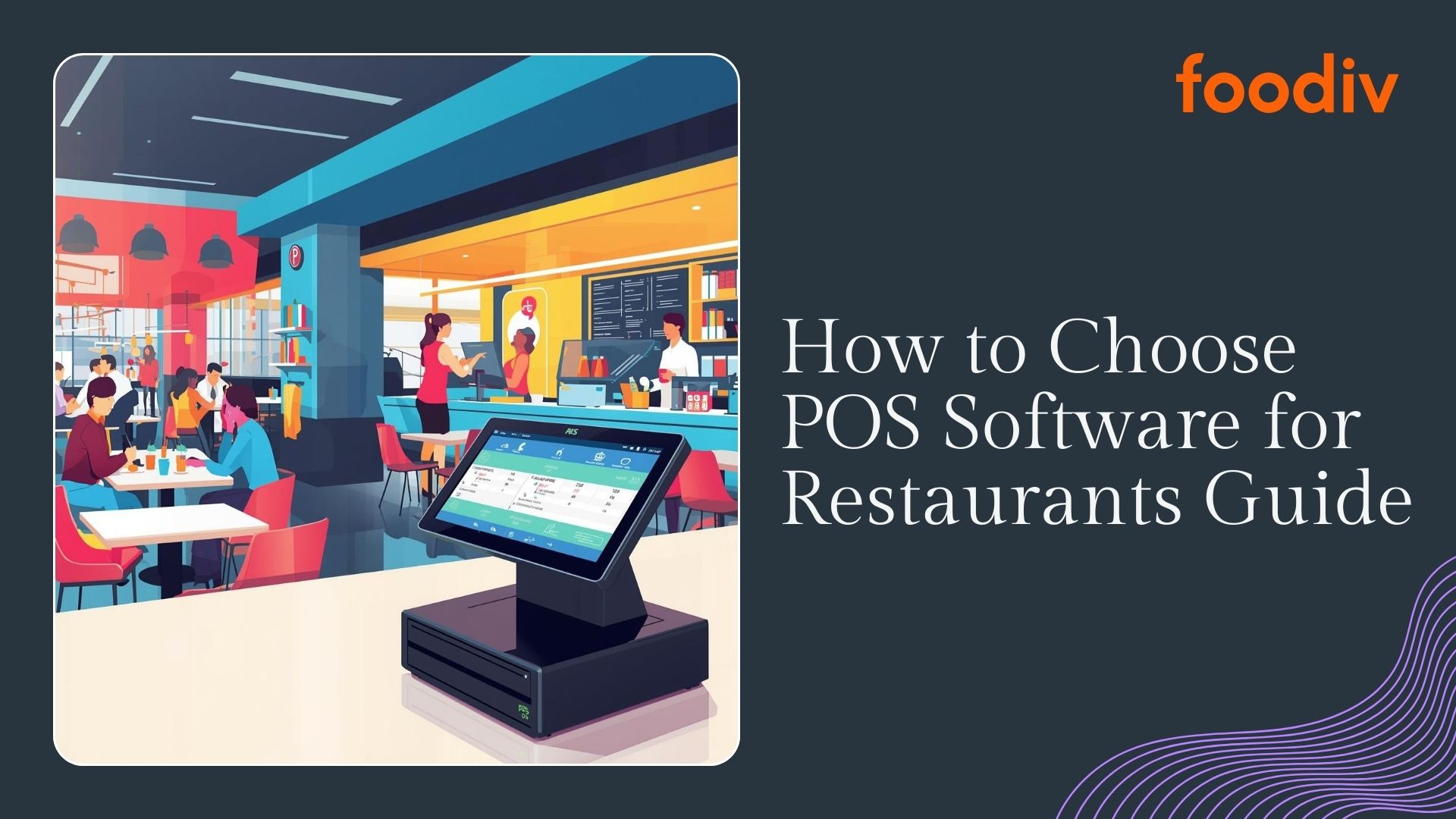
At its core, POS software for restaurants is the system that handles orders, payments, and day to day sales operations inside your restaurant. A restaurant POS system connects your front of house and back of house so orders move smoothly from the counter or table to the kitchen and into your reports.
It is more than basic point of sale software. A restaurant billing system does not just process payments. It manages menu items, modifiers, table layouts, split bills, tips, and taxes in a way that fits real dining environments.
Here’s where it differs from generic retail POS.
Retail systems focus on scanning products and managing stock units. Restaurants deal with recipes, customizations, dine in and takeaway flows, kitchen timing, and high pressure peak hours. That requires built in order management designed for food service, not shelves and barcodes.
Core functions usually include:
- Order management for dine in, takeaway, and delivery
- Restaurant billing system with tax handling and split payments
- Inventory tracking at ingredient or recipe level
- Menu management with modifiers and pricing rules
- Table management and staff permissions
- Sales reporting and performance analytics
What this really means is a restaurant POS system acts as the operational backbone of your business. It connects orders, inventory tracking, billing, and reporting into one system so you can run service with fewer mistakes and better visibility.
Why Choosing the Right POS Software Matters
A POS system does more than process payments. It shapes how your restaurant runs every single day. The right system supports growth. The wrong one slows everything down.
Let’s break down where it really makes a difference.
Revenue
Your POS directly affects how much you earn. Fast order entry reduces table turnover time. Built in upselling prompts increase average order value. Integrated online ordering brings in direct sales without heavy third party commissions.
If your system crashes during peak hours or struggles with split bills, you lose sales. It is that simple.
Operational Efficiency
A strong POS software connects order management, kitchen displays, and inventory tracking. Orders reach the kitchen instantly. Stock updates automatically when items sell. Managers do not waste time fixing manual errors at the end of the day.
When systems do not sync properly, staff compensate manually. That creates mistakes and slows service.
Customer Experience
Speed matters. Accuracy matters more. A restaurant POS system that handles modifiers, special requests, and split payments smoothly reduces friction at the table.
Customers notice when checkout feels effortless. They also notice when it does not.
Data Visibility
You cannot improve what you cannot see. The right point of sale software gives you clear reports on best selling items, peak hours, staff performance, and margins.
That visibility helps you adjust pricing, staffing, and promotions based on facts, not guesses.
Scalability
What works for one location may not work for three. If you plan to expand, your POS must handle centralized reporting, menu control across branches, and role based access.
Switching systems later is expensive and disruptive. Planning ahead saves you trouble.
Step 1: Understand Your Restaurant Type and Service Model
Before comparing features or pricing, get clear on one thing. How does your restaurant actually operate?
A POS that works perfectly for a quick service outlet may frustrate a fine dining team. Your service model determines what features truly matter.
Quick Service Restaurants
Speed is everything in quick service.
You need a restaurant POS system that handles fast order entry, combo meals, and quick payment processing. Touch friendly interfaces reduce training time. Built in upselling prompts can increase ticket size without slowing the line.
Key features that matter most:
- Fast order management with minimal taps
- Integrated payment processing and contactless payments
- Real time inventory tracking for high volume items
- Kitchen display system to reduce ticket confusion
- Support for online ordering and delivery integration
If your POS cannot keep up during peak hours, it becomes your biggest bottleneck.
Full Service Restaurants
Full service operations are more complex.
Servers manage tables, split bills, handle modifiers, and coordinate with the kitchen. Your point of sale software must support detailed table management and flexible billing.
Key features that matter most:
- Table layout management and server assignment
- Easy bill splitting and tip handling
- Modifier management for custom orders
- Course timing and order sequencing
- Detailed sales and performance reports
Accuracy matters more than raw speed here. The system must support smooth coordination between front and back of house.
Fine Dining
Fine dining focuses on precision and experience.
Orders often include detailed customizations. Service flows in courses. Staff require deeper reporting and customer insights.
Key features that matter most:
- Advanced order management with detailed modifiers
- CRM features to track guest preferences
- Course pacing and kitchen communication tools
- High level reporting on margins and item performance
- Secure role based access for controlled operations
In this model, your restaurant billing system must feel invisible. It should support service, not interrupt it.
Cafes and Bakeries
Cafes operate on volume and simplicity.
Many transactions are small but frequent. Speed at checkout and clear menu management are critical.
Key features that matter most:
- Quick item lookup and customizable menu buttons
- Inventory tracking at ingredient level for daily production
- Simple loyalty program integration
- Mobile POS support for small counters
- Clear end of day reporting
You also need reliable inventory tracking to manage perishables and reduce waste.
Cloud Kitchens and Multi Location Restaurants
These models demand central control.
There is no dining room to manage, but order flow from multiple channels becomes complex. Data visibility across locations becomes essential.
Key features that matter most:
- Centralized dashboard for multi location control
- Integration with multiple delivery platforms
- Unified order management across channels
- Real time inventory tracking across branches
- Consolidated reporting with location level breakdown
Scalability is non negotiable here. Your POS software must grow with you without forcing a system change later.
Step 2: Identify Must Have Features
Once you understand your restaurant type, the next step is simple. Define what your POS must do every single day without fail.
Vendors will show you dozens of features. Most sound impressive. Not all matter to your operation.
Let’s separate essentials from add ons.
Core POS Features
These are non negotiable. If a system struggles here, nothing else matters.
Order processing
Your POS must handle dine in, takeaway, and delivery orders smoothly. Staff should enter orders quickly, modify items easily, and avoid duplicate or missed tickets.
Billing and payments
A reliable restaurant billing system processes split bills, tips, taxes, refunds, and multiple payment types without confusion. Slow or unstable checkout directly hurts revenue.
Menu management
You need control over pricing, modifiers, combos, and time based availability. Updating your menu should not require technical support.
Inventory tracking
Good inventory tracking links sales to stock levels automatically. When items sell, ingredients reduce. That visibility helps control food costs and avoid stockouts.
Employee management
Your POS should manage staff roles, permissions, clock ins, and performance tracking. Clear access control prevents errors and misuse.
Reporting and analytics
You need daily sales summaries, item performance reports, peak hour insights, and margin visibility. Decisions should rely on data, not guesswork.
If these basics are weak, the system will frustrate you long term.
Customer Experience Features
Now we move beyond operations and into growth.
Loyalty programs
Integrated loyalty helps bring customers back without manual tracking. Points, rewards, and targeted offers increase repeat visits.
CRM capabilities
A built in CRM stores customer data, order history, and preferences. That helps personalize promotions and understand buying patterns.
Contactless payments
Customers expect fast, flexible checkout. Your POS should support tap to pay, mobile wallets, and digital receipts.
Online ordering integration
If your POS connects directly with your online ordering system, orders flow automatically into your dashboard. No manual entry. No errors.
What this really means is your POS can either support repeat business or ignore it. The right system strengthens customer relationships.
Operations and Kitchen Features
Smooth service depends on coordination behind the scenes.
Kitchen display system
Instead of paper tickets, orders appear instantly on kitchen screens. That reduces confusion and improves speed during rush hours.
Table management
For dine in restaurants, visual table layouts help manage seating, reservations, and server assignments efficiently.
Delivery integration
If you work with delivery platforms, your POS should sync orders directly. Manual re entry wastes time and increases mistakes.
Third party app sync
Accounting software, payroll tools, and marketing platforms should connect easily. Strong integrations reduce repetitive work.
Step 3: Compare Cloud vs On Premise POS Systems
Before choosing a vendor, decide which infrastructure model fits your restaurant. Most modern systems are cloud based, but traditional on premise setups still exist.
Here’s the practical difference.
Cloud POS runs on internet connected devices and stores data on secure remote servers.
Traditional POS runs on local servers inside your restaurant.
Let’s look at how they compare where it actually matters.
| Feature |
Cloud POS |
Traditional POS (On-Premise) |
| Cost structure |
Monthly subscription with predictable recurring fees |
Higher upfront hardware and license costs, plus ongoing maintenance |
| Remote access |
Access reports and dashboards from anywhere |
Usually limited to on-site access unless configured separately |
| Updates |
Automatic updates handled by the provider |
Manual updates often require technician support |
| Scalability |
Easy to add new terminals or locations |
Expansion may require new servers and a more complex setup |
| Data backup |
Automatic cloud backups |
Local backups that require manual configuration |
| Security |
Provider-managed security with encryption and monitoring |
Security depends on internal setup, updates, and maintenance |
Step 4: Understand Pricing and Total Cost of Ownership
Price isn’t just the number you see on a vendor’s website. It’s everything you pay over time to acquire, run, and maintain your POS system.
To make a smart decision, break costs into clear categories you can compare across vendors.
Monthly Subscription Costs
Most restaurant POS systems today are cloud based. They charge a recurring monthly fee, usually per terminal or per location.
Typical ranges you’ll see:
- Basic plans: $50 to $100 per terminal per month
- Mid-tier plans with more features: $100 to $200 per terminal per month
- Advanced plans with multi location support: $200 to $300+ per terminal per month
What this really means is you should look beyond the base price. Ask what features you get at each tier and whether ongoing support is included.
Hardware Costs
Some systems work on tablets or existing devices. Others require dedicated terminals, receipt printers, cash drawers, and kitchen displays.
Typical hardware costs:
- Tablet (if needed): $150 to $500 each
- Receipt printer: $100 to $300
- Cash drawer: $80 to $200
- Kitchen display screen: $300 to $600
If you need multiple terminals or kitchen stations, these numbers add up fast. Always factor hardware into your budget, not just software.
Payment Processing Fees
Your POS may bundle payment processing or let you choose a processor.
Common ranges:
- Card present transactions: 1.6% to 2.9% + transaction fee
- Mobile wallet or contactless: usually similar rates
- Keyed-in/delivery orders: often higher fees
Some vendors lock you into their processor. Others let you shop around. Know the rates and how they change with volume.
What this really means is a low software fee can be offset by high processing costs. Always compare both sides.
Hidden Costs to Watch For
These are easy to overlook but show up on your bill later.
- Onboarding or setup fees – $100 to $500+
- Training fees – priced per hour or seat
- Support charges – priority or afterhours support often costs extra
- Contract lock-ins and early termination fees – if you sign a long term agreement
- Feature add-ons – some “advanced” features cost extra
Here’s the bottom line.
When you compare POS options, list every cost category side by side. A system that appears cheaper month to month may cost more overall once you include hardware, processing, and add-ons.
That clarity prevents surprises and helps you choose a system that fits your real budget, not just a marketing price.
Step 5: Check Integrations and Ecosystem Compatibility
Your POS does not operate in isolation. It sits at the center of your restaurant’s technology stack. If it cannot connect with the other tools you use, your team ends up doing extra manual work every day.
That is where integrations matter.
Let’s break down the key connections you should evaluate.
Online Ordering Integration
If your POS integrates directly with your restaurant online ordering system,orders flow automatically into your dashboard. No re entry. No missed tickets. No confusion during peak hours.
Without this integration, staff must manually input online orders. That increases errors and slows service.
Accounting Software
Your daily sales data should sync automatically with your accounting software. That includes revenue, taxes, and payment breakdowns.
If integration is missing, someone exports reports, formats spreadsheets, and uploads numbers manually. That wastes time and increases the risk of reporting mistakes.
Delivery Platforms
If you use third party delivery platforms, your POS should pull those orders directly into the system. Unified order management keeps all channels in one place.
Without sync, staff juggle multiple tablets and enter orders manually. During rush hours, that creates delays and missed items.
Inventory Suppliers
Some advanced POS systems integrate with inventory management tools or supplier platforms. That allows automatic stock updates and smarter purchasing decisions.
When systems do not connect, managers rely on manual counts and separate spreadsheets. That makes inventory tracking less accurate.
Payroll Systems
Employee hours recorded in your POS should sync with your payroll system. Clock ins, overtime, and role based wages should transfer automatically.
Without integration, managers must re enter hours every pay cycle. That opens the door to payroll errors and disputes.
Here’s what this really means.
Every disconnected system creates small daily tasks. Those tasks multiply over weeks and months. Integrations remove repetitive data entry, reduce mistakes, and give you cleaner reporting.
When evaluating POS software, ask one direct question. Does this system connect smoothly with the tools we already rely on? If the answer is unclear, dig deeper before you commit.
Step 6: Evaluate Scalability and Future Growth
It is easy to choose a POS that works for you today. The harder question is whether it will still work two or three years from now.
If you plan to expand, add new revenue channels, or open additional locations, your system must support that growth without forcing a painful migration later.
Here is what to examine.
Multi Location Management
If expansion is on your roadmap, your POS should support multiple outlets under one account. You should be able to add new locations without rebuilding your system from scratch.
Look for the ability to manage pricing, taxes, and settings at both global and location levels. That flexibility saves time and prevents inconsistencies.
Centralized Reporting
Growth increases complexity. You need a clear overview of performance across all branches.
A scalable restaurant POS system should provide consolidated dashboards that show sales, margins, and trends across locations, while still allowing you to drill down into individual branch performance.
Without centralized reporting, you end up exporting and merging reports manually. That wastes time and increases errors.
Role Based Access
As your team grows, so does the need for structured permissions.
Your POS should allow role based access so managers, supervisors, and cashiers see only what they need. This protects sensitive data and reduces operational risk.
If everyone has full access, mistakes and misuse become more likely.
Menu Control Across Branches
Managing menus across multiple locations can become chaotic without the right tools.
A scalable system lets you push menu updates from a central dashboard while still allowing local customization when needed. That keeps branding consistent and pricing accurate.
Step 7: Evaluate Vendor Reliability and Support
Features matter. Pricing matters. But here’s the part many restaurant owners overlook.
If something breaks during peak hours, who helps you fix it?
Your POS system runs your daily revenue. Reliability and support are not secondary factors. They are critical.
Use this checklist before signing any agreement.
Vendor Reliability and Support Checklist
Training availability
✔ Does the vendor provide structured onboarding training?
✔ Are training materials available for new staff?
✔ Is there a knowledge base or video library you can access anytime?
A good system should not leave your team guessing during busy shifts.
Customer support response time
✔ Is support available 24 by 7?
✔ Can you reach a real person quickly during peak hours?
✔ Do they offer phone, chat, and email support?
Fast response matters more than polite responses. Delays during service cost money.
Onboarding process
✔ Is there a clear setup roadmap?
✔ Do they assist with menu import and configuration?
✔ How long does full setup typically take?
A structured onboarding process reduces confusion and helps your team adopt the system smoothly.
Contract flexibility
✔ Are you locked into a long term contract?
✔ Is there an early termination fee?
✔ Can you upgrade or downgrade plans easily?
Flexibility protects you if your needs change.
System uptime and reliability
✔ What is their reported uptime percentage?
✔ Do they offer offline mode in case internet drops?
✔ How often do outages occur?
A POS system that goes down during dinner service creates chaos. Ask direct questions about stability.
Common Mistakes to Avoid When Choosing a POS System
When restaurants regret their POS decision, it is rarely because the system had no features. It is usually because they rushed the decision.
Here are the mistakes that cause the most long term frustration.
Choosing Only Based on Price
A low monthly fee looks attractive. But price alone tells you very little.
Some systems appear affordable upfront and then charge extra for add ons, payment processing, support, or integrations. Others may cost slightly more but include everything you need.
What this really means is you should evaluate total cost of ownership, not just subscription price.
Ignoring Integration Needs
Your POS does not operate alone. It connects with online ordering, accounting, delivery apps, payroll, and inventory tools.
If these systems do not sync properly, your team ends up entering the same data multiple times. That wastes time and increases errors.
Before choosing a POS, list the tools you already use. Then confirm direct integration, not just future promises.
Not Testing During Peak Hours
A system may feel smooth during a calm demo. Real pressure reveals the truth.
You need to know how it performs when orders pile up, when multiple staff log in, and when customers request split bills at the same time.
If possible, request a live demo scenario that mirrors your busiest hour. Speed and stability matter most when your restaurant is full.
Overlooking Support Quality
Even strong systems face occasional issues. What matters is how quickly they get resolved.
If support takes hours to respond during service, you carry the stress. Ask direct questions about response times and escalation processes.
Reliable support protects your daily revenue.
Signing Long Contracts Blindly
Long term contracts can lock you into a system that no longer fits your needs.
Before signing, understand termination clauses, upgrade flexibility, and hidden penalties. Flexibility gives you control.
POS Software Comparison Checklist
When you’re down to two or three options, you need clarity fast. This checklist helps you compare systems without getting distracted by marketing claims.
Use it as a quick filter before making your final decision.
✔ Does it support your restaurant model?
Does the system fit your service style? Quick service, full service, cafe, cloud kitchen, or multi location. The workflow should match how your team actually operates.
✔ Does it integrate with delivery apps and online ordering?
Can orders from delivery platforms and your direct online ordering system flow into one dashboard? Manual entry during peak hours is a red flag.
✔ Are pricing terms transparent?
Do you clearly understand subscription fees, payment processing rates, hardware costs, and add ons? No vague answers. No hidden charges.
✔ Is hardware compatible with your setup?
Can it run on devices you already own, or will you need new terminals, printers, and displays? Hardware costs can change the entire budget.
✔ Can it scale to multiple locations?
If you expand, can you manage menus, reports, and staff permissions across branches from one central dashboard?
✔ Is reporting detailed and easy to access?
Can you quickly see sales trends, top selling items, margins, and peak hours without exporting complex reports?
✔ Is support reliable and accessible?
If something breaks during dinner rush, can you reach a real person fast?
Here’s the thing. If a POS system fails even two or three of these checks, it is probably not the right long term choice. Keep the focus on fit, clarity, and operational strength.
How to Compare POS Vendors the Smart Way
Most restaurant owners compare POS systems by reading feature lists. That is not enough.
You need a simple evaluation process. One that forces clarity and removes emotion from the decision.
Here is a practical framework you can follow.
1. Shortlist
Start by narrowing your options to two or three vendors.
Remove any system that:
- Does not fit your restaurant model
- Lacks critical integrations
- Has unclear pricing
Focus only on systems that meet your non negotiable requirements. A smaller shortlist makes deeper evaluation easier.
2. Request a Real Demo
Do not settle for a generic sales walkthrough.
Ask the vendor to show:
- How orders move from entry to kitchen
- How split billing works
- How reports are generated
- How inventory tracking updates after a sale
Make the demo reflect your real workflow. If they cannot replicate your daily operations during a demo, that is a warning sign.
3. Stress Test the System
Here’s the thing. A POS feels smooth when nothing is happening. The real test comes during pressure.
Simulate your busiest hour:
- Multiple staff logged in
- High order volume
- Split bills
- Modifier heavy orders
Ask how the system handles internet outages. Does it have offline mode? Stability during peak service matters more than advanced features.
4. Compare Total Cost
Now look beyond the monthly subscription.
Calculate:
- Software fees
- Hardware costs
- Payment processing fees
- Add ons and upgrades
- Contract length and penalties
Put every cost category side by side. This removes surprises later.
5. Check References
Finally, ask for real customer references. Preferably restaurants similar to yours.
Find out:
- How responsive support is
- Whether the system scales smoothly
- If there were hidden challenges during onboarding
Real user feedback reveals what marketing pages do not.
What this really means is you should treat POS selection like a business investment, not a quick purchase. Follow a structured process, ask direct questions, and test thoroughly. That discipline protects your revenue and your operations long term.
Final Decision Framework: Choosing the Right POS Software
Start by matching the POS to your restaurant type. The system should fit your service model, not force you to change how you operate.
Next, focus on integrations. Your POS must connect smoothly with online ordering, delivery apps, accounting, payroll, and inventory tools. Strong integration reduces manual work and errors.
Look beyond the monthly subscription. Calculate hardware costs, payment processing fees, add ons, and contract terms. Always evaluate total cost, not just the headline price.
Think about future growth. Even if you have one location today, choose a system that can scale to multiple branches with centralized reporting and role based access.
Finally, test it under real conditions. Simulate peak hours and complex orders. A POS should perform reliably when your restaurant is busiest, not just during a demo.
Frequently Asked Questions
Restaurant POS software typically costs between 50 and 300 dollars per terminal per month. Hardware, payment processing fees, and add ons can increase the total cost, so always calculate full ownership expenses before deciding.
The best POS software for small restaurants is one that is easy to use, affordable, and supports core features like billing, order management, and inventory tracking. It should also scale if your restaurant grows.
For most restaurants, cloud POS offers more flexibility. It allows remote access, automatic updates, and easier multi location management. Traditional systems may suit single locations that prefer local control.
Yes. Modern restaurant POS systems include inventory tracking that automatically updates stock levels when items sell. Advanced systems can track ingredients and generate low stock alerts.
Basic POS installation can take a few hours to a few days, depending on menu complexity and hardware setup. Multi location or advanced integrations may require more time for full configuration and testing.