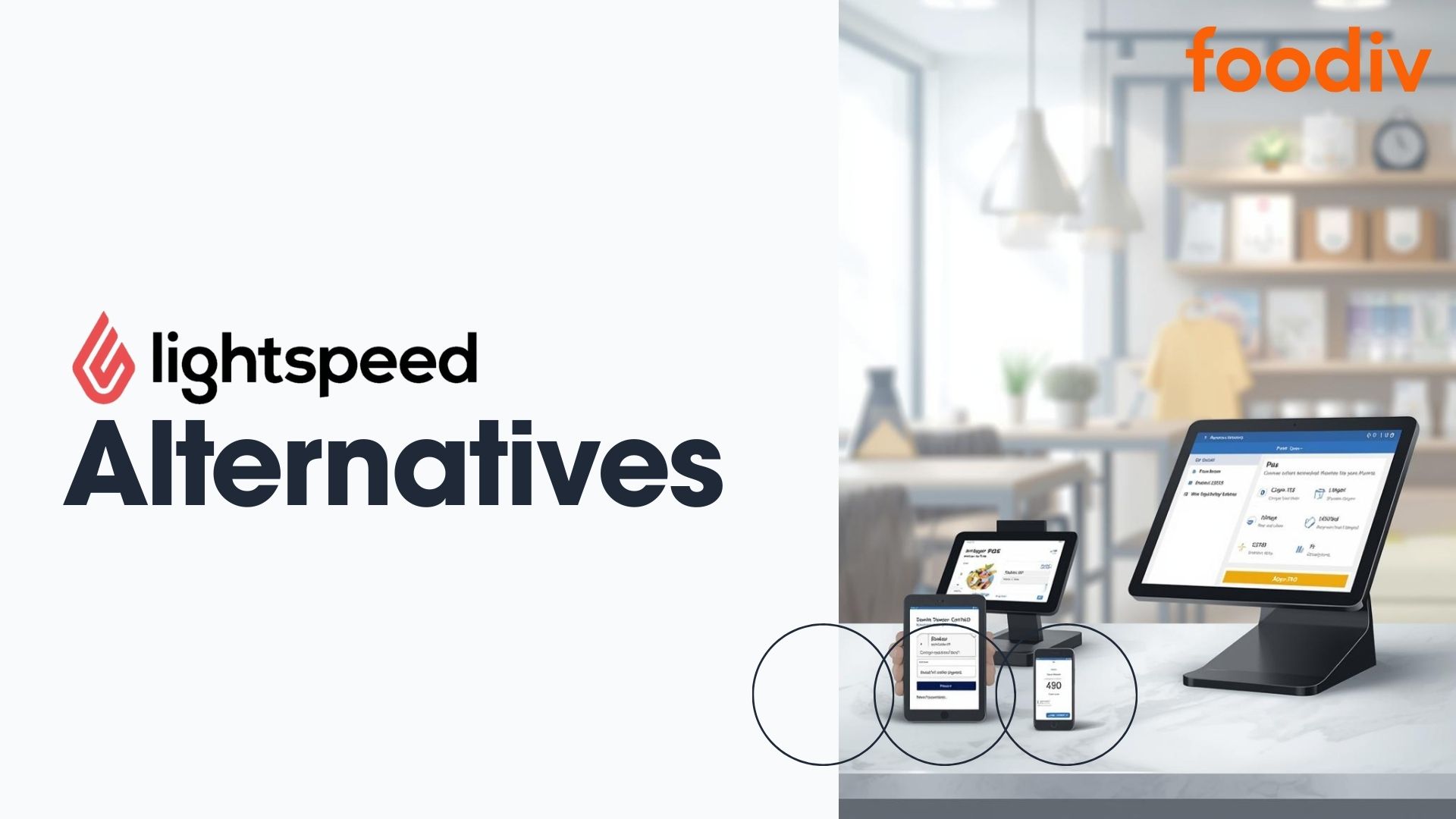
Lightspeed alternatives are point of sale systems that offer similar core features with different pricing, flexibility, or industry focus. Businesses look for them when costs rise, features feel limiting, or workflows no longer fit. These alternatives work best for restaurants, retailers, and growing businesses that need clearer control and simpler daily operations.
Many businesses move away from Lightspeed due to pricing complexity, add on costs, or a mismatch with how they actually operate. Some need stronger restaurant tools. Others want simpler retail workflows or lower entry costs.
This guide compares practical POS options built for different business types. It breaks down where each system fits best so choosing an alternative feels straightforward, not overwhelming.
Comparison Table: Top Lightspeed POS Alternatives in 2026
| POS System |
Best For |
Pricing Model |
Industry Focus |
Key Strength |
| Foodiv |
Restaurants and food businesses |
Free Trial & Subscription based |
Restaurants, cloud kitchens, cafés |
Direct online ordering ownership with centralized restaurant management |
| Square POS |
Small businesses and startups |
Free plan with paid add ons |
Retail and quick service |
Low entry cost with fast setup |
| Toast |
Full service and high volume restaurants |
Subscription plus hardware |
Restaurants only |
Strong kitchen and order workflows |
| ePOS Now |
Retail and hospitality businesses |
License based with optional add ons |
Retail and hospitality |
Flexible hardware and multi industry support |
| Peppr |
Restaurants focused on digital ordering |
Subscription based |
Restaurants |
Simple ordering focused POS experience |
| SkyTab |
Hospitality businesses wanting all in one setup |
Flat rate with hardware included |
Restaurants and bars |
POS and payments bundled together |
| Clover POS |
Businesses needing customization |
Subscription based |
Retail and service businesses |
App based ecosystem with flexible integrations |
Why Businesses Look for Alternatives to Lightspeed POS
Lightspeed works well for many businesses. But as operations change, some teams start to feel friction in daily use. That is usually the point where alternatives enter the conversation.
One common reason is cost structure. Lightspeed pricing often grows as features are added. What starts as a reasonable plan can become harder to justify once add ons, integrations, or higher volume needs come into play. For small or growing businesses, that shift can feel sudden.
Another factor is industry fit. Lightspeed is strong in certain retail and hospitality setups, but not every business operates the same way. Restaurants, cafés, or hybrid models may need tools that focus more on ordering flow, kitchen operations, or customer data ownership.
There are also practical limitations that surface over time:
- Hardware or platform restrictions that limit device choice
- Workflows that feel rigid when business needs evolve
- Features designed for larger operations that add complexity for smaller teams
Complexity is often the final tipping point. As menus expand, locations grow, or staff turnover increases, some businesses want a POS system that stays simple without sacrificing control.
What this really means is not that Lightspeed fails. It means different businesses reach different stages. And at those stages, flexibility and clarity start to matter more than feature depth alone.
Best Lightspeed Alternatives Compared
Not every business needs the same kind of POS system. Some care most about ordering flow. Others want speed, price, or flexibility. The tools below solve different problems. The right choice depends on how your business runs today and where it is headed next.
Foodiv pos system is built for restaurants and food businesses that want more control over how orders move through the business. It focuses on direct online ordering and day to day operations rather than broad retail use cases. That makes it a strong fit for restaurants that want clarity instead of complexity.
At its core, Foodiv brings key workflows into one place. Orders, menus, and reporting stay connected, which reduces manual steps for staff.
Key reasons businesses choose Foodiv:
- Designed specifically for restaurants and food brands
- Direct ownership of online ordering without third party dependency
- Centralized view of orders, menus, and performance
- Works well for single locations and growing multi location setups
Foodiv suits teams that want ordering and management to feel predictable and easy to maintain as volume grows.
2. Square POS
Square POS is often the first stop for small businesses and startups. The main reason is accessibility. It offers a free entry option that lets businesses start selling quickly without a heavy setup process.
The system is simple by design. That simplicity works well for teams that want to get up and running without training overhead.
Square POS is commonly chosen because:
- Free plan lowers the barrier to entry
- Setup is fast and easy to understand
- Works well for retail and quick service businesses
- Strong payment handling out of the box
For businesses that value speed and low upfront commitment, Square POS remains a practical alternative to Lightspeed.
3. Toast
Toast is built specifically for full service restaurants. Its strength shows up in how it handles kitchen operations, staff workflows, and order routing during busy service hours.
Rather than trying to serve every industry, Toast stays focused on restaurants. That focus shapes its tools and its ecosystem.
Toast stands out for:
- Kitchen and order workflows designed for high volume service
- Tools that support front and back of house coordination
- Features tailored to full service dining environments
- A POS ecosystem centered on restaurant needs
Toast works best for restaurants that prioritize operational depth and are comfortable with a system designed around that complexity.
4. ePOS Now
ePOS Now tends to attract businesses that want to decide how their POS system fits into their space, not the other way around. Instead of pushing a single setup, it gives businesses room to choose hardware and layouts that match how they actually work day to day.
This flexibility is especially useful for businesses that sit somewhere between retail and hospitality. A shop that also serves food. A café that sells packaged goods. In these cases, a rigid system can feel limiting. ePOS Now offers enough adaptability to support different workflows without forcing businesses to redesign their operations.
Hardware choice is a big part of its appeal. Businesses can select devices based on counter space, staff movement, or customer flow. That can make a real difference during busy hours, when small layout issues turn into bigger problems.
Businesses often look at ePOS Now because:
- It allows more freedom in choosing hardware and devices
- It works across retail and hospitality environments
- It adapts to mixed or evolving business models
- It feels familiar to teams used to hands on system control
Another reason ePOS Now resonates with some teams is the sense of control it provides. For businesses that prefer a setup they can manage closely, the system feels practical rather than abstract.
ePOS Now fits businesses that value flexibility over specialization. It works best for teams that need a POS system to adapt to their space and operations, not one that dictates how those should look.
5. Peppr
Peppr is designed for restaurants that want ordering to feel easy. Not just for customers, but for staff as well. Instead of trying to cover every possible POS feature, Peppr keeps its focus narrow. It prioritizes how orders are placed, received, and processed during everyday service.
That focus shows up in the interface. Screens are clean. Steps are clear. Staff do not need long training sessions to get comfortable with the system. Customers can place orders without confusion or second guessing. For many restaurants, that reduction in friction makes a noticeable difference during busy hours.
Peppr is often chosen because:
- It keeps attention on ordering and POS essentials
- The interface feels intuitive from the first use
- Staff can learn the system quickly with minimal setup time
- The customer ordering experience stays smooth and predictable
Another reason Peppr appeals to smaller or growing restaurants is how it avoids unnecessary complexity. There are no layers of features that only make sense for large chains or advanced operations. Instead, Peppr supports the core tasks restaurants rely on every day. Taking orders. Managing flow. Keeping service moving.
Peppr works especially well for restaurants that value clarity over customization. If a business does not need deep back office controls or advanced reporting, Peppr can feel refreshingly straightforward. It removes distractions and keeps the focus where it belongs.
In short, Peppr fits restaurants that want ordering to work without getting in the way. It is a practical choice for teams that prefer simple systems that do their job quietly and consistently.
6. SkyTab
SkyTab offers an all in one approach that combines POS software, payments, and hardware. This model appeals to hospitality businesses that want fewer vendors to manage.
By bundling tools together, SkyTab aims to reduce setup decisions and ongoing coordination.
SkyTab is often selected because:
- POS and payment processing in one system
- Hardware included in the pricing model
- Designed for restaurants and bars
- Simplifies vendor management
SkyTab suits hospitality businesses that prefer a bundled setup and predictable structure.
7. Clover POS
Clover POS appeals to businesses that do not want to lock themselves into a rigid system on day one. It starts simple and leaves room to grow. That alone makes it attractive to owners who know their operations will change over time.
What sets Clover apart is how its app based ecosystem works in practice. Businesses begin with the basics. Taking payments, managing products, and tracking sales. When new needs show up, features can be added without rebuilding the entire setup. A retail store might later add inventory tools. A service business may bring in scheduling or customer management.
Businesses often choose Clover POS because:
- It allows customization through apps instead of forcing unused features
- It works across retail and service businesses with different workflows
- Hardware options can match the counter, floor, or mobile setup
- Growth does not require switching systems
Hardware flexibility matters more than it first appears. Clover offers different devices that fit how staff actually work, whether that is behind a counter or moving around the space. This makes daily tasks feel more natural.
Clover POS suits businesses that want control, not complexity. It is a good fit for teams that prefer to shape their POS as they learn, rather than commit to a fixed system that may not age well.
Best Lightspeed POS Alternatives by Business Type
Different businesses have different needs. A restaurant cares about ordering flow. A small shop focuses on simplicity and cost. This section breaks down which tools tend to work best based on those needs.
Best Lightspeed POS Alternatives for Restaurants
Restaurants usually care about how orders move through the kitchen, how staff can take and track orders, and how online sales integrate with in-house service. Systems that keep ordering clear and staff from juggling too many screens tend to win here.
Good alternatives for restaurants include:
- Foodiv, for straight forward online ordering ownership and centralized workflows
- Toast, for restaurant focused tools and kitchen support
- Peppr, for simple, clear ordering without complexity
These systems help restaurants streamline common tasks like table service, online ordering, and busy shift changes without forcing outside workflows on staff.
Best Lightspeed Alternatives for Small Businesses
Small businesses often need a POS that does the basics well and keeps early costs low. They do not want long training sessions, complex setups, or hidden fees that make simple tasks feel harder.
For small businesses, strong options include:
- Square POS, with a free entry plan and quick setup
- Clover POS, for flexibility that grows with the business
- Foodiv, if the business has a food component and wants direct ordering control
These solutions let small business owners stay focused on customers and daily operations instead of wrestling with complicated software.
Best Lightspeed POS Alternatives for Retail Stores
Retail stores care about inventory, fast checkout, and handling multiple product types without greasing up daily routines. They need tools that keep up with stock changes and sales traffic.
Retail friendly alternatives are:
- Square POS, because it handles retail stock and checkout cleanly
- Clover POS, with apps that help customize retail workflows
- ePOS Now, for businesses that want flexible hardware and layout control
These options support typical retail tasks without adding extra steps that slow down staff or confuse customers.
Best Budget-Friendly Alternatives to Lightspeed
Not every business has room for large software expenses. For teams watching every dollar, value matters as much as features.
Budget focused alternatives include:
- Square POS, with its free base plan
- Peppr, for clear ordering basics without costly extras
- Foodiv, for restaurants that want controlled costs with direct ordering
These systems help businesses deliver daily service and sales without bloated pricing plans or complex fee structures.
What to Consider Before Switching from Lightspeed POS
Switching a POS system is not just a software decision. It affects daily operations, staff routines, and long term planning. Before making the move, it helps to slow down and look at a few practical factors.
Start with business size. A single location with a small team has very different needs than a multi location operation. Some systems shine in simplicity. Others are built for scale. Choosing the wrong fit can create friction instead of solving it.
Industry needs matter just as much. A restaurant depends on ordering flow and service speed. A retail store cares about inventory and checkout. Make sure the system supports how your business actually runs.
It is also important to think about hardware and cost together:
- What devices are required and which are optional
- Whether existing hardware can be reused
- How pricing changes as features or locations are added
Finally, look ahead. Growth plans should guide the decision, not just current pain points.
Before switching, consider:
- How easily the system adapts as the business grows
- Whether new locations or services are supported
- If the platform will still make sense a year from now
A thoughtful switch saves time later. Rushed decisions often create new problems instead of fixing old ones.
Explore Related Articles :
Toast POS Alternatives for Restaurants: The 10 Best Options in 2026
Top GrubHub Alternatives for Your Restaurant Ordering System
Final Thoughts
POS alternatives to Lightspeed exist for a simple reason. Businesses change. Costs shift. Teams grow. And the system that once felt right can start to feel like extra work instead of support.
There is no single best replacement. What works depends on how a business runs day to day. A restaurant needs ordering to stay smooth under pressure. A retail store needs checkout and inventory to stay predictable. A small team may care most about keeping things simple and affordable.
The right POS choice brings clarity, not complexity. It should fit how staff already work, not force them to adapt to the software. Flexibility matters because no business stays the same for long. Scalability matters because growth should not mean starting over.
Taking the time to compare options helps avoid rushed decisions. When a POS system aligns with real needs, daily operations feel easier and future changes feel manageable instead of disruptive.
FAQ
Many businesses start with Lightspeed because it offers a solid set of features. Over time, though, a few patterns emerge that make teams consider other systems.
One common reason is pricing. Lightspeed’s plans and add-on costs can grow quickly as more features or locations are added. For some businesses, that makes monthly expenses harder to predict.
Another reason is fit. Different industries have different priorities. A restaurant may need smoother table and kitchen workflows. A retailer may want simpler inventory tracking without extra complexity. If the tool doesn’t match daily needs, workarounds start to add friction.
Hardware and layout can matter too. Some businesses want more control over devices or setups than Lightspeed’s structure allows.
Finally, complexity plays a role. For small operations with limited staff or training time, a simpler system can feel easier to adopt and maintain.
In short, businesses usually switch when their needs change and the current setup starts to feel like extra work instead of support. It’s not about problems with Lightspeed itself. It’s about finding a better fit for how the business runs now.
There isn’t a perfect zero-cost version of Lightspeed that does everything Lightspeed does. The thing with POS systems is that they need ongoing support, payment processing, and updates. Those costs usually show up somewhere, even if the software itself is free.
That said, there are options that let a business start without a big upfront software fee. For example, Square POS offers a free base plan that handles payments, basic sales tracking, and checkout without a monthly subscription. It’s not free forever in every sense — payment processing still carries fees — but there is no required monthly cost to get started.
For restaurants, Peppr lets teams begin with simple ordering and POS basics without paying for a full suite of advanced features. These more affordable entry points can feel “free” compared with Lightspeed’s pricing once add-ons are included.
In other words, fully free POS systems are rare. But there are tools that keep software costs low enough for small businesses to start selling without a heavy financial commitment.
There isn’t a single POS system that is objectively “the best” for everyone in 2026. Every business has its own workflow, customer flow, and daily challenges. That means the best alternative depends on what matters most to a team.
If simplicity and fast setup are priorities, Square POS is easy to adopt and lets businesses start selling without a steep learning curve. If the focus is strong restaurant workflows that keep orders moving smoothly during busy service, Foodiv or Toast often make more sense. For teams that want flexibility in how they build their system over time, Clover POS lets you add features as needed. Businesses that work across retail and hospitality and want control over their hardware setup tend to lean toward ePOS Now.
Rather than searching for a single winner, it helps to match the alternative to the specific needs of the business. That is what makes a POS replacement truly work in practice.
For restaurants, the alternatives that tend to work best are ones built around the realities of service, orders, and pace. Three options that often come up are Foodiv, Toast, and Peppr — each with a slightly different focus.
Foodiv leans into direct online ordering and centralized menu management. It keeps orders moving across the front and back of house without forcing the team to learn extra steps.
Toast is made specifically for full service restaurants. It covers kitchen workflows, table service, and staff coordination in a way that feels natural for busy shifts.
Peppr appeals to restaurants that want to keep ordering and POS basics clear and simple. It avoids deep complexity while keeping customer orders clear and organized.
Which one feels “best” comes down to a restaurant’s pace and priorities. A high volume full service place may benefit more from Toast’s depth. A smaller café or quick service spot may enjoy Foodiv or Peppr because they keep everyday work straightforward.
Switching POS systems does not automatically transfer all your data, but it can be done with some planning. Lightspeed lets you export important business information like sales history, customer lists, product catalogs, and inventory. Most modern POS platforms accept these formats, so you can bring that data into a new system rather than starting from scratch.
Here’s how it usually works in practice:
- Export what you can — products, customers, past sales — from Lightspeed
- Save the files in a standard format like a spreadsheet
- Import those files into the new POS system if it supports imports
- Recreate any workflows or settings that don’t transfer directly
Not everything always moves over perfectly. Some systems label fields differently or require adjustments to data before import. But with a little setup time, you can preserve most business information. It helps to check with both Lightspeed support and the support team of the new POS to understand what will transfer and what will need to be entered manually.
The bottom line is this: switching doesn’t mean losing everything. You just need to plan for how your data will move and adjust it along the way.
Yes. Many Lightspeed alternatives include or support online ordering, and they do it in slightly different ways.
Some systems build it into the core platform so online orders show up alongside in-house sales. Others connect with ordering tools or apps that integrate with the POS. Here are a few examples:
- Foodiv supports direct online ordering, giving you control over menus and orders without relying on third party services
- Toast has its own online ordering tools that work with in-house service
- Peppr focuses on clear ordering workflows, including online orders
- Square POS integrates online ordering through its ecosystem
When choosing a system for online ordering, think about how you want that flow to work. Do you want orders to route automatically to the kitchen? Do you want to avoid third party fees? Do you need online ordering to tie directly to your inventory? The answers to those questions help you pick the right POS alternative for your business.