Running a coffee shop today is about more than brewing good coffee. Orders come from the counter, from phones, and from customers who order before they arrive. When traffic picks up, even small delays slow service, and small mistakes quietly push regulars away.
Research backs this up. A recent study published in the International Journal of Hospitality Management shows that restaurants using digital systems across daily operations see clear gains in productivity, especially in order handling and service flow . In simple terms, the right software helps teams work faster with fewer errors while keeping service consistent during busy hours.
That is why software matters more in 2026 than it did before. Not complex tools. Practical ones. Systems that help staff move quicker, keep orders accurate, support online ordering, and give owners clear insight into what sells and what does not.
At its best, coffee shop software stays in the background. It keeps the team focused, shows clean numbers at the end of the day, and makes even the rush feel manageable.
Key Takeaways
- Coffee shop software in 2026 is about control, not complexity. It helps manage orders, staff, and customers in one place.
- Speed and accuracy matter more than ever, especially during peak hours and online order rushes.
- The right system supports online ordering, loyalty, and reporting without adding extra work for the team.
- Choosing software starts with understanding how your coffee shop actually runs, not with feature lists.
- Not every platform fits every café. Size, service style, and growth plans all matter.
- A good POS should make daily operations easier and give clear insights at the end of the day.
- Comparison table makes it easier to see differences in features, pricing approach, and best use cases, helping coffee shop owners choose faster and with more confidence.
- This guide breaks down what to look for and compares the 10 best coffee shop software options for 2026, including Foodiv.
What Is Coffee Shop Software?
Coffee shop software is a digital system that manages orders, payments, staff, inventory, and customer data in one place. It helps coffee shops run smoothly without relying on multiple disconnected tools.
What it usually includes in this software
- POS and payments
Handles in store orders, card payments, and refunds quickly, even during rush hours.
- Menu and modifiers
Lets you update prices, add seasonal items, and manage customizations without slowing down service.
- Inventory and recipe level tracking
Tracks ingredients as items sell, helping reduce waste and avoid running out of key supplies.
- Online ordering system
Accepts pickup and pre orders while keeping them in sync with counter orders.
- Customer profiles and loyalty
Stores customer history and rewards regulars in a way that feels natural, not forced.
- Staff scheduling and time tracking
Simplifies shift planning, clock ins, and labor visibility.
- Reports and analytics
Shows clear sales trends, peak hours, and performance insights so owners know what is working and what is not.
Why Coffee Shops Use Software?
Coffee shops use software for one simple reason. It makes day to day work easier to manage. When systems are connected, teams move faster, mistakes drop, and owners get a clearer picture of how the business is performing.
Faster service and fewer errors
When orders flow through one system, they move quickly from the counter to preparation. Staff do not need to repeat information or double check handwritten notes. Smart modifiers guide custom orders, which helps reduce missed items and incorrect drinks during busy hours.
Better customer experience
Customers notice speed and consistency. Faster checkout keeps lines short. Online orders are ready on time. Loyalty programs reward regulars without slowing service. Pickup feels smooth instead of rushed or confusing.
Stronger inventory control
Software tracks ingredients as items sell, not at the end of the day. This makes it easier to spot fast moving products, reduce waste, and plan reorders before shelves run low. Fewer surprises mean better margins.
Smarter decisions with reporting
Clear reports show what sells, when it sells, and how labor impacts revenue. Owners can see top items, peak hours, and profit trends without digging through spreadsheets. Decisions are based on data, not guesswork.
Easier staff management
Scheduling becomes simpler when shifts, roles, and permissions live in one place. Time tracking stays accurate. Managers can spot performance patterns early and make adjustments before problems grow.
Good coffee shop software supports the team quietly. It keeps operations steady so owners can focus on customers, not constant fixes.
Why Coffee Shops Use Software?
Coffee shops use software because running everything manually does not scale. As order volume grows and service channels expand, small gaps start to show. Software brings structure to daily operations and helps teams stay consistent, even during the busiest hours. Below is how it supports real work on the floor and behind the counter.
Faster service and fewer errors
Speed matters in a coffee shop, especially during morning rushes. Software removes friction from the ordering process and keeps everyone aligned.
- Orders move instantly from the counter or online system to preparation.
- Baristas see clear instructions with modifiers already applied.
- Staff do not need to retype or repeat orders.
- Fewer manual steps reduce missed items and wrong customizations.
When the flow is clear, service feels calmer. Customers move faster through the line, and staff spend less time fixing avoidable mistakes.
Better customer experience
Customers remember how a visit feels, not just how fast it was. Software helps create consistency that regulars trust.
- Faster checkout keeps lines short and predictable.
- Online orders stay synced with in store orders.
- Pickup orders are ready on time, not forgotten or rushed.
- Loyalty programs reward repeat visits without slowing service.
When systems work quietly in the background, customers feel taken care of without needing explanations or apologies.
Stronger inventory control
Inventory issues often show up too late. Coffee shop software changes that by tracking usage in real time.
- Ingredients update automatically as items sell.
- Low stock alerts prevent last minute shortages.
- Recipe level tracking shows which items impact margins.
- Waste becomes easier to spot and control.
With better visibility, owners can plan reorders confidently and avoid tying up cash in excess stock. The result is tighter control and less guesswork.
Smarter decisions with reporting
Good decisions start with clear information. Software turns daily activity into insights that are easy to understand.
- Sales reports show top selling and slow moving items.
- Peak hour data highlights when staff coverage matters most.
- Labor reports connect staffing levels to revenue.
- Margin trends reveal where profits grow or shrink.
Instead of reacting to problems after the fact, owners can adjust menus, pricing, and schedules based on what the numbers actually show.
Easier staff management
Managing people becomes harder as teams grow. Software helps keep expectations clear and operations fair.
- Scheduling tools simplify shift planning.
- Time tracking stays accurate and consistent.
- Role based permissions protect sensitive settings.
- Performance patterns help identify training needs early.
Clear systems reduce confusion and help staff focus on service rather than administrative tasks.
Coffee shop software works best when it feels invisible. It supports the team without slowing them down. It gives owners clarity without adding complexity. In 2026, that balance is exactly why coffee shops rely on software to keep operations steady and customers coming back.
Key Features to Look for in Modern Coffee Shop Software
Choosing coffee shop management software gets easier when the focus stays on daily realities. Fast service. Clear numbers. Fewer surprises during rush hours. The features below form a practical checklist that helps separate helpful systems from complicated ones.
POS built for fast service
A POS should keep lines moving, not slow them down. Speed at the counter matters more than extra screens or hidden options.
- Split payments for cards, cash, and digital wallets
- Custom modifiers for milk types, sizes, and add ons
- Quick buttons for best selling items
- Offline mode to keep orders running during internet issues
When the POS feels natural to use, staff make fewer mistakes and service stays smooth even during peak hours.
Inventory and ingredient tracking
Inventory problems usually show up late. Good software helps spot them early.
- Low stock alerts before items run out
- Supplier management to track vendors and costs
- Recipe level deductions that update inventory as items sell
This level of tracking reduces waste, improves ordering accuracy, and protects margins without adding manual work.
Online ordering and pickup
Online orders should fit into the same workflow as in store orders. Separate systems often cause delays and confusion.
- Branded ordering page that feels like part of the café
- Scheduled orders for planned pickups
- Order throttling to control volume during peak hours
When online ordering stays balanced, staff stay focused and customers receive orders on time.
Loyalty and customer engagement
Loyalty works best when it feels effortless. Customers should not need explanations or reminders.
- Points and rewards tied directly to purchases
- SMS or email marketing for updates and offers
- Customer profiles that track visit history
These tools help build repeat business while keeping checkout fast and simple.
Staff tools
Managing people takes time. Software should reduce that load, not increase it.
- Scheduling tools for clear shift planning
- Time tracking for accurate labor records
- Role based access to protect settings and data
Clear staff tools reduce confusion and help teams stay aligned during busy shifts.
Reporting and analytics
Reports are only useful if they are easy to understand. The goal is clarity, not complex dashboards.
- Sales by item to spot top performers
- Daypart analysis to understand busy hours
- Labor versus sales views to balance staffing
- Profit margin insights to guide pricing and menu changes
Good reporting turns daily activity into practical decisions.
Multi location support
For growing coffee brands, consistency matters just as much as flexibility.
- Central menu control across locations by menu management software
- Location level reports for local performance
- Standard pricing rules with room for adjustments
Multi location tools help owners scale without losing visibility or control.
Modern coffee shop software should support the way a café actually operates. When the right features work together, teams move faster, decisions become clearer, and growth feels manageable instead of overwhelming.
10 Top Coffee Shop Software for 2026
The software on this list was selected based on how well it works in real coffee shop environments. Each option was evaluated for ease of use, core features, reliability, customer support, and overall value for money. The focus stays on tools that help coffee shops run smoothly day to day, not platforms that look good on paper but struggle during a rush.
Best for coffee shops that want an all in one POS plus online ordering and business control.
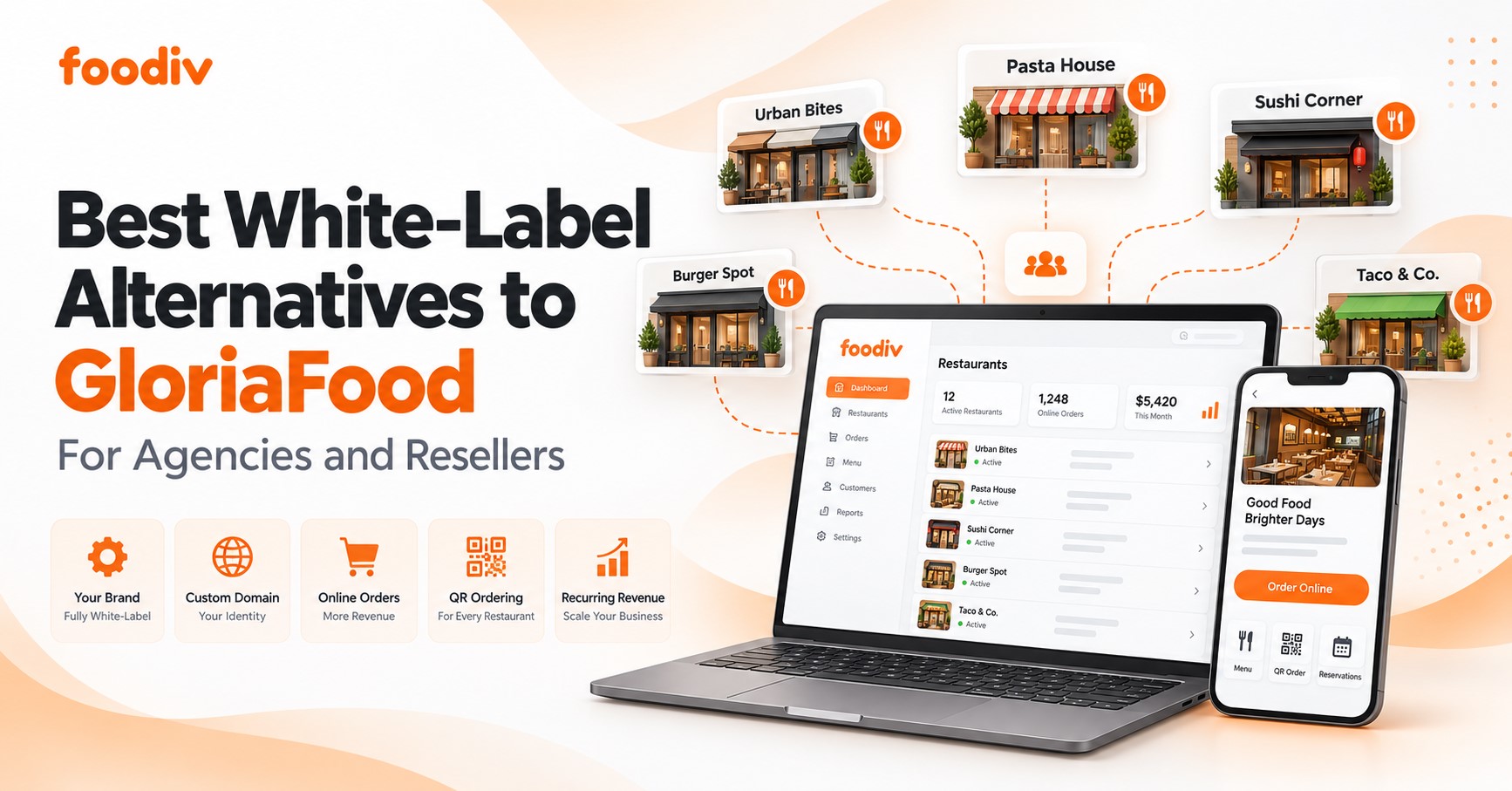
Foodiv is designed for coffee shops that want everything connected without juggling multiple systems. It handles counter orders, online orders, payments, and reporting in one place, which reduces confusion during busy hours. The checkout flow is fast and easy to learn, helping new staff get up to speed quickly.
- Quick checkout designed for high volume service
- Flexible menu control with modifiers and pricing updates
- Built in online ordering for pickup and pre orders
- Clear sales and performance reporting
- Multi location support with central control
Foodiv works well for single location cafés and growing brands that want visibility and control without added complexity. It focuses on practical features that support daily operations and steady growth.
Toast
Best for busy coffee shops needing strong restaurant grade POS and hardware options.
Toast is widely used in high volume food service environments and brings that experience to coffee shops. It offers a reliable POS system paired with dedicated hardware built for speed and durability. Toast works best for cafés with consistent traffic and structured workflows.
- Restaurant grade POS designed for fast service
- Integrated hardware options for counters and kitchens
- Strong order flow from front to back
- Detailed reporting for sales and labor
- Scales well for growing operations
Toast is a solid choice for coffee shops that want a proven system and are comfortable with a more structured setup.
Square for Restaurants
Best for new coffee shops that want a simple setup and familiar payments.
Square for Restaurants is a popular starting point for new café owners because it removes a lot of early friction. Setup is quick, the interface feels familiar, and payments work out of the box. For teams with limited tech experience, that matters. Staff can learn the system fast and get back to serving customers instead of figuring out software.
The platform focuses on core POS needs without overwhelming users with advanced configurations. Orders are easy to enter, modifiers are straightforward, and payments process smoothly. For many small coffee shops, that simplicity is exactly what they need in the early stages.
- Simple POS interface that is easy for new staff to learn
- Built in payment processing with widely trusted payment methods
- Basic menu and modifier management for common coffee customizations
- Entry level reporting that shows daily sales and item performance
- Minimal setup time with limited technical steps
Square works well for startups, pop up cafés, and small coffee shops that want to open quickly and stay focused on service. While it may feel limited as operations grow more complex, it provides a comfortable starting point without a steep learning curve.
Lightspeed Restaurant
Best for cafes that need strong reporting and flexible menus.
Lightspeed Restaurant focuses on control and customization. It suits cafés that care about detailed reporting and flexible menu structures, especially those with varied offerings.
- Advanced reporting and analytics
- Flexible menu and pricing controls
- Inventory tracking options
- Multi location capabilities
- Integrations with third party tools
Lightspeed is a good fit for cafés that want deeper insights and are comfortable managing a more feature rich system.
TouchBistro
Best for small to mid cafes that want an easy front of house experience.
TouchBistro is known for its clean interface and focus on front of house operations. It helps staff move confidently through orders without distraction.
- Easy to use POS interface
- Fast order entry
- Menu and table management tools
- Basic reporting features
- Works well for counter and table service
TouchBistro suits cafés that prioritize staff usability and customer facing speed.
Clover
Best for counter service coffee shops that want plug and play hardware.
Clover combines POS software with ready to use hardware. It is often chosen by coffee shops that want a quick, physical setup with minimal configuration.
- Integrated POS hardware
- Simple counter service flow
- App marketplace for added features
- Built in payments
- Quick deployment
Clover works best for straightforward counter service operations with limited customization needs.
Revel Systems
Best for scaling coffee brands that need enterprise level controls.
Revel Systems targets larger and growing coffee brands. It offers deep controls across operations, inventory, and reporting.
- Enterprise level POS features
- Advanced inventory and reporting
- Multi location management
- Custom workflows
- Strong scalability
Revel is better suited for established coffee brands with complex operational needs.
Loyverse POS
Best for budget focused cafes that want basic POS and loyalty.
Loyverse is a simple POS option for cafés with limited budgets. It covers essential functions without advanced customization.
- Basic POS and sales tracking
- Built in loyalty features
- Simple inventory tools
- Easy to use interface
- Low cost entry
Loyverse works for small cafés that need fundamentals without higher software costs.
NCR Voyix Aloha
Best for large coffee chains that need advanced operations and stability.
NCR Voyix Aloha is built for scale and long term stability. It is commonly used by large chains with standardized processes.
- Enterprise grade POS system
- Strong uptime and reliability
- Advanced operational controls
- Detailed reporting
- Long term scalability
Aloha fits large coffee chains that value consistency and proven infrastructure.
Shopify POS
Best for coffee shops that also sell retail products and want unified commerce.
Shopify POS connects in store sales with online retail, making it useful for cafés that sell merchandise alongside drinks.
- Unified in store and online sales
- Inventory tracking across channels
- Simple POS interface
- Strong ecommerce tools
- Centralized reporting
Shopify POS is a good option for coffee shops blending café service with retail sales.
Coffee Shop Software Comparison Table
The table below makes it easier to compare features, pricing approach, and best use cases at a glance. This helps coffee shop owners narrow choices faster and decide with more confidence.
| Software |
Best For |
Core Strengths |
Pricing Approach |
Typical Use Case |
| Foodiv POS |
All in one control |
Fast checkout, online ordering, reporting, multi location support |
Subscription based with optional add ons |
Growing coffee shops that want POS, ordering, and management in one system |
| Toast |
High volume cafés |
Restaurant grade POS, durable hardware, strong workflows |
Monthly subscription plus payment processing |
Busy coffee shops with consistent rush hours |
| Square for Restaurants |
New coffee shops |
Easy setup, familiar payments, simple POS |
Flat rate pricing with payment processing |
Startups and first time café owners |
| Lightspeed Restaurant |
Data focused cafés |
Advanced reporting, flexible menus, inventory tools |
Subscription pricing with integrations |
Cafés that want deeper insights and customization |
| TouchBistro |
Small to mid cafés |
Simple front of house experience, fast order entry |
Subscription pricing |
Cafés focused on ease of use for staff |
| Clover |
Counter service cafés |
Plug and play hardware, quick setup |
Hardware cost plus subscription |
Counter service coffee shops with basic needs |
| Revel Systems |
Scaling brands |
Enterprise controls, advanced reporting, multi location support |
Subscription plus setup fees |
Coffee brands planning multi location growth |
| Loyverse POS |
Budget focused cafés |
Basic POS, loyalty features, simple inventory |
Free plan with paid upgrades |
Small cafés with limited budgets |
| NCR Voyix Aloha |
Large chains |
Stability, advanced operations, proven reliability |
Enterprise level pricing |
Large coffee chains and franchises |
| Shopify POS |
Café plus retail |
Unified online and in store sales, strong inventory |
Subscription based with sales volume tiers |
Coffee shops selling drinks and retail products |
Pricing Guide for Coffee Shop Management Software in 2026
Picking coffee shop software isn’t just about features. The price you actually pay depends on several pieces working together. Some costs are obvious, others show up later. Understanding pricing helps you budget confidently and avoid surprises.
What Impacts the Total Cost
- Number of terminals
More devices mean higher subscription or licensing costs. A single counter setup will be cheaper than tablets at every station.
- Payment processing rates
Most systems charge a fee every time a customer pays with card or digital wallet. Those fees vary by provider and payment method.
- Hardware costs
Some platforms require dedicated devices, printers, scanners, or customer displays. Those add to your upfront investment.
- Online ordering and delivery add ons
Some software includes online ordering at no extra cost. Others charge monthly fees or take a cut per order.
- Loyalty and marketing modules
Tools that track rewards or send campaigns often cost more. You pay for basic software and then pay extra for engagement tools.
- Onboarding and support
Some companies include setup help in the price. Others charge for training, data migration, or priority support plans.
These factors add up differently depending on your size and needs, so it’s useful to think of pricing in tiers.
Typical Pricing Ranges
Below are general ranges, not exact quotes. Think of them as ballpark figures you might encounter.
| Pricing Tier |
Typical Monthly Range |
What It Usually Includes |
Best For |
| Starter Level |
$0 to $100 |
Basic POS, payment processing, simple menu setup, basic sales reports |
New coffee shops, small cafés, pop ups |
| Mid Level |
$100 to $300 |
Inventory tracking, online ordering, loyalty tools, better reporting, staff management |
Established coffee shops with steady daily volume |
| Enterprise Level |
$300+ |
Multi location control, advanced analytics, custom integrations, premium support |
Growing coffee brands and large chains |
Remember, these ranges do not include payment processing fees, which are usually separate. They also do not include one time hardware purchases. What matters most is matching your current needs and growth plans with a pricing tier that feels predictable and fair
Explore:
Top 10 Best Restaurant Billing Software to Explore in 2026
Best Restaurant Management Software to Streamline Your Operations in 2026
10 Best Cloud Kitchen Management Software in 2026
Conclusion
Choosing coffee shop software in 2026 comes down to fit. Not the longest feature list. Not the loudest brand. The right system is the one that matches how your café actually runs day to day.
A small neighborhood coffee shop needs speed and simplicity. A busy café needs reliability during rush hours. A growing brand needs visibility across locations and room to scale. When software aligns with your service style, order volume, and growth plans, everything feels easier. Staff move faster. Mistakes drop. Decisions become clearer.
The best coffee shop software supports the business without getting in the way. It keeps orders organized, customers coming back, and owners informed without adding complexity.
For coffee shops that want POS, online ordering, and management tools working together in one platform, Foodiv POS stands out as a strong option. It is built to handle daily operations smoothly while giving owners the control and insight they need to grow with confidence.
FAQs
Coffee shop software is what keeps everything connected behind the counter. It handles orders, payments, inventory, staff shifts, and customer data in one system so the shop runs smoothly instead of feeling scattered.
Yes, and often more than large ones. Small teams feel the impact of mistakes and slow service right away. Software cuts down manual work, keeps orders moving, and gives owners a clear view of sales without extra effort.
There’s a wide range. Some tools are free or low cost for basic needs. Most established coffee shops spend between $100 and $300 per month for features like inventory, online ordering, and reporting. Larger operations pay more for advanced controls and multiple locations.
In most cases, yes. Modern systems are built to handle pickup and pre orders. The difference is whether online ordering is included or offered as an add on, which is something to check before choosing a platform.
Start with how your café actually operates. Think about your rush hours, order volume, and future plans. The best software is easy for staff to use, fits your workflow, offers reliable support, and has pricing you understand upfront.