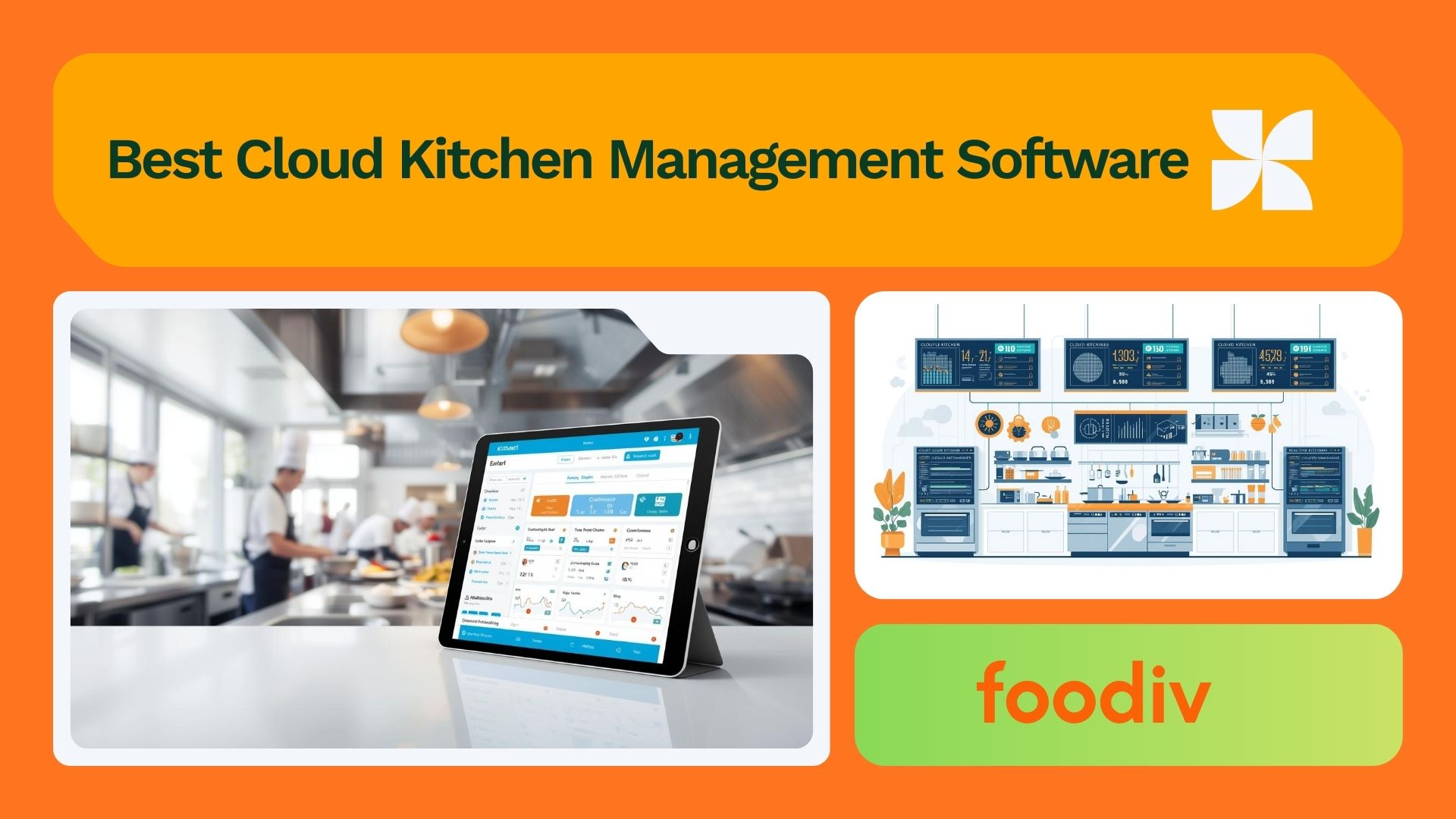
Cloud kitchens run on speed and precision. Orders come from multiple platforms. Menus change often. Margins stay tight. Managing all of this with spreadsheets or disconnected tools breaks down fast. That is where cloud kitchen management software comes in.
At its simplest, cloud kitchen management software keeps everything under one roof. Orders, menus, inventory, billing, and kitchen tasks stop living in separate tools. The team does not have to bounce between tablets or log into three dashboards just to keep up. Everything they need to run the kitchen shows up in one place, at the moment it is needed. This reduces errors and keeps operations moving during peak hours.
Cloud kitchens need dedicated software because their challenges are different from traditional restaurants. There is no front-of-house buffer. Every delay shows up as a late order or a poor rating. Managing multiple brands from one kitchen adds another layer of complexity. Without the right system, small issues scale into daily problems.
Specialized cloud kitchen tools solve this by focusing on efficiency and automation. Orders from delivery platforms flow into a single dashboard. Inventory updates automatically as items sell. Prep times and kitchen performance become visible instead of guessed. Analytics show what sells, what stalls, and where margins leak. What used to take hours of manual work happens in the background.
This guide breaks down the ten best cloud kitchen management software options for 2026. Each platform is reviewed with a clear lens. What it does well. Who it works best for. And where it may fall short. The goal is simple. Help you choose a system that fits how your cloud kitchen actually runs, not how software marketing describes it.
How to Choose Cloud Kitchen Management Software (2026 Buying Guide)
Here’s the thing. There are a lot of tools out there that claim to solve every problem under the sun. But most kitchens don’t need every bell and whistle. They need software that actually makes their day easier.
Let’s break down what matters.
Order management and delivery integrations
You need one screen where all orders land. Not five tablets on the counter. Not different dashboards for each delivery app. When staff spend more time switching screens than cooking, the issue is the workflow, not the kitchen. Good software consolidates orders so your cooks see one queue and you don’t lose time or tickets.
POS and billing support
You still have to charge customers and keep the books straight. A management platform should handle basic point-of-sale duties and produce accurate billing without making you export spreadsheets every night.
Inventory and recipe management
This part gets overlooked until it causes problems. If you do not know what ingredients are running low or how much each dish actually costs, margins slip without warning. Good software keeps stock levels visible and ties them directly to recipes. When something sells, inventory updates. When costs change, you see the impact before it hurts.
Reporting and analytics
Data only helps if it tells a clear story. You do not need flashy charts that look good in a demo. You need answers. What sells every day. What slows the kitchen down. Where waste shows up. The right reports make patterns obvious so decisions stop being guesses.
Scalability for multi location kitchens
What works for one kitchen does not always work for three. Some systems handle growth well. Others struggle the moment you add another location or brand. If expansion is part of the plan, the software should already be built for it. Switching systems later costs more time and money than most teams expect.
Pricing and support
Price matters, but clarity matters more. Know exactly what is included and what is not. Also look at support. When something breaks during a rush, waiting on email replies is not an option. Reliable support turns software from a risk into something you can trust.
Mobile apps and ease of use
If the system is hard to use, it will get bypassed. Staff on the floor need simple screens and fast actions, not manuals or workarounds. A solid mobile app and clean interface reduce mistakes and keep the kitchen moving when it gets busy.
Comparison Table at a Glance
This quick snapshot gives you an easy way to compare the key features of the top 10 cloud kitchen management systems. Whether you’re looking for specific tools or just need a starting point, this table will help guide your decision.
Features Comparison of Cloud Kitchen Management Software
| Software |
Best For |
Key Features |
Pricing |
Platform Support |
| Toast |
Restaurants of all sizes |
POS, delivery integration, inventory tracking, analytics |
Custom pricing |
Web, iOS, Android |
| Foodiv |
Cloud kitchens, multi-location |
Order aggregation, kitchen workflows, customer engagement, SEO |
Custom pricing |
Web, iOS, Android |
| Petpooja |
Small to mid-sized kitchens |
POS, delivery partner integrations, inventory management |
Starts at $29/mo |
Web, iOS, Android |
| Deonde |
Multi-site kitchens |
Order routing, marketplace dashboard, analytics |
Custom pricing |
Web, iOS, Android |
| Flipdish |
Restaurants wanting branded apps |
Direct ordering, customer loyalty programs, marketing tools |
Starts at $99/mo |
Web, iOS, Android |
| RestroWorks |
Large kitchen chains |
Kitchen performance dashboard, order management, delivery sync |
Custom pricing |
Web, iOS, Android |
| FoodDocs |
Cloud kitchens focusing on safety |
Recipe costing, food safety docs, inventory logs |
Starts at $19/mo |
Web, iOS |
| DoorDash |
Independent kitchens |
Order management, marketplace integration, delivery logistics |
Custom pricing |
Web, iOS, Android |
| Loyverse |
Small kitchens |
Free POS, loyalty program, inventory tracking |
Free / Paid plans |
Web, iOS, Android |
| Slerp |
Premium cloud kitchens |
API + marketplace smart routing, order aggregation, printing |
Custom pricing |
Web, iOS, Android |
Detailed Reviews of Top 10 Cloud Kitchen Management Software (2026)
Here’s the thing. No two kitchens run the same way. Some need tight control. Others need speed. Others need room to grow. This section looks at each platform through that lens so you can see where it actually fits.
1.Toast
Toast has been around long enough to earn trust. It started in traditional restaurants, but over time it has adapted to delivery driven and cloud kitchen setups. What stands out is how everything connects. Orders, payments, menus, and reports stay inside one system instead of getting scattered.
Key features
Unified order and POS system – Toast keeps orders and billing together. That matters when a kitchen handles delivery, pickup, and limited onsite service. Nothing feels stitched together. Everything flows through the same screen.
Delivery and marketplace integration – Orders from major delivery platforms feed straight into the kitchen queue. That cuts down on manual entry and keeps timing consistent when volume spikes.
Menu and inventory control- Menus update centrally and inventory adjusts as items sell. When something runs out, the system reflects it quickly. That saves staff from guessing and customers from disappointment.
Analytics and reporting- Toast focuses on clear reporting. You see sales, order volume, and performance without digging through clutter. The data is there to answer questions, not overwhelm you.
Best for
Toast works best for established restaurants and cloud kitchens that want one reliable system instead of juggling tools. It makes sense for teams planning to scale without rebuilding their setup later.
Pros
- Strong POS and payment foundation
- Stable delivery integrations
- Clear and reliable reporting
Cons
- Costs can add up for smaller kitchens
- Some features come as add ons
- Less flexible for highly custom workflows
Pricing snapshot
Toast pricing depends on features, hardware, and transaction volume. Most kitchens receive a custom quote rather than a fixed monthly price.
2.Foodiv
If your kitchen lives and dies by delivery apps, Foodiv pulls those orders into a single place and keeps your operations tight through a Cloud kitchen ordering system. It doesn’t try to be everything for everyone. It solves the specific problem of scattered orders and manual juggling.
Key features
Order aggregation- All your delivery app orders show up in one queue. No more switching between screens or missing a ticket.
Kitchen workflows and automation- You can set how orders flow through prep, cooking, and handoff. Foodiv automates printing and routing so cooks spend time cooking, not managing screens.
Customer engagement and SEO- Foodiv doesn’t just handle orders. It gives you tools to keep customers coming back — basic CRM, repeat-order incentives, and visibility on search.
Best for
- Delivery-first kitchens that want control without complexity.
Pros
- Easy to use. Focused on delivery workflows. Helps cut down app juggling.
Cons
- Not as heavy on traditional POS features. If you need advanced inventory costing, you might want to pair it with another tool.
Pricing
- Foodiv typically charges a monthly subscription based on features and order volume. Budget it like an investment in time saved.
3. Petpooja
Petpooja started as a POS tool. Over time, kitchens began using it for more than billing. Today, it helps manage orders, handle daily operations, and stay connected with delivery partners from one place.
Core strengths
Cloud POS + delivery partner integrations-Petpooja brings your POS and delivery app orders into one place. You don’t have to juggle different tablets for every marketplace. That alone saves time and mistakes.
Inventory & recipe management-It helps you track what you have, what you need, and what you used. You can manage recipes so portion costs are clearer. You won’t be guessing how much stock you have left at the end of the day.
GST & compliance support (if relevant)-In regions where GST and other compliance rules are non-negotiable, Petpooja doesn’t treat them as an afterthought. It helps keep your books in line with local tax requirements.
Best for
- Kitchens in markets where local billing, tax compliance, and delivery integrations are part of the daily grind, especially in India.
Pros
- Straightforward POS that grows into order management. Local compliance built in. Good delivery app sync.
Cons
- Features outside core kitchen needs can feel basic. If you need deep analytics or advanced automation, you might need more tools.
Pricing
- Petpooja usually offers tiered plans based on locations and modules you activate. It’s practical to treat it as an operational expense, not a luxury.
4. Deonde
Deonde doesn’t pretend to do everything. It focuses on bringing all your marketplace orders into a single dashboard and giving you the control you actually need to keep the kitchen flowing.
Core features
Centralized marketplace dashboard-Instead of checking five different apps every few minutes, all your orders land in one view. You see what’s coming, what’s cooking, and what’s ready.
Order routing & printer automation-What this really means is you set rules once and the system prints where it needs to without you babysitting every ticket. Prep, cooking, boxing — each station gets the right slips without extra clicks.
Analytics & growth insights- Numbers without meaning are just clutter. Deonde surfaces the trends you can act on — busiest times, top sellers, weak spots — so you can make decisions, not guesses.
Best for
- Multi-app kitchens that feel like they’re drowning in delivery notifications and want a sane workflow.
Pros
- Consolidates orders cleanly. Helps cut manual steps. Useful insights without noise.
Cons
- If you need detailed POS or deep accounting features, you’ll pair this with other tools.
Pricing
- Deonde usually charges based on order volume and integrations. Think of it as a tool that saves your staff time and reduces mistakes.
5. Flipdish
Flipdish focuses on direct ordering. Instead of acting as another layer between you and the customer, it helps you run orders through your own channels. That shift changes how kitchens think about growth, fees, and long term customer value.
Core strengths
Direct ordering and branded app- Flipdish lets kitchens run orders through a branded app and website. Customers order directly from you. What this really means is fewer commissions and more visibility into who your customers actually are.
Customer loyalty programs- Repeat orders keep kitchens alive. Flipdish includes simple loyalty tools that encourage customers to come back. Rewards, offers, and easy reordering help turn one time buyers into regulars.
Integrated marketing- Flipdish supports promotions tied to your own ordering channels. Instead of depending entirely on third party apps to push offers, you can reach customers directly when it makes sense.
Best for
- Kitchens that want to reduce reliance on delivery marketplaces and invest in building a direct customer base.
Pros
- Gives control back to the brand
- Helps lower long term commission costs
- Encourages repeat ordering
Cons
- Less focused on managing multiple delivery apps
- Requires effort to drive traffic to direct channels
Pricing
- Flipdish pricing is usually subscription based and depends on features and scale. It works best as a long term strategy, not a short term workaround.
6.RestroWorks
RestroWorks focuses on the day to day mechanics of running a kitchen. It is less about marketing and more about keeping operations steady when order volume starts to climb.
Key features
Kitchen performance dashboards- The dashboards show how orders move through the kitchen in real time. You can see where delays happen and which stations need attention. This makes it easier to adjust staffing and prep during busy periods.
Tables and order workflows- RestroWorks supports structured order workflows that keep tickets moving in the right sequence. Whether orders come from delivery, pickup, or limited dine in setups, the flow stays consistent.
Delivery coordination- The platform helps coordinate handoffs between the kitchen and delivery partners. Orders are tracked from preparation to dispatch so fewer items slip through the cracks.
Best for
- Cloud kitchens and restaurant operations that want stronger control over daily workflows and kitchen performance.
Pros
- Clear visibility into kitchen operations
- Helps reduce bottlenecks during peak hours
- Strong focus on execution over marketing
Cons
- Less emphasis on customer engagement tools
- May feel operationally heavy for very small kitchens
Pricing
- RestroWorks pricing typically depends on location count and feature selection. It is best evaluated based on operational needs rather than promotional extras.
7.FoodDocs
FoodDocs is built around structure and control. It helps kitchens manage recipes, safety records, and daily checks without relying on paper logs or scattered files. For teams that care about compliance and repeatable quality, this focus matters.
Core feature focus
Recipe costing and food safety documentation- FoodDocs ties recipes to ingredient costs and safety requirements. What this really means is you understand what a dish costs to make and whether it meets required standards at the same time.
Kitchen checklists-Daily tasks are easier to manage when nothing is left to memory. FoodDocs provides digital checklists for cleaning, prep, and safety routines so teams stay consistent across shifts.
Inventory log- Inventory tracking in FoodDocs centers on accuracy and accountability. Logs help teams record usage and spot gaps before they turn into shortages or waste.
Best for
- Kitchens that need strong food safety practices, clear documentation, and consistent execution across teams or locations.
Pros
- Strong focus on compliance and safety
- Helps standardize kitchen processes
- Reduces reliance on manual paperwork
Cons
- Not a full order or delivery management system
- Works best alongside POS or order aggregation tools
Pricing
- FoodDocs pricing is usually subscription based and varies by features and kitchen size. It fits best as a support tool rather than a complete kitchen platform.
8.DoorDash
DoorDash is known first as a delivery marketplace. But for many cloud kitchens, it also plays a bigger operational role. Especially when delivery speed and reliability matter more than complex back office tools.
Why DoorDash can act as a management platform
DoorDash Drive and marketplace sync- DoorDash Drive allows kitchens to use DoorDash’s delivery network for orders placed through their own channels. This means you can keep your ordering setup while outsourcing delivery without building logistics from scratch.
Order consolidation- When DoorDash is the primary channel, orders stay centralized within its system. For some kitchens, this simplicity reduces the need for separate aggregation tools.
Delivery logistics and tracking-DoorDash handles driver assignment, routing, and real time tracking. Kitchens see when orders are picked up and delivered, which helps manage prep timing and customer expectations.
Best for
- Cloud kitchens that depend heavily on DoorDash volume and want reliable delivery execution without managing drivers internally.
Pros
- Strong delivery infrastructure
- Reliable tracking and logistics
- Works well with direct order delivery through Drive
Cons
- Not a full kitchen management system
- Limited control over customer data
- Commission costs can add up
Pricing
- DoorDash pricing varies based on marketplace commissions and Drive delivery fees. Costs depend on order volume, distance, and service level, so it is important to review margins carefully.
9.Loyverse
Loyverse started as a simple point‑of‑sale system, but it gives small kitchens more than just transactions. It gives you control without complexity. If you’re not ready for a heavyweight tool, Loyverse lets you get the job done from day one.
Core features
Free POS option-You can start without spending a lot. The basic POS handles sales and payments straight up. No clutter, no confusing menus.
Customer loyalty & CRM- What this really means is you get easy tools to recognize repeat customers and encourage them to come back. It’s not rocket science, but it works.
Inventory tracking- You see what’s in stock, what needs reordering, and where you might be losing stuff. Inventory that disappears quietly costs you money. This helps you stop that.
Best for
- Small kitchens and startups that need a straightforward tool without the bulk.
Pros
- Easy to set up and use. Affordable entry point. Good for basic sales and customer tracking.
Cons
- Not built for heavy automation or complex delivery workflows. If you grow fast, you might need to add tools later.
Pricing
- Loyverse lets you start free and add paid features as you go. It’s friendly on the wallet, especially when you’re testing the waters.
10. Slerp
Slerp isn’t about fancy bells. It’s about connecting the dots. If you’ve built your own workflows or rely on multiple services, Slerp helps them talk to each other without you babysitting every order.
Key strengths
API + marketplace smart routing- What this actually does is let your systems pass data back and forth without gaps. Orders from different marketplaces get smartly routed to the right printers or stations without you clicking through screens.
Order aggregation dashboard- All your orders land in one view. You don’t have to chase downloads, export files, or juggle notifications from five different apps. It’s the kitchen view you always wanted.
Automated printing- Once you set the rules, the right tickets print in the right place. Prep gets its slips, cooks get theirs, and your front‑line team stays focused on food, not screens.
Best for
- Kitchens with custom workflows or those who already use multiple tools and want them to play well together.
Pros
- Good for tech‑savvy teams. Flexible routing. Helps unify marketplace chaos.
Cons
- Not the easiest choice if you want a one‑stop kitchen solution. It’s better paired with other tools for full coverage.
Pricing
- Slerp usually charges based on connections and order volume. Think of it as paying for coherence in a stack rather than a standalone package.
Conclusion
Choosing the right cloud kitchen management software depends on your current needs and growth plans. For startups, Loyverse is a great option due to its simplicity and affordability. It’s perfect for small kitchens just starting out. As you scale, Deonde stands out by helping multi‑app kitchens stay organized while growing with your business. For value, Foodiv strikes the right balance between cost and features, making it ideal for delivery‑focused kitchens. If automation and analytics are your top priorities, Flipdish provides powerful tools to streamline workflows and generate actionable insights for growth.
Before making a decision, always demo the platforms you’re considering. It’s the best way to see how they’ll fit into your kitchen and meet your specific needs.